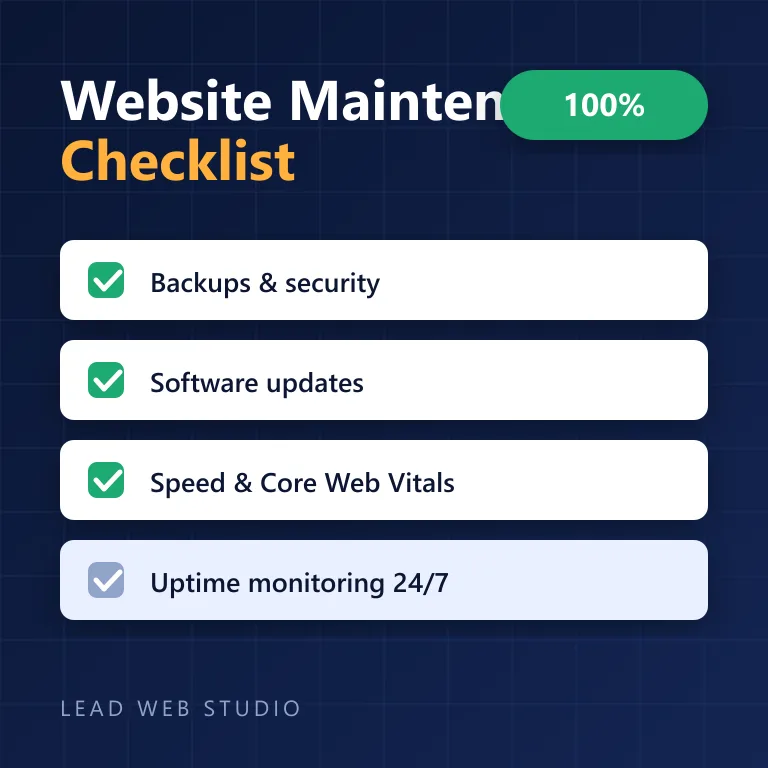
A website isn't a billboard you hang once — it's equipment that needs servicing. Software ages, threats evolve, and speed quietly drifts until customers (and Google) notice. After 10+ years of maintaining websites for GTA businesses, here's the exact checklist I work from — use it yourself, or use it to judge whether whoever maintains your site is actually doing the job.
The short version
- Continuous: automatic backups + uptime monitoring — non-negotiable.
- Monthly: software updates, security scan, forms test, review of what broke.
- Quarterly: speed check against Core Web Vitals, content and photo refresh.
- Neglect ends in an emergency that costs more than years of routine care — managed plans start at $100/month.
What does website maintenance actually include?
Six jobs, and they're the same whether your site is WordPress, custom-coded, or anything between: security (SSL, malware protection), backups (automatic, tested), updates (software, plugins, integrations), monitoring (uptime, errors), performance (speed, Core Web Vitals), and content (hours, prices, photos, new pages). Miss any one of them for long enough and it becomes the reason the phone stopped ringing.
The checklist: continuous, monthly, quarterly
Here's the schedule I run for every Toronto client site under care:
| Frequency | Task | Why it matters |
|---|---|---|
| Continuous | Automatic daily backups | A hacked or broken site is a 10-minute restore, not a disaster |
| Continuous | Uptime monitoring 24/7 | You find out your site is down before your customers do |
| Monthly | Software & plugin updates | Outdated software is the #1 way small-business sites get hacked |
| Monthly | Security & malware scan | Catches infections early, protects your customers and reputation |
| Monthly | Test forms, booking & phone links | A silently broken contact form is invisible lost revenue |
| Quarterly | Speed & Core Web Vitals check | Google rewards fast, stable sites — and demotes slow ones |
| Quarterly | Content refresh: hours, prices, photos | Stale content tells customers you might not be in business |
| Quarterly | Review analytics & search data | Shows what's working, what broke, and what to build next |
Nobody notices website maintenance when it's done — and everybody notices the day it wasn't. That's the whole product: nothing ever happens.
What happens if you skip it?
The decay is quiet and predictable. First the software falls behind and a security gap opens. Then speed drifts — a plugin here, an oversized image there — and Google notices before you do, because Core Web Vitals are measured on real visitors. Then one day a form breaks, or the site goes down on a long weekend, and the "free" years of no maintenance turn into an emergency invoice plus the customers you'll never know you lost. That last phrase is literal rather than rhetorical: an email that never arrives usually produces no bounce, so a form can send into nothing for months while every screen you look at reports success.
I see this most with businesses whose site was built by someone who disappeared — which is exactly why "a real person who answers" is half the value of a care plan for a Vaughan or Mississauga business.
DIY vs. a managed care plan
| What matters | DIY maintenance | Managed care plan |
|---|---|---|
| Backups & restore | If you remember | Automatic, tested |
| Security response | You Google it at midnight | Handled by someone who's done it before |
| Updates without breakage | Fingers crossed | Tested, rolled back if needed |
| Speed & Core Web Vitals | Rarely checked | Monitored and tuned |
| Your hours per month | 3–6 hours of your time | Zero — send edits, they get done |
| Cost | "Free" + your time | From $100/month, predictable |
DIY is genuinely fine for content edits if you enjoy it. The parts that bite are security, updates and performance — the ones that need experience precisely when something's gone wrong. Most owners hand it off the first time they price their own hours honestly.
Quick self-audit: do you know, right now, when your last backup ran and whether it restores? If the answer is no, that's the first item to fix this week — before any of the rest.
Frequently asked questions
What does website maintenance include?+
Security and malware protection, automatic backups, software updates, uptime monitoring, speed optimization, and content updates — the six jobs that keep a site secure, fast and current.
How often should a website be maintained?+
Backups and monitoring should run continuously and automatically; updates and security checks at least monthly; speed and content reviews quarterly.
How much does website maintenance cost in Canada?+
Typically $50–$300 per month for a small business. My care plans start at $100/month including updates, backups, security, monitoring and same-day content edits.
What happens if I don't maintain my website?+
Security gaps open, speed degrades, features quietly break, and Google gradually ranks the site lower — usually ending in an emergency fix that costs more than years of routine care.
Can I maintain my website myself?+
Content edits, yes. Security, updates and performance tuning need experience — and the honest cost of DIY is 3–6 hours of your month, every month.
Want the checklist handled for you?
Get a free site health check — I'll tell you exactly what's overdue. Care plans from $100/month.
Get My Free Health Check
10+ years building and maintaining websites for GTA businesses — 120+ projects, one message away. Read my full bio · Get in touch