I get this question almost every week, usually from someone who just hung up on a cold call telling them their "Google listing is about to be removed" unless they pay $299 right now. Take a breath — nobody can sell you a spot on Google Maps, and Google's own help pages say it will never ask you to pay to verify or reinstate a profile (here is how to check that call or email in two minutes). Depending on what you actually do for a living, you might not even want, or qualify for, a Google Business Profile at all. Let's sort out who genuinely needs one, who's wasting their time, and how to set it up so it doesn't get flagged and buried the moment it goes live.
The short version
- Meet customers in person — storefront or service calls — and you need one. It's free and it's where local "near me" searches live.
- Pure online business, no in-person contact? You likely don't qualify under Google's own rules, and shouldn't fake an address to get one.
- Work from home? Hide your address, list your service area instead — showing a residential address is the most avoidable mistake I see.
- Get it wrong on category, name or address and Google can suspend it outright — I set these up correctly the first time as part of Google Maps setup.
Do you actually need a Google Business Profile?
Yes, if customers ever interact with you in person — at a shop, an office, or by you travelling to them. It's a free listing that puts you on Google Maps and in local search results. If your entire business happens online with zero face-to-face contact, skip it; Google's own rules say you likely don't qualify anyway.
The profile is separate from your website, and it does a different job. Your website is where a visitor reads about you and decides to buy. The Business Profile is how they find you in the first place when they search "plumber near me" or "bakery north york" — it's the door, not the store. I covered how the map pack, organic search and ads fit together in how to get your business found on Google; this guide is about the one piece of that puzzle everyone assumes they need without checking.
Who Google actually lets have one (this trips people up)
Google's guidelines require "regular and meaningful interaction with customers" during your stated hours, either at a physical location or by visiting them in a service area. A business that exists only online — ships products, does support by email, never meets a customer face to face — does not meet that bar, and creating a profile for it violates Google's own terms.
I've seen store owners set one up for a side e-commerce brand just because "everyone has one," using a home address nobody visits. That's exactly the setup Google's guidelines flag, and it's how listings get suspended for no reason related to your actual reputation. Read the source yourself in Google's guidelines for representing your business on Google before you build anything — it's short, and it'll save you a rebuild later.
| Business type | Qualifies? | What to do |
|---|---|---|
| Storefront or office customers visit you | Yes | Full profile, address shown, category matched to what you sell |
| Service-area business you visit the customer | Yes | Profile with address hidden, service area listed instead |
| Online-only, no contact ship goods, remote work only | No | Skip it — put the effort into your website's SEO instead |
A Business Profile isn't a badge of legitimacy you're owed for being in business. It's a map listing for businesses customers physically reach — and Google enforces that line more than most owners realize.
What happens if you skip it when you shouldn't
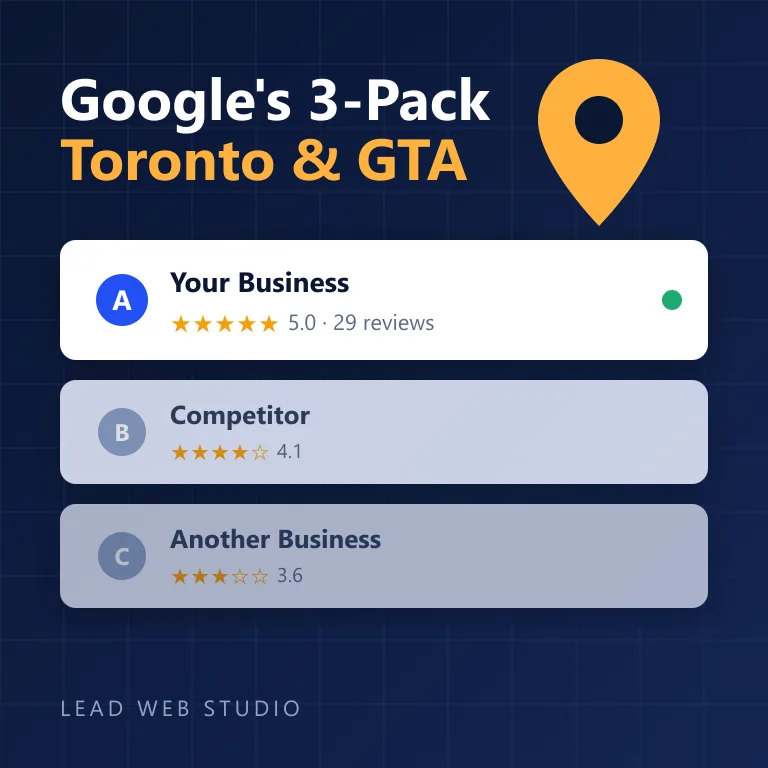
Nothing happens to your website's ranking directly — but you become invisible in the one place local customers look first. Someone searches "electrician scarborough," Google shows a map with three businesses, and if you're not one of them, you don't exist to that searcher. They call whoever's on the map, not whoever has the nicest website three scrolls down in the organic results.
I've had this conversation with contractors who'd been in business for years, had a solid reputation, and simply never claimed their profile — meanwhile a competitor half their experience sat in all three map spots because they bothered to set it up properly. It costs nothing to claim. Not claiming it is the only mistake that costs you money, every single day it sits open for someone else. The same is true twice over on Apple Maps and Bing, where an entry already exists under your name and a data broker wrote it. If you want the deep dive on actually winning those three spots once you're set up, I wrote the full playbook in how to rank in Google's 3-pack.
Setting it up without getting suspended
Google suspends more listings for sloppy setup than for anything a competitor reports. Do these six things in order and you avoid the vast majority of review flags:
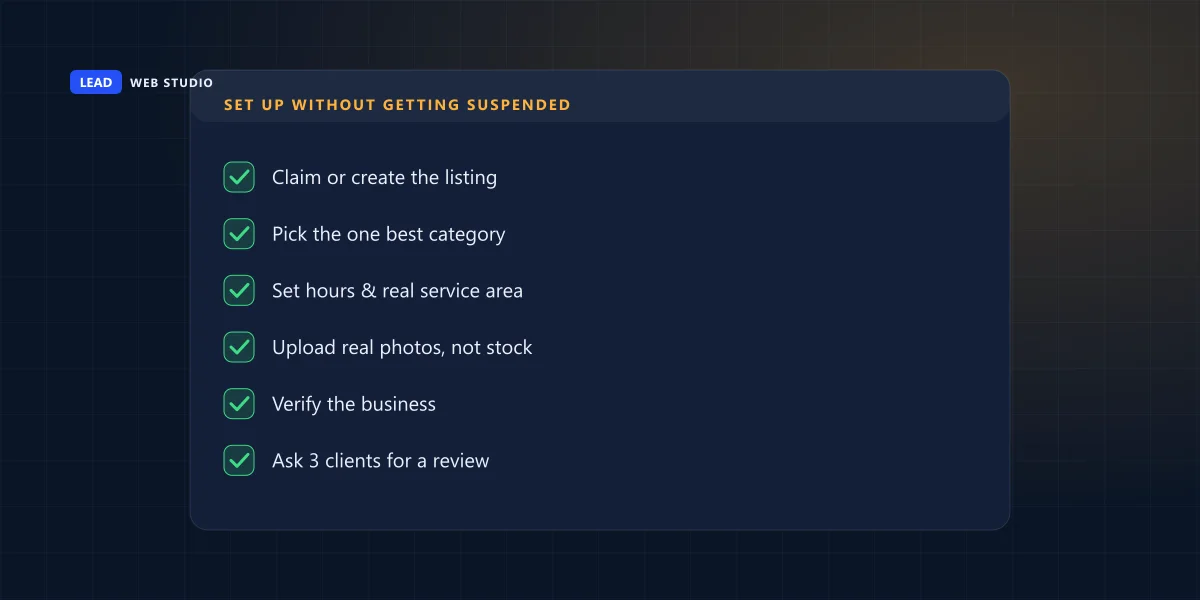
- Claim or create the listing at business.google.com — search your business name first so you don't create a duplicate of one that already exists.
- Pick one primary category that's the closest honest match to what you do. Stacking extra categories to show up for unrelated searches is a flag, not a hack.
- Set real hours and a real service area — if you close for lunch or don't work Sundays, say so; wrong hours are the #1 complaint I hear from customers who show up to a locked door.
- Upload real photos — your storefront, your team, your actual work. Stock photos are an obvious tell and Google's own reviewers do notice.
- Verify the business using whichever method Google offers you (more on timing below).
- Ask your first three happy customers for a review before you do anything else — an empty profile with zero reviews converts worse than no profile at all.
Should you show your address, or hide it?
Show it if customers walk into a physical location. Hide it and list a service area instead if you work from home or a van and customers never come to you — there's a dedicated setting for exactly this, and using it is not a workaround, it's how Google designed the system to work.
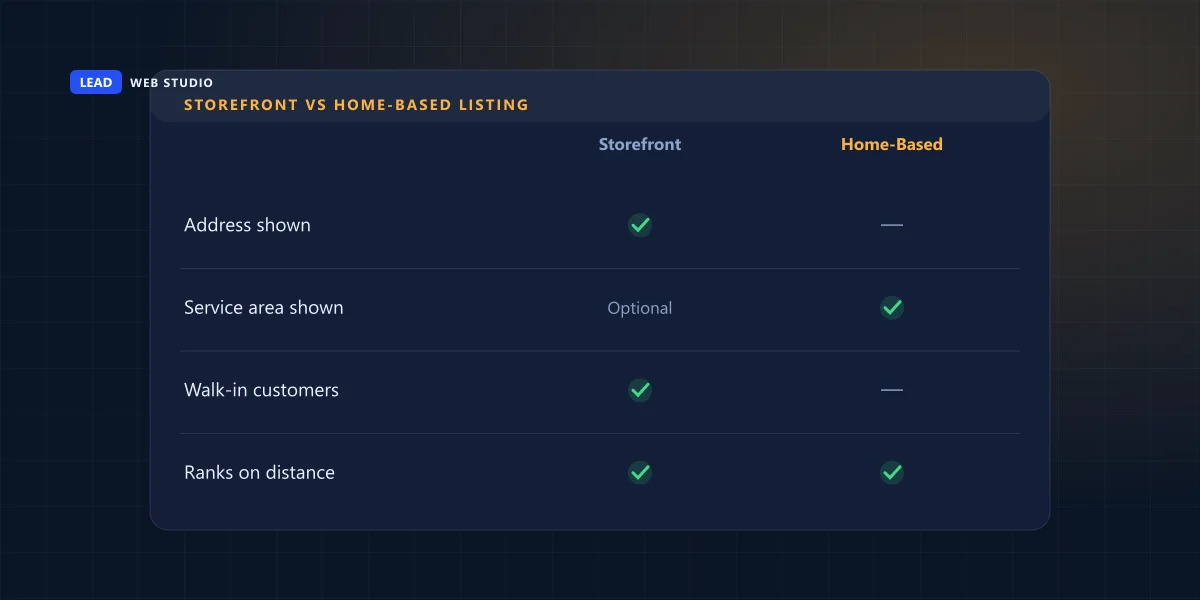
The mistake I see constantly with home-based businesses — landscapers, cleaners, mobile pet groomers — is leaving the home address visible "because the form asked for one." Nobody wants their house showing up as a business location on a map that strangers can screenshot. Toggle "I deliver goods and services to my customers" on, hide the address, keep the service area accurate, and you get the same map-pack eligibility without putting your front door on the internet.
How long does verification actually take?
Anywhere from instant to two weeks, depending on the method Google offers your category and location. You don't get to pick — Google decides which options you see based on your business type.
| Method | Typical time | Notes |
|---|---|---|
| Phone | Instant | Offered to many established categories; a code arrives by call or text |
| Instant to same day | Sent to an email address matching your domain | |
| Video | 2–5 days | You record a short walkthrough proving the location and signage |
| Postcard (mail) | 5–14 days | Google's fallback method; a code arrives by physical mail to the address |
If you're not offered instant verification, don't panic — it usually just means your category or location needs the extra confirmation. Google documents the current options in its own verify your business support page. Order the postcard the same day you set the profile up; the clock only starts once it's in the mail.
The mistakes that get listings suspended
- Keyword-stuffed business name — "Bob's Plumbing Toronto Emergency 24/7" instead of your actual registered name. Google's guidelines are explicit: your name field is your real name, not a slogan.
- Wrong or excessive categories — picking "Restaurant" for a food truck, or adding six loosely related categories to appear in more searches.
- Virtual office or PO box as a physical address — a mailbox service isn't a place customers can visit, and it reads as exactly what it is.
- Duplicate listings — a new profile created because someone forgot the old one existed, now competing against itself for the same address. Finding and merging a duplicate is its own job, because the copy that matters is never in your dashboard.
- Buying reviews or review swaps — the fastest way to get every review on the profile deleted at once, real ones included.
If you only do one thing today: search your own business name on Google Maps before creating anything. If a listing already exists — even one you didn't make — claim it. Building a second one is how duplicate suspensions happen.
Frequently asked questions
Do I need a Google Business Profile if I already have a website?+
Yes, if you meet customers in person, at a location or in a service area. Your website and profile do different jobs — the profile gets you found locally, the website is where the click becomes a customer. See web design.
Can an online-only business get a Google Business Profile?+
Generally no. Google requires regular face-to-face contact with customers, at a location or by visiting them. A business that only ships products or works entirely online with no in-person contact doesn't qualify.
Should I show my home address on my Google Business Profile?+
Usually no. If you run a service-area business from home, hide the address in settings and list your service area instead. Showing a residential address you don't want visited is a common, avoidable mistake.
How long does it take to verify a Google Business Profile?+
Phone and email can be instant to same-day. Video usually clears in a few days. Postcard by mail takes about five to fourteen days, sometimes longer around holidays.
Why did Google suspend my business listing?+
Most often a keyword-stuffed name, wrong category, a virtual office used as a physical address, or a duplicate listing. All fixable, but usually the listing needs rebuilding correctly rather than just re-submitting.
Want your profile set up right the first time?
I handle categories, verification, service-area settings and review strategy so your listing is built to rank, not to get flagged. See pricing or get a free review.
Get My Free Quote
10+ years setting up Google Business Profiles and local SEO for GTA businesses. Read my full bio · Get in touch