Notary Public Website Design in Toronto
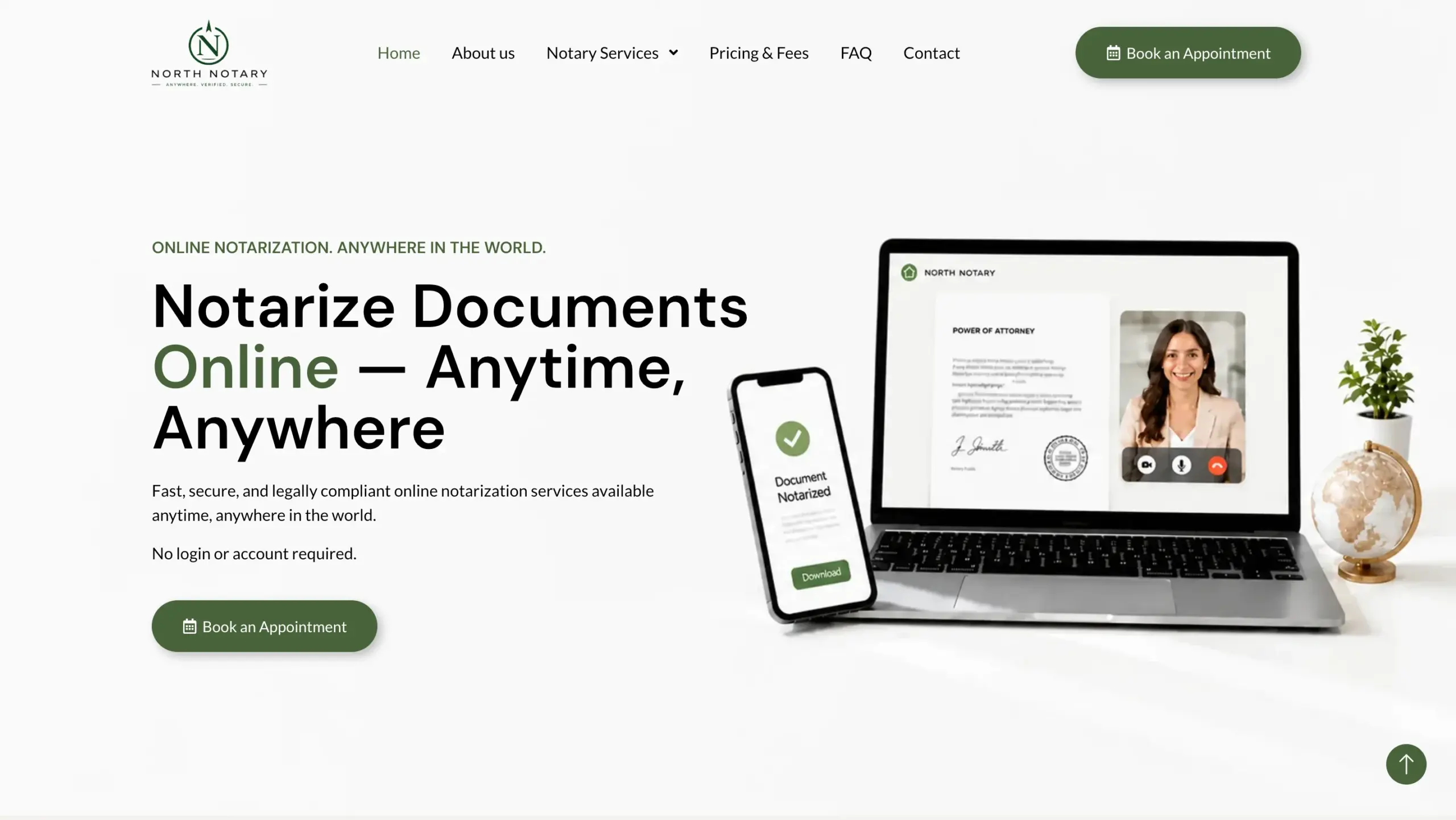
A notary office, the booking-first website I designed, belongs to a notary practice based right here in Toronto. Turning "I need something notarized" into a scheduled appointment took a site built around the calendar, not a paragraph about trustworthiness — the same approach applies directly to any notary practice in this city, not a case study borrowed from elsewhere.
A notary's busiest booking hours are often evenings and weekends — a site that can only be reached by phone during business hours is losing appointments before it opens.
Short answer
Lead Web Studio builds websites for notaries and notary publics in Toronto — custom-coded, mobile-first and structured for local search. A site costs $899–$2,999 one-time and goes live in 5–7 days once your content is ready. Local SEO and Google Business Profile setup are priced separately.
Why Does a Notary's Website Have to Prove It's Legitimate Before It Can Book Anything?
Someone booking a notary is often handling a document that matters — a closing, a power of attorney, a letter their family overseas is waiting on — and they will not hand that over to a site that looks unfinished. A notary site earns the click to "book now" by looking like a real, credentialed professional first: clear photos, a real address, plain-English descriptions of what each service actually involves. A notary office's site does that work in the first screen, before the booking calendar ever loads.
A Booking Calendar That Works After Hours
The core of a notary office's site is its online booking page — a client picks the service they need and a time slot without a single phone call, any hour of the day. That single feature does more for a notary's calendar than any amount of copywriting, because the moment someone realizes they need a document notarized is rarely during a 9-to-5 window.
Every Document Type Deserves Its Own Page
Someone who needs a power of attorney notarized is not asking the same question as someone closing on a condo. Each document type needs its own answer, not one generic "notary services" paragraph.
Real estate closings
Explains the closing-day process and what ID/documents to bring — the single most time-sensitive booking type.
Powers of attorney
Plain-English page on property vs. personal-care POAs, since most visitors don't know the difference yet.
Affidavits & statutory declarations
A short "what to bring" checklist so the appointment itself takes five minutes, not thirty.
Consent to travel letters
Written for a worried parent booking last-minute before a trip — speed and reassurance over legal jargon.
Certified true copies
The fastest, most price-sensitive service — needs visible pricing right on the page, not "contact for quote".
Commercial & corporate documents
Speaks to business clients booking repeat visits — a separate tone from the consumer-facing pages above.
What Toronto Clients Are Actually Nervous About
| Document Type | What They're Nervous About | What the Page Must Prove |
|---|---|---|
| Real estate closing | Missing the closing deadline | Same-day/after-hours availability, clear ID requirements |
| Power of attorney | Getting the wrong type of POA | Plain explanation of the difference, no legal jargon |
| Consent to travel | Booking too late before a flight | A visible "book today" calendar, not a contact form |
| Certified true copy | Overpaying for something simple | Upfront price, no "contact for quote" |
| Corporate documents | Whether this notary handles business clients | A dedicated commercial page, separate tone from consumer pages |
Toronto's Two Very Different Notary Clients
Downtown's condo corridor — King West, CityPlace, Liberty Village — turns over units constantly, and every closing brings a fresh wave of buyers who need a power of attorney or a closing document notarized on a tight deadline set by their lawyer, often with only a day or two of notice. A booking page that shows real open slots, not just a phone number, is what actually gets used under that kind of time pressure.
Further north, the Yonge–Finch and Sheppard corridor's immigrant communities generate a steady, different kind of demand: consent-to-travel letters for children visiting family overseas, and powers of attorney supporting relatives abroad. That client is usually planning ahead rather than rushing, which means the site's job shifts from "book me today" to "explain exactly what I need to bring" — the same site, doing two different jobs depending on who's reading it.
Remote Online Notarization vs. In-Person
Remote Online Notarization
- Video call with ID verification, no travel needed
- Works for clients out of town or short on time
- Needs its own explainer page — most visitors have never used it
- Digital seal delivered straight to the client's inbox
In-Person Notarization
- Preferred for documents requiring wet-ink signatures
- Better for clients who want to ask questions face to face
- Needs a clear address, parking note, and office photo
- Same-day slots matter more than for RON bookings
"Nobody booking a notary wants to think about the website. The booking calendar has to be the easiest part of their whole day." — Liubomyr Lukaniuk, on building the notary office website
Which Package Fits Your Notary Practice
| Package | Best for | What's included |
|---|---|---|
| Startup — $899 | A solo notary needing a professional booking-first site | Up to 10 pages, mobile-first design, basic on-page SEO, Google Maps integration, online booking |
| Growth — $1,499 | A practice offering RON plus multiple document types | Up to 20 pages, advanced SEO, Google Business Profile setup, document-type page set, conversion-focused CTAs |
| Enterprise — $2,999 | A multi-notary practice wanting a fully custom, lead-generating site | Unlimited pages, fully custom UI/UX, advanced local SEO foundation, custom booking integrations, schema markup |
Toronto Notary Website FAQ
Have you built a notary website in Toronto before?+
Yes — I designed and built the website for a notary office, based right here in Toronto. It runs on a 24/7 online booking flow, clear service pages for each notarization type, and local SEO for "notary near me" searches.
What should a Toronto notary's website include?+
An online booking system that works outside business hours, a plain-English page for every document type you notarize, visible pricing, and local SEO so Toronto clients find your site directly instead of a generic directory listing.
Can you help my notary practice rank on Google in Toronto?+
Yes. I set up Google Maps/Business Profile and on-page local SEO for notary searches across Toronto, so people searching for a notary near a specific neighbourhood find your site instead of a listings aggregator.
How much does a notary website cost?+
Custom sites start at $899 one-time for up to 10 pages, with Growth at $1,499 for larger service catalogs, and Enterprise at $2,999 for fully custom, unlimited-page builds. See my website design packages.

10+ years designing SEO-ready websites for professional practices, including a notary office. About the studio · Get in touch
Notaries Websites Across the GTA
Same work, city by city — pick the area you actually serve.
Need a website for your notary practice?
I'll build a fast, booking-first website that turns "I need this notarized" into a scheduled appointment — see my website design packages from $899.