Notary websites that get the client booked, paid and holding the right papers before the appointment
I build sites for notaries public in Toronto and across Ontario. Two notary offices in the GTA run on sites I made. One payment of $899, $1,499 or $2,999, fixed in writing before I start, and the site goes live 5 to 7 days after your text is settled.
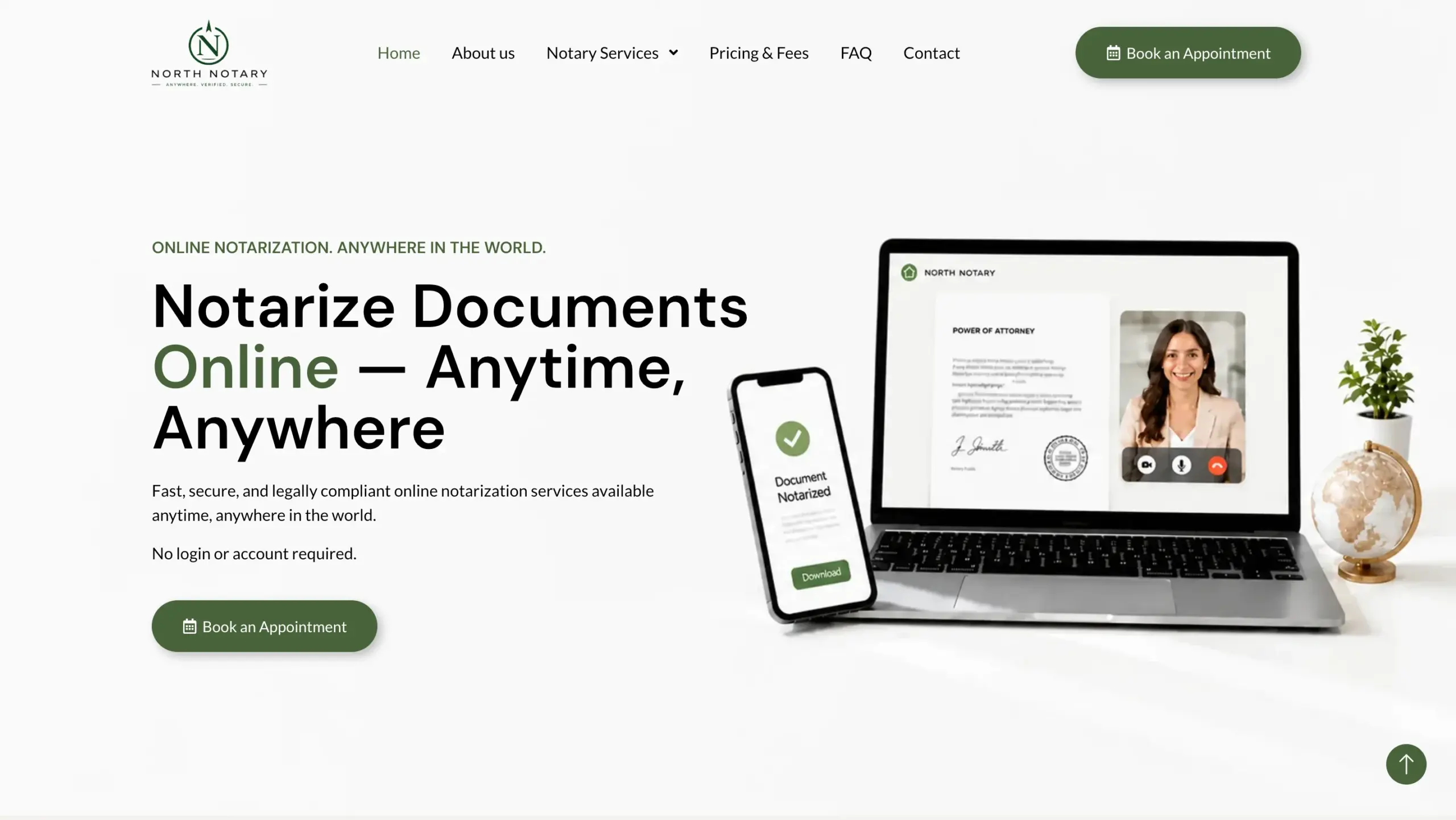

What Ontario's notary rules mean for your website
The province decides who can notarize and what the seal says. Three of its lines change what your site has to show.
not notaries by right and must still apply
Lawyers and paralegals are appointed separately. I put your licence and your appointment as a notary on the about page as plain text, so a client can check both.
only be provided for the purposes of the business or organization
A notary appointed through an employer can't serve the public. Clients know the difference, so the Toronto site states its Law Society licence in the first screen.
show Notary Public and Ontario
Your seal shows your approved name. The same name goes on every page and in the schema data Google reads, so the listing and the site match.
Quoted from Information for notaries public in Ontario, Government of Ontario.
How a client books on the Toronto notary site
This office signs most documents by video. Each step collects one thing, so the notary opens the call with everything already in hand.
Service
Travel consent letter, name change, vehicle transfer, wills and powers of attorney, each with its fee.
Time
The calendar shows only the slots the notary has free.
Documents
The client uploads the unsigned document and a clear photo of their ID.
Payment
Secure card checkout for the total before the appointment is confirmed.
Video link
The confirmation email carries a private link to the signing call.
Signed copy
The client signs on screen while the notary watches, and the finished document arrives by email.
When the client calls instead of booking
Plenty of notary clients still pick up the phone. The office console handles that without a second system.
A phone booking with a payment link
The notary fills in the same form the client would: service, extras, time, names and documents. The client gets an email with a payment link that does not expire, and the appointment is confirmed when the payment lands.
Tax by the client's province
GST or HST is charged at the rate of the province the client lives in, and the receipt shows it as its own line.
If the payment was settled at the counter, the notary marks it paid and the client gets the ordinary confirmation.
Which package fits which notary office
One-time prices in CAD. The full list of what each one includes is on the pricing page.
A notary working alone
Up to 10 pages: home, a page per service, fees, about, and contact with a map and a form.
An office with several notaries
Up to 20 pages, profiles for each notary, a blog for guides such as travel consent letters, and your Google Business Profile tied in.
An office that books and takes payment online
The booking flow above, custom intake forms, card payment and schema markup on every page.
Clients search "notary near me", so the map listing does as much work as the site. A Google Maps profile setup is $149 one-time, and website support is $100 a month if you want me to keep fees and hours current.
Other licensed practices I have built for
Many notaries also practise as a paralegal or lawyer. These sites carry a licence between the visitor and the first call too. My page on law firm websites covers the Law Society's marketing rules.
 Paralegal practice, Richmond HillImmigration and criminal practice areas, each page ending in a consultation request.
 Psychotherapy practice, TorontoTherapist profiles and online requests for a first appointment.
 Public adjusting firm, USStep-by-step pages on the claim process that end in a consultation.
 Diabetes clinic, TorontoPatient education pages that answer questions before the first visit.
What clients wrote on Google
"Did not expect such a good job! It was so easy — I just provided the services I offer and my company name, and in 4 days my website and Google Maps were done. Really good job!"Анжелика Алиева
"Today, it’s easy to make promises. What’s much harder is to keep them. That is exactly why working with Mr. Liubomyr and the team at LEAD Web Studio was such a refreshing experience. Every detail was carefully considered, every question was answered with patience. Finding people who genuinely care about the quality of their work is rare."Liubov Tyma












Questions notaries ask me before they start
Can clients sign by video through the site?
On the Toronto site they can: book, upload, pay, get a private video link and receive the finished document by email. Which documents you take by video and which only in person is your call, and the site lists it service by service.
Can clients upload their documents before the appointment?
Yes. On the Toronto site the client uploads the document and photo ID while booking, and the files reach the notary with the appointment.
Can I show my fees on the site?
Yes, and I recommend it. The Scarborough office shows prices by number of documents in the first screen, and the booking total updates as extras are added.
Do I need a separate booking app?
No. The booking, payment and confirmation emails are part of the site, on the $2,999 package. There is no monthly booking subscription to pay.
What if most of my clients phone?
The console lets you enter a phone booking yourself and email the client a payment link, so phone and online bookings land in one list.
How long does the build take?
5 to 7 days once your text and fees are settled. If you would rather not write the service pages, I draft them for you to check.
Running an office in the city itself? See the page on notary website design in Toronto.
Tell me about your notary office
Send me the services you offer and how clients book today. I'll reply with a fixed price and what I would put on the first screen.
Notaries Websites Across the GTA
Same work, city by city — pick the area you actually serve.