Somewhere out there is a directory page with your old phone number on it. You made it in 2019, or a sales rep made it for you, or a data company built it from a phone book nobody reads anymore. Before you fix listings or pay for new ones, you need the list of what already exists. This morning I tried to find every listing of my own studio four different ways, and the plain web search did a lot worse than I expected.
How do I find all my existing business listings?
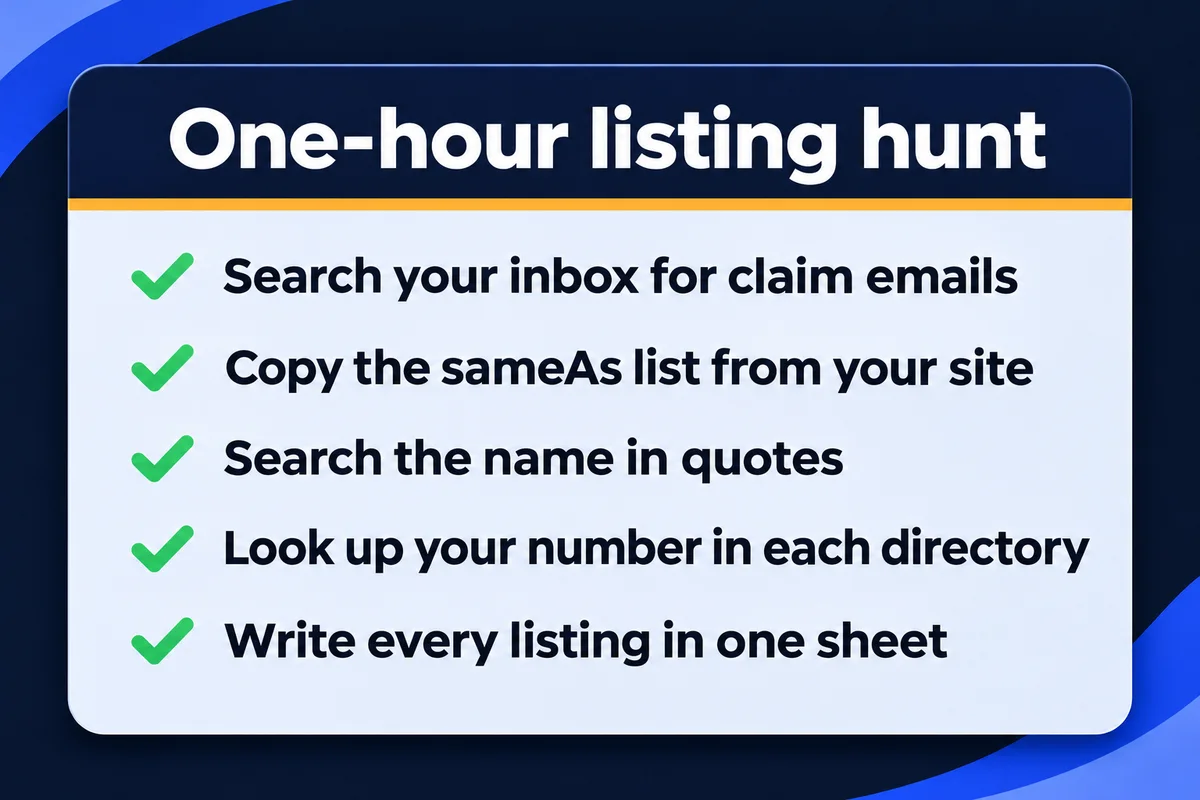
Start with what you already own, not with a search engine. Your inbox, your website's code and your password manager hold most of the listings you ever made. Then search your business name in quotes, look your phone number up inside each big directory, and write every hit into one sheet.
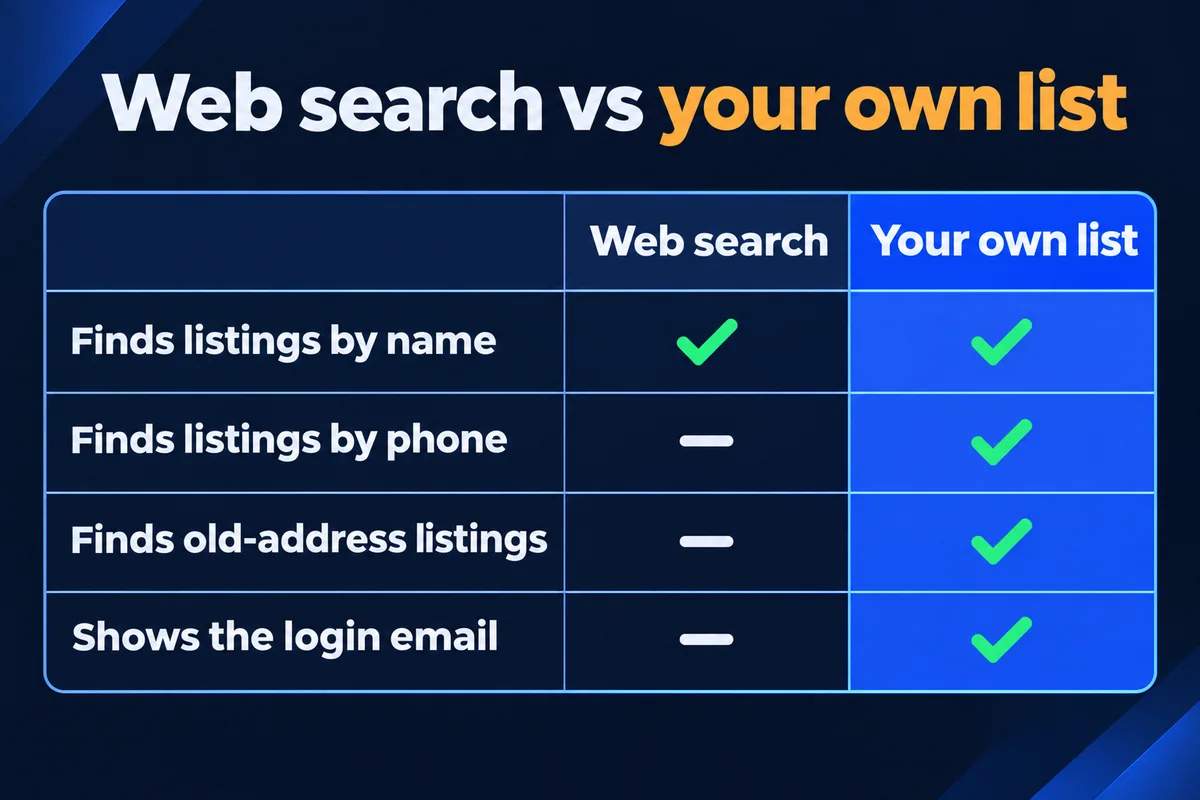
That order matters, because the search engine part is the weakest link. I'll show you why with real numbers.
My test: one studio, four searches, 15 known profiles
I know where my studio is listed, because the addresses sit in the schema of this site (14 of them) and I remember one more, DesignRush. So I had an answer key of 15. On 9 November 2026 I ran four searches in a general web search tool and counted how many of the 15 came back.
| What I searched by | What I typed | Found of 15 | What came back instead |
|---|---|---|---|
| Business name | "LEAD Web Studio" Toronto | 3 | DesignRush, AgencySpotter and TechBehemoths, then other Toronto agencies |
| Phone number | "647-563-9114" | 0 | Other people's 647 numbers and a list of Toronto area codes |
| Street address | "18 Cedarcroft" North York | 0 | Condo and rental listings on the same street |
| Website address | "leadlls.com" minus my own site | 0 | Companies with similar names |
Three out of fifteen. Yelp, Facebook, LinkedIn, Clutch, the Better Business Bureau and Crunchbase all hold a page about my studio, and none of them showed up. Every one of those pages has my name on it. Search just doesn't put a small business's directory pages in front of you on request, and it puts them there even less when you search by number or street.
Why phone and address searches come back empty
A directory page lists thousands of businesses, and search tools don't treat your phone number as the most interesting thing on it. They also write the number five ways: (647) 563-9114, 647-563-9114, 647.563.9114, +1 647 563 9114 and run together. Your quoted search matches one format. An address has the same problem, plus every apartment, condo sale and city report for the same building.
The operators still help, as long as you type them right. Google's help page on refining searches gives the rule in one line:
"Do not put spaces between the operator and your search term."
Google Search Help, Refine Google searches
Searches worth typing
- "Your Business Name" -site:yourdomain.com
- Every page that names you except your own site. Run it again with any old name, a short name, or the legal name on your invoices.
- site:yelp.ca "Your Business Name"
- One directory at a time. Swap in yellowpages.ca, facebook.com, bbb.org, or the directories of your trade.
- "Your Business Name" "old street name"
- Listings that still carry the address you moved away from. These are the ones that send customers to the wrong door.
- "647 563 9114" and "6475639114"
- The same number in the formats your first search missed. Try each format of every number you've ever had, including an old cell.
- "Your Business Name" before:2022
- Pages last updated before a year you pick. Google lists before: and after: on the same help page; old listings tend to live here.
The list you already have, in five places
Every listing you created yourself left a trace. Collect those first, and the search part becomes a check rather than a hunt.
- Your inbox. Search it for "verify your listing", "claim your business", "welcome to", "your profile is live" and "confirm your email". Directories always send one of these, and the sender's address tells you which site it was.
- Your website's own code. If your site has business schema, view the page source and search for sameAs. That's where I found 14 of my 15. A web designer who set it up put your profiles there on purpose.
- Your password manager or browser's saved passwords. Sort them by site name and you'll see every directory you ever logged into.
- Your card statements. A paid listing or a "premium profile" leaves a charge every month or every year, and some of those keep billing long after you forgot the listing.
- Your Google Business Profile. It isn't a directory in the old sense, but it's the listing most of your customers see, and other sites copy from it. If you have more than one, my guide on a duplicate Google Business listing covers what to do.
Write everything down as you go. If you skip this step and go straight to the search box, you'll find three listings and believe you have three.
Look yourself up inside each directory
Big directories have their own search box, and it searches their own database, which a general web search never fully sees. Search by your business name and city first, then by phone number where the site allows it.
YellowPages.ca has a page for every phone number at yellowpages.ca/fs/ followed by 1 and the number. When the number isn't tied to a business there, the page says Sorry we really don't have any info about this number
and offers a free listing. When it is tied to one, you'll see the business. That one lookup answers what a dozen web searches can't.
Places owners forget to check:
- Bing Places and Apple Business Connect, which feed Bing Maps and Apple Maps
- A Facebook page someone else started for your address
- The directory of every trade association or chamber you joined
- Booking, quote and lead sites you tried for a month and quit
- Supplier and manufacturer "find an installer" pages
Keep every listing in one sheet
The sheet is the real product of this whole exercise. One row per listing, with what that page actually shows today. These are three rows from my own sheet, from the pages I could read with a plain request this morning:
| Site | Name | Phone | Street | Website |
|---|---|---|---|---|
| Wikidata | Shown | Shown | Shown | Shown |
| Bark | Shown | Not on the public page | Shown | Shown |
| Shown | Not on the public page | Not on the public page | Not on the public page |
Add columns for the listing's address, the email you log in with, and the date you last checked it. A row that says "Not on the public page" isn't automatically wrong. Some sites keep the phone behind a button or show it only to signed-in visitors. What you're hunting for is a different value, not a missing one: an old number, an old suite, a name you stopped using.
If the sheet turns up a wrong address, fix it at the listings people actually see first. When the wrong address comes from a move, my notes on moving a business to a new address list which profiles to change and in what order.
What paid citation finders add
Tools like Whitespark's Local Citation Finder and BrightLocal's Citation Tracker do the same lookup at scale. Whitespark's user guide says its business search takes the business name, phone number and city. BrightLocal's guide describes a table of key directories showing the name, address and phone it found on each. They're good at the big directories and at comparing you with competitors, and they save an afternoon if you have several locations or several old numbers.
Treat any tool's count as a floor, not a total. When I requested my 14 schema profiles with a plain script this morning, 11 sites refused it outright and only 3 sent the page. Directories decide who gets to read them, and an automated finder sees what each site lets it see. Your inbox has no such problem.
Once you have the full list, the next question is which listings are worth keeping and which new ones are worth making. That's what my guide to local citations in Canada is for. If you'd rather hand the whole thing over, my SEO plans build business listings every month, 2 on SEO Starter at $300 CAD a month and 15 on SEO Pro, and the full list is on the pricing page.
Short answers about finding your listings
Is there a free way to find all my business listings?+
Yes, but it's manual. Search your inbox for claim and verification emails, check the sameAs list in your website's schema, search your name in quotes, and look your number up in each big directory. When I tried a plain web search alone, it found 3 of my 15 known profiles.
Can I find listings by phone number?+
Inside a directory, often yes. YellowPages.ca has a page for every number. A general web search for the number in quotes found none of my 15 profiles, partly because each site writes the number in a different format.
How do I find listings with my old address?+
Search your business name together with the old street name in quotes, and try the before: operator with the year you moved. Then check each directory's own search box, because old listings rarely rank in a normal search.
Who created listings I never made?+
Usually a data company that collects business records and sells them to directories, a sales rep who set one up during a call, or a site that builds pages from public records. You can still claim most of them and correct the details.
How often should I look for new listings?+
Do the full hunt once and keep the sheet. After that, run the name search and a few directory lookups whenever your phone, address, name or hours change, and once a year even if nothing changed.
Sources, read on 9 November 2026: Google Search Help, Refine Google searches; Whitespark, Local Citation Finder user guide; BrightLocal, Citation Tracker guide; YellowPages.ca phone number page.
Want someone else to make the list?
Send me your business name, every phone number you've used and your old addresses. I'll tell you where you're listed and which listings need fixing.
Get My Free Quote
I build websites and Google profiles for small businesses around the GTA, and I keep a listing sheet for every one of them. Read my full bio · Get in touch