Google keeps a field on every Business Profile whose entire job is to say "this one is a copy of that one". It is called duplicateLocation, and Google's own developer reference describes it in nine words: "Output only. The location resource that this location duplicates." This morning I read that field on all nineteen profiles I am authorised to manage. Every single one came back empty. No duplicates. Nothing flagged, nothing pending, no two profiles sharing an address or a name.
Which sounds like good news, and is actually the point of this article. A duplicate Google Business listing is, by definition, a second card for your business — and the one that causes real damage is almost always a card you do not own. It is not in your account. So it cannot be in the field that describes your account. I ran a clean scan across nineteen profiles and it proved precisely nothing about whether any of those businesses has a duplicate out there on Maps.
The short version
- Your dashboard is the wrong place to look. Google's duplicate flag only ever describes listings inside your own account. The dangerous one is outside it.
- Anyone can put your business on Maps. Google's help page says you can add missing places and "the place shows publicly once it's added" — adding and claiming are separate steps.
- Merging is a Maps report, not a dashboard button. On the duplicate card: Suggest an edit → Place closed or not here → Duplicate of another place → Submit. Full steps below.
- Merging keeps the reviews. Google: "When 2 profiles are merged, their reviews are combined, but replies to reviews may be lost."
- Deleting does not. Google: "When you remove a duplicate profile, all content and linked managers will be removed." Only delete an empty one you made yourself.
- Same brand, different city is not a duplicate. One client in my set runs eight profiles with nearly identical names across eight cities. Google flags none of them.
Why can't I see my duplicate Google listing in my dashboard?
Because a dashboard lists what you own. A duplicate created by a former agency, a staff member with a personal Google account, or a passing stranger on Maps was never added to your account, so it is not in the set your dashboard can read. Checking it and finding nothing tells you about your account, not about Maps.
This is worth sitting with for a second, because it inverts the normal instinct. When something is wrong with a Business Profile, the reflex is to log in and look. That reflex works for a suspended profile, for a wrong phone number, for reviews you cannot find. It does not work here, and it fails silently: you look, you see one clean listing, and you conclude you are fine.
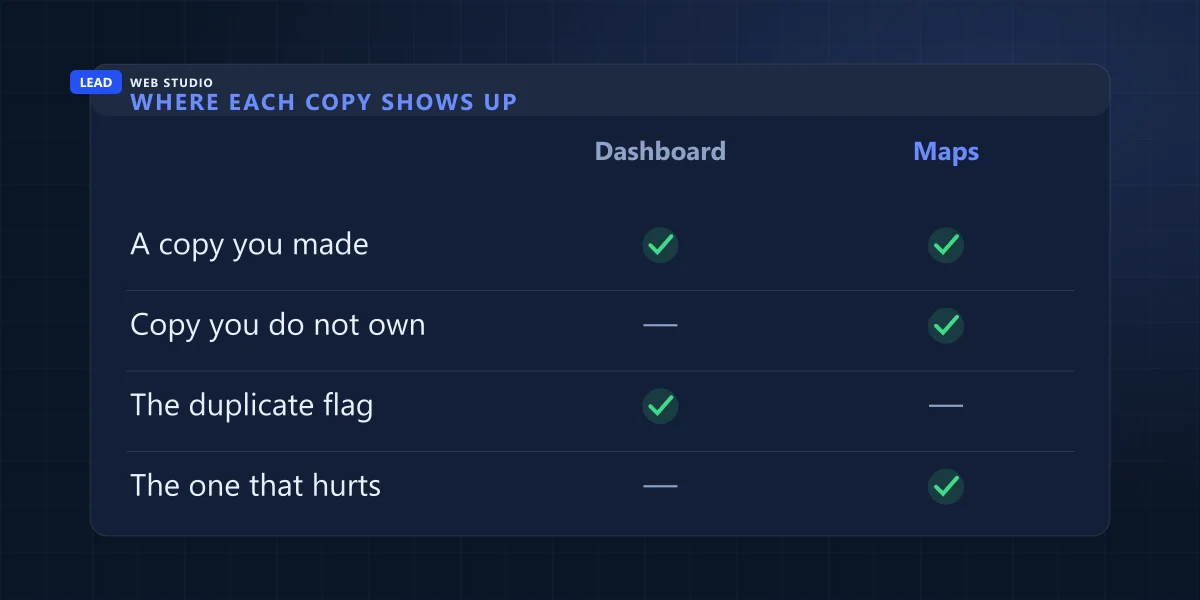
I can show you exactly how silent it is, because I have the machine-readable version. Google's Business Profile API hands back a metadata block on every location, and inside it sit the fields an owner never sees: whether the listing is flagged as a duplicate, whether it has "Voice of Merchant" (Google's term for being properly owned and in good standing), whether edits are pending, whether Google itself has proposed changes. Here is what nineteen profiles returned in one pass on 5 September 2026.
| What I read | Result across 19 profiles | What it proves |
|---|---|---|
duplicateLocation set | 0 | No duplicate inside these accounts |
| Two profiles at one address | 0 | Nothing accidentally created twice |
hasVoiceOfMerchant true | 19 of 19 | All properly owned, none in limbo |
| A duplicate I do not own | Not measurable | The gap this whole article is about |
The last row is the one that matters. There is no API call, no dashboard panel and no notification that says "somebody else has a card for your business". Google will tell you about a copy you made. It will not tell you about a copy someone else made, and that is the copy that splits your reviews across two cards and puts a version of your business on the map that nobody at your business is maintaining.
How does a duplicate listing get created in the first place?
Four ways, and two of them have nothing to do with you. Someone at the business creates a second profile without realising the first exists. A previous marketing company sets one up under their own account. A move gets entered as a brand-new listing instead of an address change. Or a member of the public adds your business to Maps.
That last one surprises people, so it is worth quoting Google directly rather than paraphrasing. The Maps help page on adding a missing place says "You can add missing places to the map" and that "The place shows publicly once it's added." Adding a place and claiming it are two separate processes — the same page points you to "Claim and verify your business" as a later, optional step. So a card carrying your business name, an approximate pin and whatever hours a stranger guessed at can sit on Maps for years with nobody verified behind it, quietly collecting reviews and quietly ranking.
| How the copy got there | Who owns it | Where to start |
|---|---|---|
| Someone at the business made a second one | You do | Remove it, if it is empty |
| A former marketing agency set one up | They do | Request ownership |
| A move entered as a new listing | You do | Merge, keep the older reviews |
| A stranger added the place on Maps | Nobody | Claim it, then merge |
The agency version is the one I see most often in Toronto, and it is the most expensive because it usually holds the reviews. A company hires a marketing firm, the firm creates a profile under an account the client never gets the password to, the relationship ends, and the client eventually makes their own — leaving two cards, with all the review history sitting on the one they cannot log into. If that sounds close to home, the ownership side of it has its own guide — what to do when someone else is editing your Google listing covers the access half of the problem.
Are two locations of the same business duplicates?
No, and it is worth ruling this out before you go looking for a problem. A duplicate means two cards describing the same physical location. Two cards describing two locations of one company are exactly what Google expects, even when the names are nearly identical and the branding is the same.
I have a clean example of this in the set I manage. One multi-location trades company runs eight separate profiles whose names differ only by the city on the end — Toronto, Barrie, Hamilton, Oakville, Mississauga, Cambridge, Etobicoke and one covering Muskoka. Eight profiles, eight distinct street addresses, eight different cities. Google's duplicate flag is empty on all eight, and no two of them sit in the same locality. Across the nineteen profiles as a whole there are 145 declared service areas, and none of that overlap counts as duplication either.
Eight cards at eight addresses is a multi-location business. Two cards at one address is a duplicate, whatever the names say. If you are building out a genuine second location rather than untangling an accidental copy, the setup side is a different job — that is Google Maps setup, and doing it properly the first time is considerably cheaper than the alternative.
How do I find a duplicate Google Business listing?
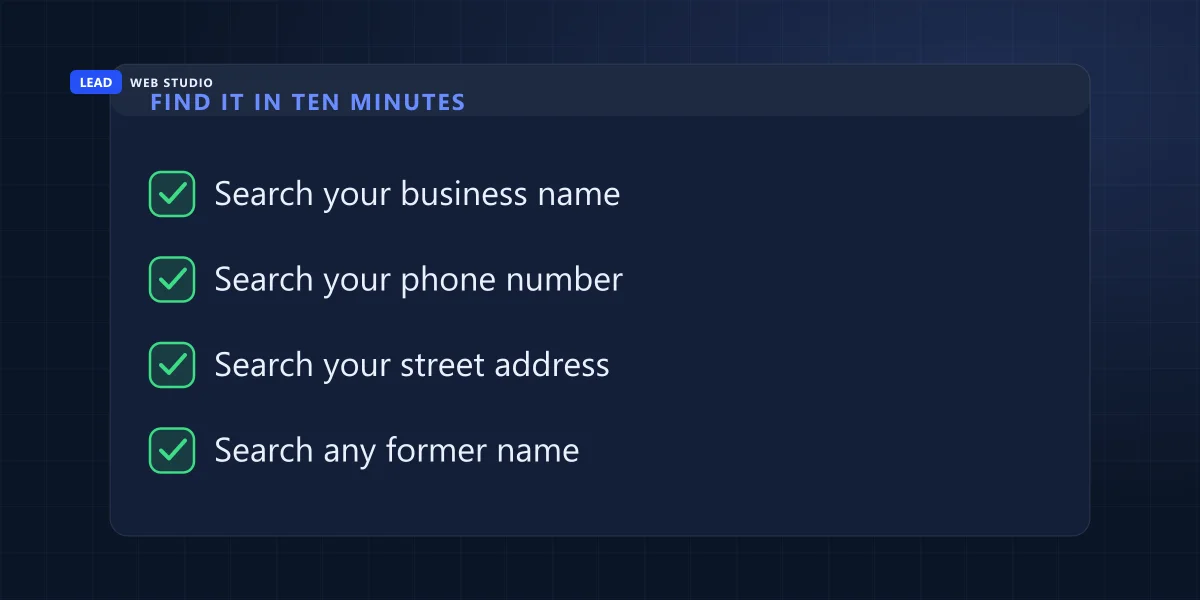
Search Maps the way a customer would, not the way an owner does. Open a private browsing window so your own account and location history stop shaping the results, then run four separate searches — your business name, your phone number, your street address, and any name your business has traded under before.
Each of those four catches a different kind of copy, which is why doing one and stopping is not enough.
- Your business name. Catches the obvious twin. Also try it without your legal suffix — "Ltd", "Inc", "& Sons" — because a copy made by someone outside the business gets typed from whatever they saw rather than from your registration.
- Your phone number. The single best search of the four. A phone number is unique to you in a way a business name is not, so a second card carrying yours is very hard to explain as a different business. Search it with and without the area-code brackets.
- Your street address. Catches the copy that got your address right and your name wrong — a misspelling, an old brand, or a franchise name where you now trade independently. Zoom into your own block on Maps and read every pin on it.
- Any former name. Catches the copy that predates a rebrand. If the business changed hands, changed names, or moved, the old identity is often still sitting on the map as its own card.
When you find one, write down two things before you touch anything: how many reviews it has, and whether it says "Claim this business" or "Own this business?" on the card. Those two facts decide everything that happens next, and they decide it in opposite directions.
What happens to my reviews when two Google listings are merged?
The reviews survive. Google's help page states it directly: "When 2 profiles are merged, their reviews are combined, but replies to reviews may be lost." So the star ratings and the review text end up together on the surviving card. The replies you wrote underneath them are the part Google explicitly warns you may not keep.
That single sentence is the reason merging beats deleting whenever the duplicate has anything on it. And it is also the reason to screenshot your replies first, because "may be lost" is Google's wording, not mine, and there is no undo.
I want to be precise about where Google's documentation stops, because it stops earlier than you would expect. Google's help page addresses reviews and review replies. It says nothing about what happens to photos, nothing about posts, nothing about the Q&A section, and nothing about how long a merge takes. I looked for it and it is not there. Anyone telling you your photos definitely carry across is telling you something Google has not published.
| Request a merge | Remove the duplicate | |
|---|---|---|
| Reviews on it | Combined onto one card | Gone with the profile |
| Your review replies | "May be lost" (Google) | Gone with the profile |
| Linked managers | Unchanged on the keeper | "All content and linked managers will be removed" |
| Use it when | The duplicate has reviews or history | You made it yourself and it is empty |
Google's wording on removal is worth reading twice, because it is easy to skim past: "When you remove a duplicate profile, all content and linked managers will be removed, so make sure to remove the correct profile." Removal deletes that card and everything on it, and moves nothing across to your other listing. The one case where it is the right move is the narrow one Google itself names — "If you created a duplicate profile by mistake, you can remove it without affecting your verified listing" — and even then, only after you have checked the duplicate is genuinely empty.
How do I merge two Google Business listings?
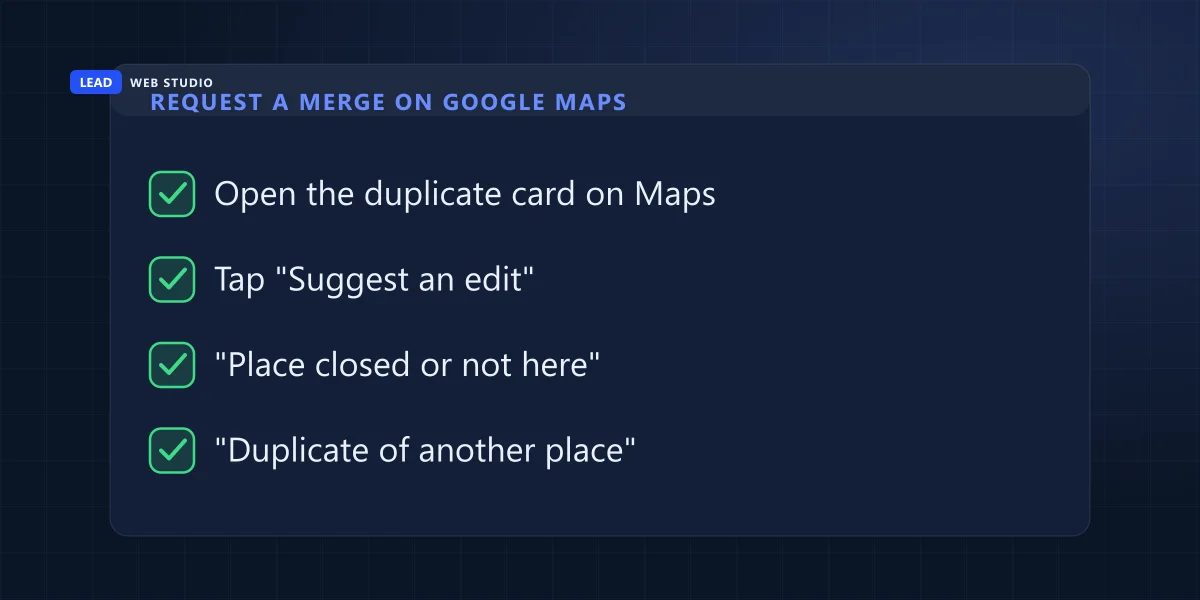
Open the duplicate card on Google Maps, select Suggest an edit, then Place closed or not here, then Duplicate of another place, and submit. That is Google's own merge route, and you do not need to own either card to use it. Google reviews every request, so nothing changes on the spot.
The merge does not happen in your Business Profile dashboard. Google's duplicate help page sends you to Maps, and the Maps help page spells out the menu path. Here it is, with the two things I do before the first tap:
- Write down what is on the duplicate. Note its review count and screenshot any replies you wrote. Google says replies "may be lost" in a merge, and there is no undo.
- Check the two cards describe the same business. Google's condition is plain: "For the merge to be successful, the profiles must represent the same business and should have the same info." If the copy carries an old phone number or a misspelt name, I suggest a correction to that field first, so the two cards line up before anyone at Google compares them.
- Open the duplicate on Google Maps — the copy, not the card you want to keep — signed in to your Google Account.
- Select "Suggest an edit", then "Place closed or not here".
- Select "Duplicate of another place" and submit.
Then you wait. Google's line on it is that "All merge requests are subject to review", and the Maps help page adds that "We review your edits, so it can take some time for your changes to show on the map." Neither page gives a number of days, so I will not invent one.
Which route fits depends on who owns the cards: sometimes removing or reclaiming the copy is cleaner than a merge request. The three routes, in the order I would try them:
You own both cards. Remove the duplicate from your Google Account, having first confirmed it has no reviews. This is the only route here that does not depend on Google reviewing a request and getting back to you.
You own neither, or only one. Google's instruction here is short: "To request a merge when 2 or more Business Profiles for the same business exist on Maps, report a suggestion on Google Maps." That is the five steps above: you submit it and wait for Google's review rather than getting a decision on the spot.
The duplicate has your reviews and you want it back. Request ownership rather than a merge. Google's help page sets out the clock precisely: "The current profile owner is then notified by email and has 3 days to respond." If they do not, "If you don't get a response after 3 days, you may have the option to claim the profile" — with the honest caveat, in Google's own words, that "The option to claim a profile isn't always available." A denial is not the end either: "You'll get a rejection email but you can still suggest an edit to the profile. You can also try to appeal the decision."
None of these is instant, and none of them has a support phone number attached. If the profile has gone dark rather than doubled, that is a different problem with a different fix — start with what to do about a suspended Business Profile instead.
What if Google marked my business as a duplicate by mistake?
You appeal through Business Profile support, not through Maps. Google says both businesses must be eligible and distinct from one another, and if both serve customers at the same location, you will be asked for evidence of permanent signage that clearly shows both businesses.
This is the reverse problem, and it happens at shared addresses: two companies in one building, a clinic with independent practitioners, a shop inside a shop. Google's wording, from the same help page: "If Business Profiles for 2 distinct and eligible businesses were incorrectly merged, contact support to appeal the duplicate status."
Google also says what makes two businesses at one address legitimate. They can each have their own profile if they are "Distinct businesses with different names and clearly visible differences in signage." Read that as a checklist before you open the case:
| Google's condition | What to have ready |
|---|---|
| Different names | Each business trading under its own name, on the sign and on the profile |
| Clearly visible differences in signage | Photos of each permanent sign, taken from where a customer would stand |
| Both eligible for a profile | Each one meets Google's guidelines on its own, not only as part of the other |
| Same location served | Signage evidence is what support asks for — photograph it before you contact them |
Google's word is "permanent", so I photograph the installed sign rather than anything temporary, and I would not open the appeal until that sign is up.
What I would not bother doing
A short list, because the wrong moves here cost weeks.
- Do not create a third listing because the second one will not budge. You will be untangling three cards instead of two, and the newest one has no history to rank on.
- Do not open a new profile when you move. Google is explicit: "If your business relocates, do not create a new Business Profile for the new location. Instead, update the existing profile with the new address." A new card at the new address is a duplicate you made yourself, and the reviews stay behind on the old one.
- Do not delete a duplicate that has reviews on it to "clean things up". Google told you what happens: all content goes with it. Merge instead and keep the ratings.
- Do not report the duplicate as permanently closed if it is really a duplicate. Google's suggest-an-edit menu treats "duplicate" and "permanently closed" as two different reports, and closed is simply not true of your business — you would be asking Google to publish wrong information about a trading company to solve a filing problem.
- Do not pay anyone who guarantees a merge by a date. Google says merge requests are subject to review. Nobody outside Google controls the queue or the outcome.
And once the map side is settled, the split you were worried about stops being the thing holding you back — at which point the ranking work is ordinary local SEO, and the honest version of that is on the Google 3-pack guide rather than in anyone's sales pitch.
What this looks like when it is being looked after
I should apply my own argument to my own scan. Nineteen clean profiles means those nineteen accounts are tidy. It does not mean none of those businesses has a copy sitting on Maps, because that is precisely the thing the scan cannot see. The only way to know is the four searches above, and the only way they help is if somebody actually runs them on a schedule instead of assuming.
That schedule is the whole value. A duplicate that appears in March and is found in October has spent seven months collecting reviews that should have landed on your card, and merging it later does not move those months back — it only stops the next seven.
If you want to check yours without me, the free Business Profile audit reads what is public on your listing and tells you what is missing, in about two minutes. If you would rather it was somebody's job — the profile, the posts, the review replies, and someone actually searching Maps for copies of you every month — that is Google Maps management, and the rates are on the pricing page before you have to speak to anyone.
Not sure whether there are two of you on the map?
Send me your business name and city and I will run the four searches in this article properly — name, number, address, former names — and tell you what is out there. Free, and if the answer is "there is one card and it is yours", that is what you will get.
Get My Free QuoteFrequently asked questions
How do I merge two Google Business listings?+
On Google Maps, open the duplicate card, select Suggest an edit, then Place closed or not here, then Duplicate of another place, and submit. Google says all merge requests are subject to review, and that for the merge to succeed the profiles must represent the same business and should have the same info.
What if my business was wrongly marked as a duplicate?+
Contact Business Profile support to appeal the duplicate status. Google says both businesses must be eligible and distinct, and if both serve customers at the same location you will be asked for evidence of permanent signage that clearly shows both businesses.
How do I know if I have a duplicate Google Business listing?+
Not from your dashboard. A duplicate you did not create is not in your account, so nothing in your account can report it. Search Google Maps in a private window for your business name, your phone number, your street address and any former trading name, and read every card that comes back.
What happens to my reviews when two Google listings are merged?+
Google's help page states that when 2 profiles are merged, their reviews are combined, but replies to reviews may be lost. So the reviews themselves survive and end up on one card. The replies you wrote underneath them are the part Google warns you may not keep.
Can someone create a Google listing for my business without telling me?+
Yes. Google Maps lets anyone add a missing place, and its help page says the place shows publicly once it is added. Adding a place and claiming it are separate steps, so a card for your business can exist on Maps for years with nobody verified behind it.
Should I delete a duplicate Google Business Profile or merge it?+
Delete only the one you created yourself and that has nothing on it. Google warns that when you remove a duplicate profile, all content and linked managers will be removed. If the duplicate carries reviews or photos, request a merge instead so the reviews are combined rather than thrown away.
How do I claim a duplicate listing that someone else owns?+
Use Google's request-ownership flow. The current profile owner is notified by email and has 3 days to respond. If you do not get a response after 3 days, you may have the option to claim the profile, though Google says that option is not always available.
Do two locations of the same business in different cities count as duplicates?+
No. A duplicate means two cards for the same location, not two cards for one brand. One company in the set I manage runs eight profiles with nearly the same name across eight different cities, each with its own street address, and Google flags none of them.
Sources, read in full on 5 September 2026 and re-checked on 26 September 2026: Google Maps — Mark a place reopened or closed (the duplicate report) · Google — Business Profile support (duplicate-status appeals) · Google — Business Information API, Location metadata reference · Google — Resolve duplicate profiles & ownership issues · Google — Request ownership of a Business Profile · Google Maps — Add a missing place. The nineteen-profile scan is my own measurement, taken read-only through the Google Business Profile API on 5 September 2026 across the profiles I am authorised to manage.

10+ years building websites for GTA trades, clinics and service businesses, and looking after the Google Business Profiles that sit beside them — which is how I end up reading API metadata on a Friday morning to answer a question a dashboard will not. Read my full bio · Get in touch