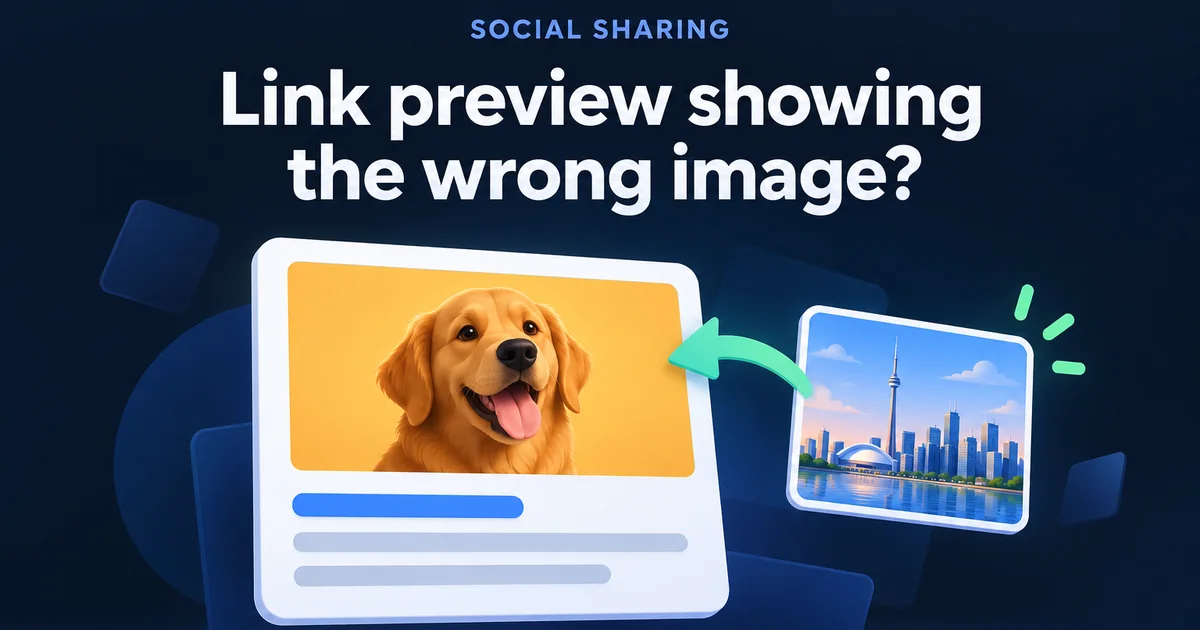
You paste your new page into Facebook or WhatsApp, and the link preview shows last year's photo, your logo, or a grey box. The page is fine. The app is showing whatever it read and saved the first time, and it won't go back and look again just because you changed something.
Most of the fixes online are written by people who sell an image tool or love a long bash script. I run a small studio, so I did something cheaper: I opened 115 days of my own server log and sorted out which of these apps really come to read a page, what they take, and which ones are impostors. A few of them were lying about their name, and one of them fooled my first count.
Why does my link preview show the wrong picture?
An app builds the card from a tag in your page's code called og:image, then saves a copy. If that tag is missing or names the wrong file, the app picks what it can. If the tag is right but the card is old, you're looking at the saved copy. Each cause has a different fix.
Find what you're seeing, then jump to the fix:
An old picture, after you changed it
The app saved the old one. Give the new picture a new file name, then refresh in each app.
Your logo or a random photo from the page
The tag is missing or names that file. Check the tags first.
No picture at all
The tag has a broken address, or the crawler can't reach the file. Run the five-step check.
A blank box on a post from months ago
Someone deleted the old picture. Meta says to keep old files on the site, so put it back.
The tags an app reads, on this very page
The easiest specimen is the one you're reading. These are the real tags from this article. Right-click any page, choose View Page Source, search for og: and compare. The Open Graph protocol lists title, type, image and URL as the four required ones.
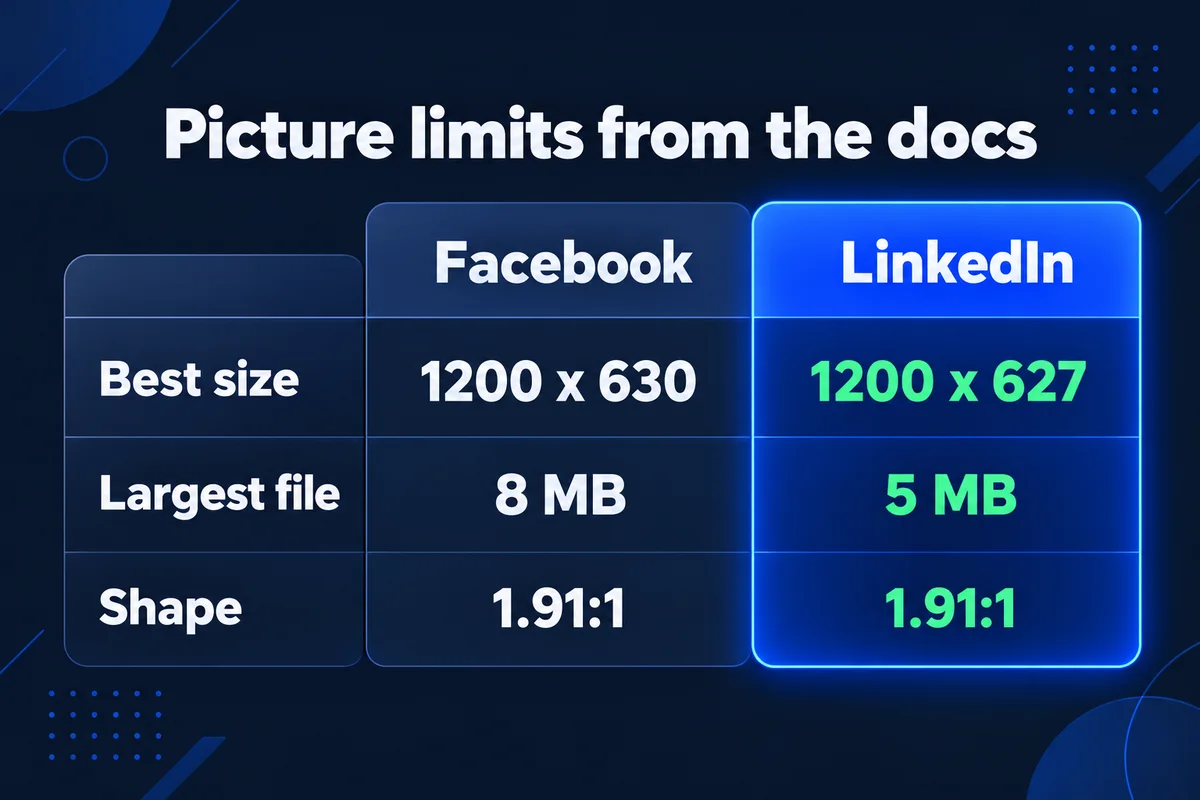
The picture itself has limits. I took these from each company's own page, and one file at 1200 x 630 satisfies both, close enough:
| What the docs say | ||
|---|---|---|
| Size to aim for | At least 1200 x 630 | Minimum 1200 x 627 |
| Smaller than this looks small | 600 x 315 | 401 wide |
| Largest file | 8 MB | 5 MB |
| Shape | As close to 1.91:1 as you can | 1.91:1 |
You will read that WhatsApp drops anything over 300 KB. I can't confirm it. Nobody I found links to a WhatsApp document, and the largest picture any app took from my server was 100,531 bytes, so my log has no opinion. Keeping the file under 300 KB costs you nothing, though, and my notes on picking the right image size in pixels and KB get you most of the way there.
What 115 days of my server log show each app doing
I read my access log from 9 July to 1 November 2026, 522,380 lines, and pulled every line signed with a preview app's name. Each line says who asked, for what. The last column counts requests that had nothing to do with previews: they went looking for password files.
| Signed as | Name in the log | Page reads | Pictures | Hunting for secrets |
|---|---|---|---|---|
facebookexternalhit | 2,173 | 301 | 6 | |
| Facebook and X at once | Facebot Twitterbot | 55 | 2 | 0 |
| Telegram | TelegramBot (like TwitterBot) | 44 | 2 | 10 |
WhatsApp/2.x | 5 | 5 | 5 | |
LinkedInBot | 3 | 8 | 2 | |
| X | Twitterbot | 0 | 0 | 4 |
| Discord | Discordbot | 0 | 0 | 5 |
| Slack | Slackbot | 0 | 0 | 3 |
Four things in there changed how I'd fix a preview.
The name proves nothing. All 12 lines signed Slack, Discord and plain Twitterbot asked for files like .env and .aws_credentials, which no preview ever needs. Those were scanners wearing a friendly badge. So when someone tells you to let a crawler through your firewall by trusting its name, remember who else is wearing it. Of the 3,397 lines signed like Facebook, 3,390 came from Meta's own network, and that's the check that means something.
Names are borrowed. Telegram's real crawler signs itself "like TwitterBot", and my first count filed all 46 of those lines under X, which gave me a neat and completely wrong theory about how much X loved my home page. Three other lines say GoogleMessages and still call themselves facebookexternalhit, which tells you the chat apps copy Facebook's habits, so the same tags serve all of them.
Crawlers look past the tag. Of the 301 pictures Facebook downloaded, 57 weren't named in any page's first og:image tag: they were pictures from inside the pages. A download doesn't tell me which one ended up on a card. It does tell me that without a good tag, the app has other photos to choose from, which is how a staff photo ends up advertising your roofing page.
WebP is being fetched. Facebook took 245 WebP files, WhatsApp 4 of its 5, and LinkedIn and Telegram took some too. If one app alone shows an empty card, trying a JPG is a fair test, but the file type isn't where I'd look first.
Read those counts as "at least". While writing this I tested my own log: three downloads of one picture went to a second log that only goes back a day, and three reads of my home page left one line, because the server's cache answered the other two. I also found Meta's network read my home page 2,025 times, 1,811 of them in October, and the log doesn't say why. If you want to see the rest of who walks through your server, I counted them all in my census of the bots crawling my website.
How do I replace the picture so the apps pick it up?
Upload the new picture under a new file name, point the og:image tag at it, and leave the old file where it is. Meta caches each picture by its address, so a new file behind the same address may never be fetched. Deleting the old file can turn existing posts into blank boxes.
"We cache all images referenced based on each image's URL."
Meta, Images in Link Shares
What people do
Upload a new photo called team.jpg over the old team.jpg.
Your browser shows the new one. The address hasn't changed, so an app that already has that address keeps its copy.
What works
Upload team-2026.jpg, change the tag to the new address, leave team.jpg on the server.
The app sees an address it has never read. Old posts still find their old file.
If you can't rename files, a version mark on the address does the same job: team.jpg?v=2. You'll find that mark in the og:image tag of more than two dozen pages on this site. A proper new file name is still easier to keep track of a year later.
Refresh it, app by app
New picture in place, now tell each app. Meta's FAQ is blunt that a changed tag "only applies to future shares of that link", and LinkedIn says the same in its own words. So there are two separate questions: what will new shares show, and what happens to posts already out there.
| App | For new shares | For posts already out |
|---|---|---|
| Paste the address into Sharing Debugger and fetch again | Post menu, then Refresh share attachment. A title can't change once the share passes 50 interactions | |
| Paste the address into Post Inspector | They stay the same. Post again if it matters | |
| No public tool that I know of. Use the new file name, then send a new message | Sent messages keep their card | |
| Telegram and X | New file name and a new post. I couldn't confirm an official refresh route for either today | Plan on them staying as they are |
How long does a saved copy last if you do nothing? Neither Meta's FAQ nor LinkedIn's help page gives a number. When a blog tells you seven days, ask where it got that. If your site moves to a new address altogether, every preview starts fresh, and that's one more line to check on a website migration.
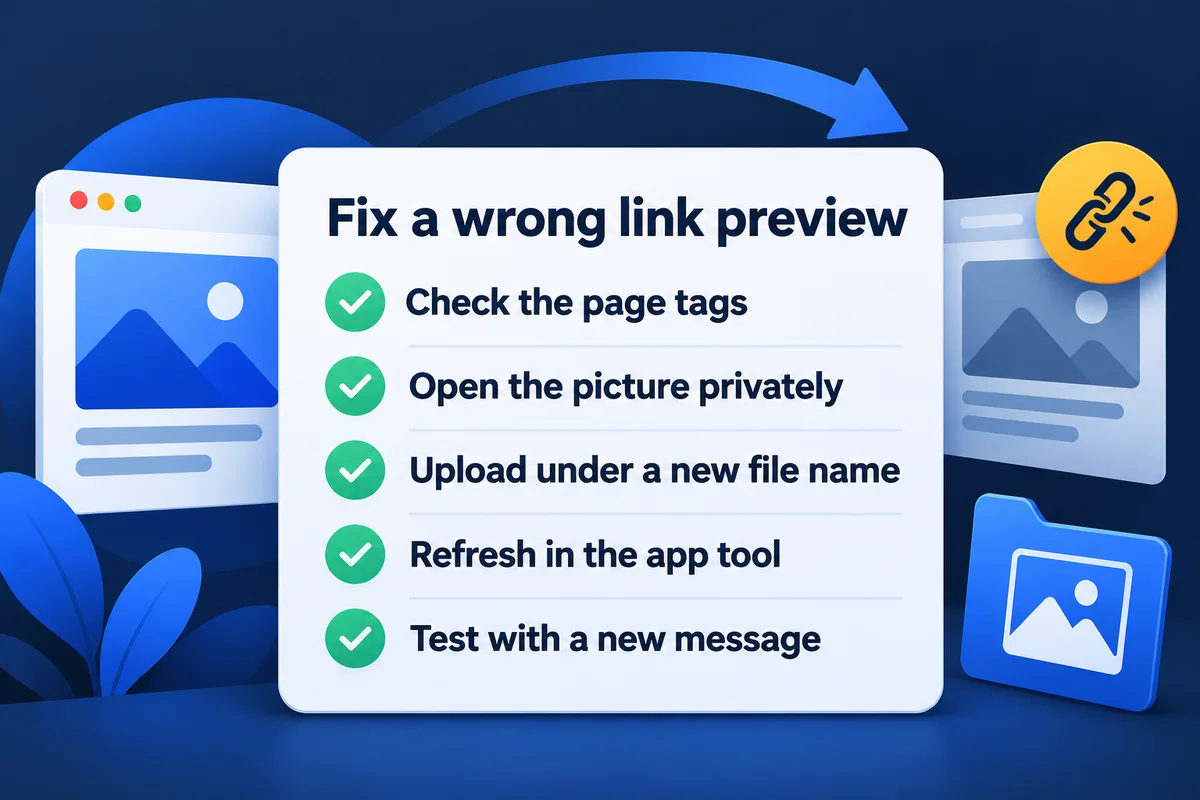
The five-step check, in the order I run it
- Paste your address into my free Link Preview Checker. It draws the Google, Facebook, LinkedIn and X versions from your live tags and marks what's missing.
- Copy the og:image address and open it in a private window. If you don't see the picture, neither does the crawler.
- Wrong picture, or none? Upload the right one under a new file name and change the tag. In WordPress, that's usually the social image field of your SEO plugin, or the featured image.
- Refresh in Sharing Debugger and Post Inspector, using the exact address people share, with the same www and the same ending slash.
- Test with a new post or a new message to yourself. An old post proves nothing.
When the crawler is the one being turned away
If the tag is right and the file opens, and the card is still empty everywhere, a security plugin or firewall may be refusing the crawler. On my server, none of Meta's 3,390 lines got a refusal. To check yours, ask whoever runs your hosting for the log lines with facebookexternalhit, and look at the three-digit code on each. 200 is fine. 403 means something said no. If nobody runs your hosting, that's the sort of chore my website maintenance plan exists for.
Questions owners ask me about link previews
Why does WhatsApp still show the old picture after I changed it?+
A message that was already sent keeps its preview. A new message can also pick up a copy saved earlier, and I know of no public tool that refreshes WhatsApp. Upload the picture under a new file name, update the tag and test with a new message.
What size should a link preview image be?+
Use 1200 x 630 pixels. That meets Facebook's recommendation and LinkedIn's minimum of 1200 x 627 closely enough to share one file. LinkedIn shows anything under 401 pixels wide as a small thumbnail, and Facebook shows anything under 600 x 315 much smaller.
Will refreshing fix posts I already published?+
On Facebook you can open the post's menu and choose Refresh share attachment. On LinkedIn, no: its help page says the preview of an existing post stays the same, and Post Inspector only changes new posts, messages and articles. If the old card matters, post again.
How long do apps keep the old preview?+
None of the official pages I read gives a number. Meta's FAQ and LinkedIn's help page both explain how to refresh, without saying when a saved copy expires. Figures like seven days come from blogs, so don't plan around them. Refresh it yourself instead of waiting.
Can I see the preview before I post the link?+
Yes. My free Link Preview Checker reads the tags on your live page and draws the Google result, the Facebook and LinkedIn card and the X card, with any missing tags marked. It reads your page today, so it shows what the tags say, not what an app has saved.
Sources, read on 1 November 2026: Meta, Images in Link Shares and Link Sharing FAQ; LinkedIn Help, share formatting and outdated link previews; The Open Graph protocol. Log figures: access log of leadlls.com, 9 July to 1 November 2026, counted on 1 November.
Card still wrong after all that?
Send me the address and tell me which app shows what. I'll read the tags and tell you where the wrong picture is coming from. If your site needs more than a tag, I also do web design for small businesses.
Get My Free Quote
I hand-code websites for service businesses around the GTA, and I read my own server logs so nobody else has to. Read my full bio · Get in touch