Contact form spam is junk sent through the form on your website, mostly by scripts that look for any form they can post to, and some by people paid to paste sales pitches. It is annoying, rarely dangerous, and easy to cut down. The part nobody warns you about is the fix: a badly set up spam filter throws away real customers and tells nobody.
I've seen both sides of that on sites I build and look after. This guide is for the owner who opens the inbox to "Dear sir, we offer cheap backlinks" for the fortieth time, and wants it gone without losing the one plumber's customer who wrote in at 6 am.
What is the spam coming through my contact form?
Nearly all of it falls into three kinds: bulk ads posted by scripts to thousands of forms at once, sales pitches typed by people, and probes from scanners that test whether your form can be broken into. Each kind needs a different answer, so sort a week of it before you change anything.
Bulk ad from a script
Name: a random string. Email: a throwaway address. Message: a product ad in another language, or a list of links.
A bot found the form and posts to it on a loop. A server-side check stops most of this.
Pitch typed by a person
"Hi, I was looking at your website and noticed a few things we could improve. Can I send you a quote?"
A human passes every bot test. You delete these.
Probe from a scanner
A phone field that reads (select 198766*667891 from DUAL), or odd quotes and the word sleep in the name.
Someone's tool is testing your form for a database hole. Tell whoever built the site the same day.
The second kind is why no setting gets you to zero. A person sitting in front of a browser is a real visitor as far as any test can tell, and that is exactly how it should be, because your customers are people sitting in front of browsers too. If those pitches bother you, a line on the form saying you don't buy marketing services does more than any plugin. It won't stop them all. It will stop the ones who read.
Is form spam dangerous, or only annoying?
Usually it is only annoying. It becomes a real problem in two cases: when a scanner is probing your form, and when your form sends an automatic reply to whatever email address was typed in, because then strangers get mail from your domain. Both are worth a call to your developer.
The probe case, from August. A restoration company's inbox got several hundred emails in about two minutes, all from its own website, every one stuffed with database test strings like the one in the card above. The main contact and estimate forms were protected and were fine. The flood came through two small forms that had been missed: a request-a-callback button in the corner of every page and a referral form. Nobody had thought of those as forms. The bots had. The cure was the boring one: the same check on every form, not only the ones in the menu.
The auto-reply case is quieter. Plenty of forms send "Thanks, we got your message" to the address in the email field. A bot that types a stranger's address into that field gets your server to email the stranger, as many times as it likes. To mail providers that looks like your domain sending junk, and the next thing that suffers is your ordinary email, the kind I wrote about in why contact form emails land in spam. A form should only send that reply after the visitor passed the bot check.
Which spam protection should my form use?
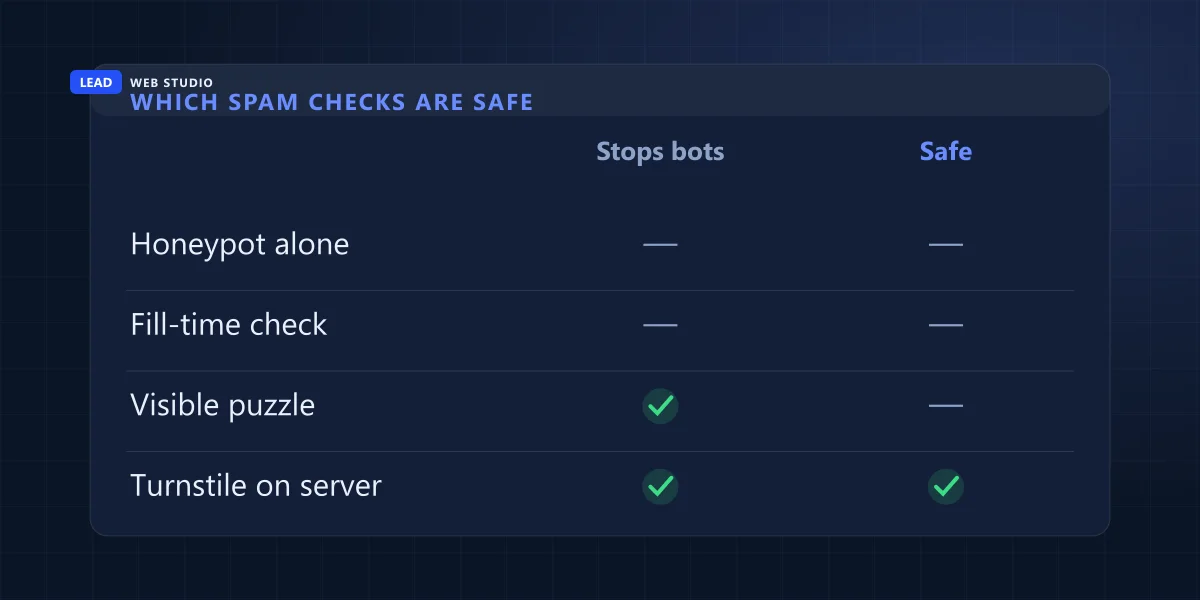
An invisible bot check that your server verifies on every submission, such as Cloudflare Turnstile or Google reCAPTCHA v3. Both are free at small business volumes and show most visitors nothing at all. A hidden honeypot field can sit behind it as an extra. Tricks that judge typing speed, and blocking whole countries, cost you real customers.
| Defence | What it stops | What it can cost a real visitor | Price |
|---|---|---|---|
| Hidden honeypot field | The laziest scripts, which fill in every field they find | Browsers and password managers can autofill it, and a form that deletes those quietly deletes a person | Free |
| Fill-time check ("too fast, must be a bot") | Scripts that post instantly | Anyone who pastes and presses Enter. That is a real person in under two seconds | Free |
| Visible "I'm not a robot" puzzle | Most scripts | Every visitor does a chore, and some can't solve it on a phone or with a screen reader | Free |
| Google reCAPTCHA v3, checked on the server | Most scripts, by scoring each visit | Nothing visible. The site owner picks the score cut-off, and a strict one turns away real people | Free up to 10,000 checks a month |
| Cloudflare Turnstile, checked on the server | Most scripts | Usually nothing. Now and then a visitor sees a short check box | Free, up to 20 widgets |
| Blocking a country or a network | Some bots, for a while | Your customer on holiday, on a work VPN or in a privacy browser | Free |
I put Turnstile on every public form I build, with the honeypot behind it as a note, not as a gate. On my own contact form a filled honeypot is written to a log and the message still goes through when the Turnstile check passed. The comment above that line in my code says why: browsers autofill a field named "website", and "website" is the name half the honeypot tutorials tell you to use.
Country blocks get a special mention because hosting panels and plugins make them a single tick box. In September a bot on one of the sites I look after got past the check by going through Tor, a privacy browser. Blocking Tor would have stopped that bot and every real person who uses that browser, so we didn't. The bot's messages had one detail no browser produces, the filter keys on that detail, and the log shows it has caught the bot's messages without catching a single real one.
Why does spam keep coming after I added a captcha?
Most often because the check only runs in the browser and the server never asks Cloudflare or Google whether the visitor passed. Bots skip your page and post straight to the address the form sends to. The other usual reason is a second form, a popup or a callback button, that never got the check.
Cloudflare is blunt about the first one in its own setup guide:
You must call the Siteverify API to complete your Turnstile implementation.
Cloudflare Turnstile docs, server-side validation
In plain English: the little widget on the page hands the visitor a token, and your server has to send that token back to Cloudflare and read the answer before it emails you anything. If that last step is missing, the widget is decoration. The same page says each token lasts 300 seconds and can be checked once, which matters in a minute.
You can't see from the outside whether your server does that step. Your developer can tell you in one sentence, and the two questions for them are at the end of the test below.
Can spam protection block real customers?
Yes, and silently, which is the bad part. The visitor sees an error or a thank-you page, you get nothing, and the inbox looks like a quiet week. Both cases below were on sites I work on, and in both the owner had no idea until somebody went looking in the server logs.
The free audit tool that "worked"
A tool on our own site where you paste your web address and get a report. Fewer reports than expected, no errors.
A rule treated anyone who sent the form in under 1.5 seconds as a bot. Paste an address, press Enter, and you were "a bot": no report, no alert, and a log line saying a bot had been skipped.
The timing rule was removed. Speed may be logged, never used to reject.
The shop form with the wrong keys
A small producer's website with a Turnstile box on the contact form. A quiet couple of months.
Both keys had been mistyped at launch. The box showed a "Troubleshoot" link instead of a tick, never issued a token, and every message was refused for eight weeks. The server log shows two real people who tried five times each.
Keys copied from the Cloudflare account, not from a screenshot, and a weekly test that sends a real message through the form.
Those two messages are gone. Nobody can tell the owner who those people were or what they wanted. That is the real price of a spam filter nobody tests, and it is why I'd rather read ten backlink offers a week than lose one customer to my own filter. The 300-second token limit from Cloudflare causes a smaller version of the same thing: a visitor who starts typing, answers the phone and comes back ten minutes later is holding an expired token. A good form fetches a fresh one before sending. A careless one shows an error, or worse, a thank-you page.
How do I test my own contact form in ten minutes?
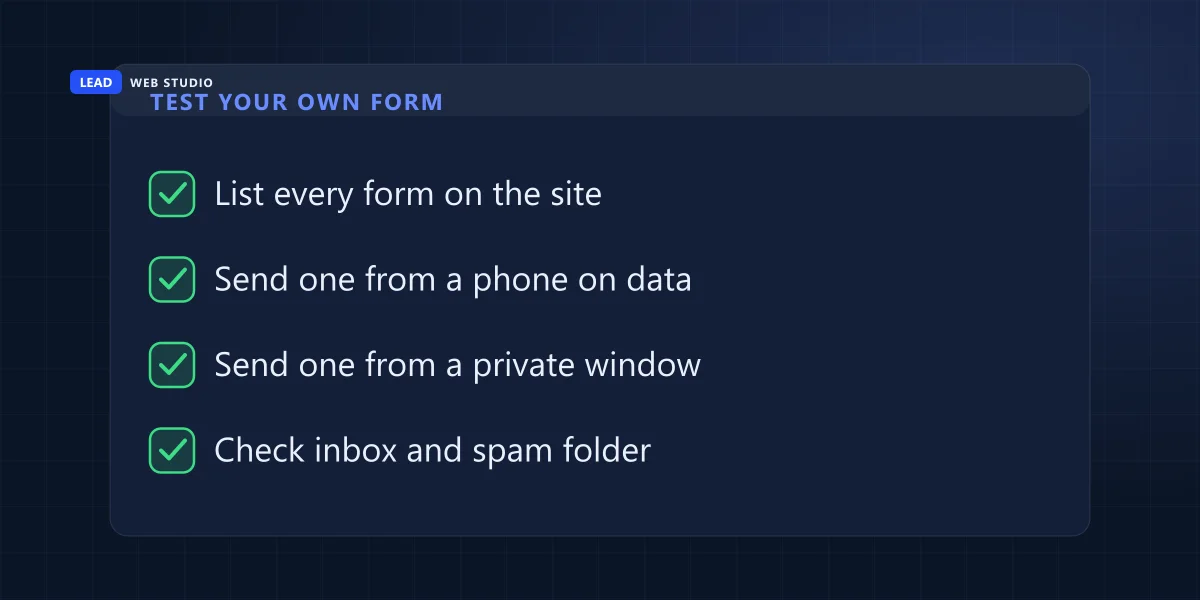
Send yourself real messages through every form on the site, from a phone on mobile data and from a private window on a computer, and check both your inbox and your spam folder. Then ask your developer two questions about what happens to a message that fails the bot check.
- Make a list of every form: the contact page, the footer, any popup, the quote or booking form, the callback button in the corner. Each one is a separate door, as the restoration company found out.
- On your phone, with Wi-Fi off, send one message through each. Write which form it was in the message.
- On a computer, open a private window and do it again. Let your browser autofill your name and email the way a customer's would.
- Wait ten minutes. Check the inbox the form sends to, and its spam folder. Every message should be there.
- On one form, start a message, leave the tab for ten minutes, then send it. You want it to arrive, or at least to see a clear error asking you to try again.
The two questions for whoever built the site: "Does the server check the bot token with Cloudflare or Google on every submission?" and "When a submission fails the check, what does the visitor see, and is it logged anywhere?" Good answers are "yes" and "an error asking them to try again, and yes, it's logged". If the answer to the second one is "a thank-you page", a real customer who fails the check thinks they reached you.
If a test message didn't arrive, start with how to capture leads on your website, which covers the parts of a form that break besides the spam check. A form that has to work every day is also part of what I look after in website maintenance and support. And if you'd rather have someone else look the whole site over first, the free website audit takes a minute.
Questions owners ask me about form spam
Why did my contact form suddenly start getting spam?+
Usually because a script found it, often after the page was indexed or the form's address was shared on a list that bots trade. Nothing on your site has to be broken for that to happen. If the spam started the week a form was added or changed, check that the new form has the same bot check as the old one.
Does a captcha stop all contact form spam?+
No. It stops most of what scripts send, as long as your server verifies it. It can't stop a person who types a sales pitch by hand, because that person passes every test a real customer passes. Those you delete.
Is a honeypot field enough on its own?+
I wouldn't rely on it. It catches the laziest scripts, but browsers and password managers sometimes fill hidden fields, and a form that silently deletes those deletes real people. Keep it as a note in the log behind a proper server-checked bot test.
Is Cloudflare Turnstile free for a small business?+
Yes. Cloudflare's free plan allows up to 20 widgets with no cap on the number of checks. Google reCAPTCHA is free up to 10,000 checks a month per organization, which a small business contact form rarely comes near.
Should I reply to the spam or click its links?+
No. Don't reply, don't click, and don't forward it to your customers' list by mistake. Delete it. The one kind worth forwarding is the probe with database words in the fields, and it goes to whoever maintains your site.
Sources, read on 14 October 2026: Cloudflare Turnstile, server-side validation for the Siteverify requirement and the 300-second, single-use token; Cloudflare Turnstile, plans for the free plan; Google reCAPTCHA, compare tiers for the 10,000 free checks a month. The cases are from sites I built or look after, between July and October 2026.
Did a test message go missing?
Tell me which form and what you saw after pressing Send. I'll tell you where the message stopped. Every site I build gets a server-checked bot test on every public form, and the details of each service are on the web design page and the pricing page.
Get My Free Quote
Web designer in Toronto. I build and look after websites for GTA service businesses, and I send test messages through their forms more often than they would guess. Read my full bio · Get in touch