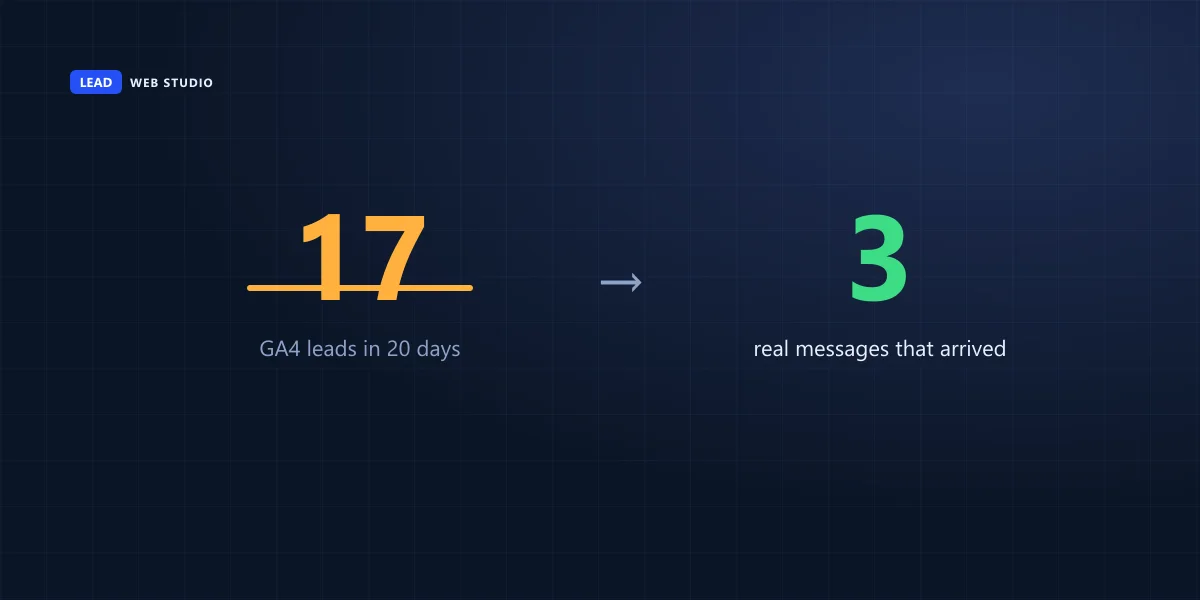
A few weeks ago I went digging through my own analytics and found something embarrassing: Google Analytics said I'd gotten 17 leads in twenty days. My inbox had 3. Same site, same form, same twenty days — a 5x gap. I didn't lose a single real lead in that gap, thank god, but I'd been reading a number that was flat-out fiction for who knows how long before I caught it. So let's talk about how to actually capture leads on your website — not just get traffic, but turn visitors into messages that land in your inbox and get counted correctly when they do. There are three separate places this breaks, and almost nobody checks all three.
The short version
- Capturing a lead is three layers, not one: a form people finish, an email that actually arrives, and analytics that count the real thing.
- Layer 1 — the form: ask for less than you think you need. Every extra field costs you a slice of people.
- Layer 2 — delivery: test your own notification address before you trust it, especially after any change.
- Layer 3 — tracking: a GA4 "lead" event must fire on proof the message sent, never on a page simply loading.
What actually counts as a "captured" lead?
A captured lead is a real, complete message from a real visitor that lands somewhere a human will see it — your inbox, a CRM, a calendar. It is not a click on your contact page, not a form someone started and abandoned, and not a pageview of your thank-you page. Most "we're not getting leads" conversations I have start with someone assuming the problem is traffic, when it's actually one of the two boring plumbing steps between the click and the inbox.
Getting this right matters more than most of the SEO work I do. You can rank #1 in Toronto for your service and still lose the job if the form has nine fields and dies on a phone keyboard, or if the "success" email you're counting on quietly lands in spam. I've written about the ranking half of this before in the honest guide to a site that ranks and converts — this post is the deep dive on the "converts" half specifically: the mechanics of the form, the delivery, and the number you read afterward.
Form, booking widget, or just a phone number — which do you actually need?
Use a form when the job needs a real conversation before you can quote it — custom work, anything "it depends." Use a booking widget when the service is standard enough that a calendar slot is the conversion — consultations, appointments, a 20-minute call. Most service businesses need both, pointed at different pages, not one form trying to do everything.
| Method | Best for | Where it usually breaks |
|---|---|---|
| Contact form | Quotes, custom jobs, anything that needs a conversation first | Too many fields, no confirmation, buried on the page |
| Booking widget | Standardized services — appointments, consultations, calls | Slow to load, no mobile-friendly time picker, timezone confusion |
| Click-to-call / WhatsApp | Urgent, local, "I need this today" searches | Number buried in the footer instead of the header |
A form isn't a data-collection tool, it's a small negotiation. Every field you ask for is you asking the visitor to trust you a little more before they've met you.
What makes a form actually get finished?
Short forms convert more than long ones — ask four fields (name, contact, service, one detail field) instead of twelve, and put the fields you actually act on first, not the ones that are just nice to have in a spreadsheet. Match the keyboard to the field: a phone number should pop the numeric keypad, an email field should pop the @ key, and neither should ever force someone to hunt for punctuation on a tiny screen.
Two more things that quietly kill completions. First, show the price, price range, or "free quote" language before the click — a form that feels like it might cost something unknown gets abandoned at the last field, and which format that number takes matters as much as whether it is there. Second, confirm on-screen the moment it sends, not only by email; a visitor who hits "send" and sees nothing happen assumes it failed and either leaves or fills it out twice, which just adds noise to what you're about to count in step three.
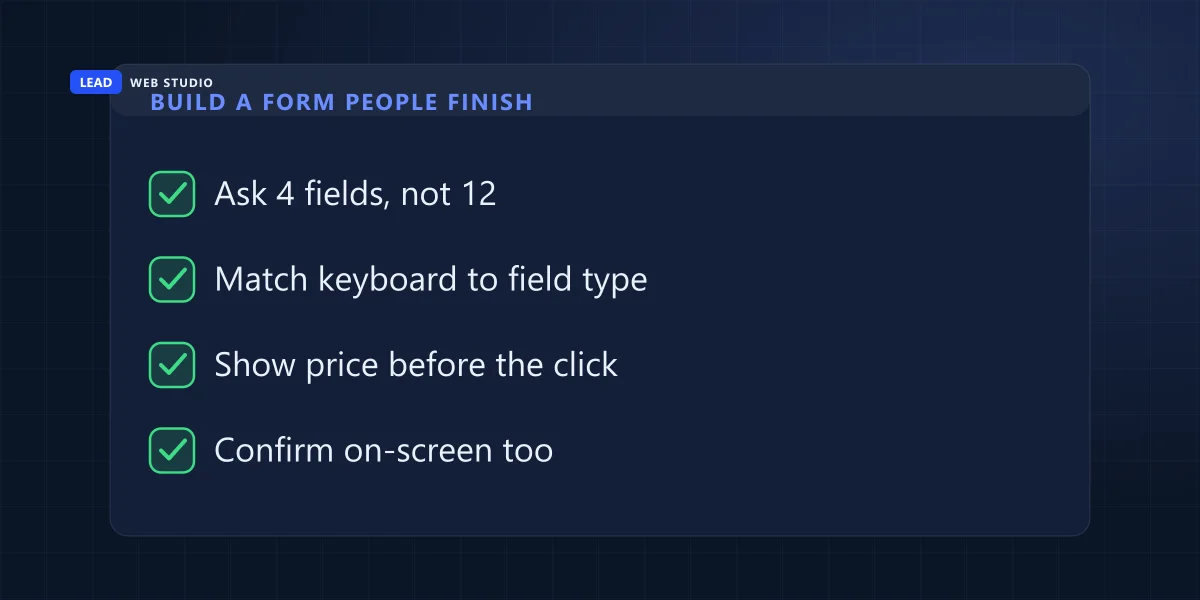
- Cut the form to 4 fields — anything beyond name, contact, service and one detail field is a "nice to have," not a "need to have."
- Set the right input type on every field (
tel,email) so phones show the correct keyboard automatically. - State the price or "free" up front, next to the button, not three paragraphs above it.
- Show an on-screen confirmation immediately — a redirect to a real thank-you message, not a blank refresh.
- If you use a spam check (reCAPTCHA, Turnstile), give it a few seconds to load before the button is clickable — a visitor who submits before the token is ready gets a confusing error for no reason they can see.
Where do your leads actually go once someone hits send?
The form is only step one — the message still has to reach a human. This is the layer people trust blindly and check least. If your form emails you, confirm your domain has proper SPF and DKIM records set up with whoever sends the mail; without them, notification emails drift into spam folders and you never know they existed. And any time you add or change a notification address, send yourself a real test message first and watch it actually land — don't assume a config screen that says "saved" means an inbox that says "received." Your own server won't raise a hand either: telling a real delivery apart from a silent failure takes a deliberate check, because from the sending side the two look identical.
If you use a CRM or a booking calendar instead of plain email, the same rule applies: log in and confirm the entry actually appears, don't trust the "success" screen on the form side alone. The two sides of that handoff fail independently, and a form that says "sent!" while the CRM shows nothing is worse than an honest error message, because nobody goes looking for a problem that told them everything worked.
Why does GA4 say you got more leads than you actually did?
The 17-vs-3 gap on my own site came down to one mistake: the lead event fired the instant the thank-you page loaded, with no check for whether a form had actually been sent. That page was public and technically reachable by anyone who found the URL — a stray click, a bot re-crawling an old link, someone hitting back-and-forward in their browser — and every one of those got counted as a brand-new lead, right alongside the real ones. GA4 wasn't broken. It was doing exactly what I told it to do, which was the actual problem.
| What triggers "lead" | Bad setup | Good setup |
|---|---|---|
| Thank-you page loads | Counts it every time, no matter how someone got there | Ignored — a page load alone proves nothing |
| Form actually sends | Not checked separately | Server sets a one-time success flag only on a real send |
| Someone revisits or bookmarks the page | Fires again, inflating the count | No flag present, no event fires |
| A bot or crawler hits the URL | Counted as a lead | Same rule applies — no flag, no event |
| Same visitor submits twice by accident | Two leads logged for one enquiry | Optional: a transaction ID de-duplicates it |
How to actually fix it: gate the event on proof, not a pageview
The fix is one rule, applied consistently: the event only fires when your server confirms the lead actually sent — never on a bare pageview. In practice that usually means your form handler redirects to something like /thank-you/?lead=1 only after the email or CRM entry succeeds, and your tracking script checks for that flag before calling gtag('event','generate_lead', …). No flag, no event, no matter how the page got loaded.
This isn't just my own workaround — it's what Google's own documentation tells you to do. Google's guide to tracking website conversions is explicit that the conversion tag belongs on "a 'Thank you for your order' page that a customer sees after completing a conversion," reached only after the real action happened — and recommends a transaction ID specifically "to minimize duplicate conversions" if the same success page could ever load twice. GA4's own help center describes the same idea from the tracking side: any event you collect can be marked as a key event once it genuinely represents the action you care about — the burden is on you to make sure the event only fires when that's true.
The one-line version: if a stranger could load the URL that fires your conversion event just by guessing it or clicking back, your GA4 numbers are inflated. Gate it on a success flag your server controls, not on the page existing.
Reconcile GA4 against your actual inbox, weekly
Set up the gating once, then don't trust it forever — check it. Once a week while it's new, once a month after that: pull the GA4 event count for a date range and count your real messages for the same range, side by side. If they match, leave it alone. If they drift apart again, something changed — a redesign moved the thank-you page, a new plugin added its own tracking, or someone "simplified" the form handler and dropped the flag. I go deeper on the general version of this reconciliation habit — GA4 versus what actually happened — in why your traffic numbers might be lying to you, and if the count is fine but the phone still isn't ringing, the fix is usually page layout, which I cover in what actually belongs on a service-business homepage.
None of this replaces a good website build or solid SEO — traffic and rankings still have to exist before any of this matters. But I've watched businesses spend thousands chasing more visitors while the form on their own site was quietly losing the ones they already had. Fix the leaky bucket before you pour more water in. If you want a second pair of eyes on your own setup, a focused landing page paired with a form built this way converts a lot better than a homepage contact form ever will — happy to take a look and tell you honestly what's leaking.
Frequently asked questions
How do I capture more leads from my website?+
Fix the three layers in order: shorten your form to what you actually need, confirm the notification email reliably reaches your inbox, and make sure your GA4 lead event only fires on a real, confirmed submission. Most "low lead" problems are one of these three, not a traffic problem.
Should I use a contact form or a booking widget?+
Use a form when the next step needs a human conversation first — a quote, a custom job, a consultation. Use a booking widget when the service is standardized and a calendar slot is the actual conversion, like an appointment or a call. Many sites genuinely need both.
Why does GA4 show more leads than I actually got?+
Almost always because the conversion event fires on a pageview instead of a confirmed action — a thank-you page anyone can reach directly, a bot, or a repeat visit all get counted as new leads. Gate the event on proof the form actually sent, not on the page simply loading.
Do I need Google Tag Manager to track leads properly?+
No — GTM makes it easier to manage tags without touching code, but the underlying rule is the same either way: fire the conversion only when your server confirms the lead actually sent. A plain gtag() call gated on a success flag works exactly as well.
How often should I check my lead numbers against GA4?+
Weekly, while the setup is new, then monthly once it's proven stable. Compare the GA4 event count for a date range against your actual inbox or CRM for the same range — if they drift apart, the tracking broke before the business did.
Not sure your own leads are counted right?
I'll check your form, your delivery and your GA4 setup — and tell you honestly what's leaking before we talk about anything else.
Get My Free Quote
10+ years building forms, booking flows and analytics that GTA businesses actually trust. Read my full bio · Get in touch