
A customer asks for a quote on Tuesday. You write it the same afternoon, attach the PDF, hit send, and then hear nothing for a week. Most owners read that silence as "they went with someone cheaper," and sometimes that is exactly what it is. But a fair share of the time the message never reached a human being at all — and the reason nobody catches it is that an email that is not delivered looks identical, from your side, to an email that was delivered and ignored. Same Sent folder, same tidy entry, same complete absence of any warning. This guide is about telling those two apart in about twenty minutes, and about the one failure that will never warn you no matter how long you wait.
The short version
- There are three failures and only one of them tells you. Rejected mail bounces with a code. Deferred mail sits in a queue and retries. Accepted-then-filtered mail produces nothing at all.
- A bounce is the good outcome. It arrives with the reason attached, in a code you can read in thirty seconds once you know the shape of it.
- The first digit is the verdict, the rest is the cause. 4.x.x is temporary, 5.x.x is permanent — and 5.1.1, 5.2.2 and 5.7.26 mean three completely different things you fix in three different places.
- 5.7.26 is your fault, not theirs. It means your own domain failed authentication. That one bounce is telling you every other message you send is at risk too.
- Your Sent folder proves you clicked send. It says nothing whatsoever about the other end.
- Set up SPF or DKIM even if you send ten emails a day. Google lists authentication as a requirement for all senders now, not just the bulk ones.
- Add
rua=to your DMARC record and other people's servers will send you a daily report on what they did with mail claiming to be from you. It is the only free thing that watches the silent failures.
How do I know if my email was actually delivered?
You don't, unless you go and look. Standard email carries no delivery receipt. Your server hands the message to their server, gets a short acknowledgement if that goes well, and stops caring. Everything after that — inbox, spam folder, quietly binned by a filter — happens on somebody else's machine, where you have no visibility at all.
This surprises people, and I understand why. Every other thing we send now has tracking. A parcel has a barcode. A bank transfer has a reference. An email has a protocol designed in the 1980s by people who assumed that if a message got through the front door, a human would eventually read it. Spam filtering arrived twenty years later and was bolted on behind that front door, which is precisely where the blind spot comes from.
Three ways an email fails, and only one of them tells you
Rejected, deferred, or accepted-and-filtered. A rejection bounces straight back with a machine-readable reason. A deferral sits in a queue and retries, so the bad news reaches you hours later, if at all. Acceptance followed by a spam filter produces nothing — the receiving server already said yes, and there is no taking that back.
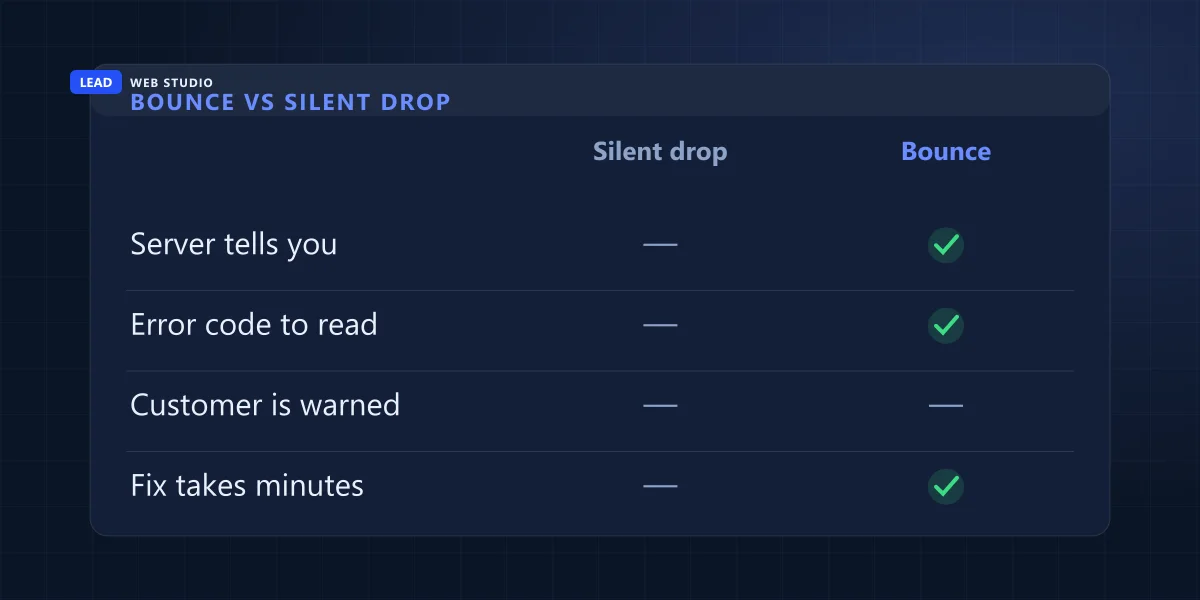
Here is the whole picture in one table, including the row everybody forgets — the message that arrived perfectly and was simply never read.
| What actually happened | What your server is told | What you see | What the customer sees |
|---|---|---|---|
| Rejected at the door | A 5.x.x permanent failure | A bounce, usually within seconds | Nothing |
| Deferred | A 4.x.x temporary failure | Nothing at first; a delay or failure notice later | Nothing, or the mail arrives late |
| Accepted, then filtered | Success — the message was taken | Nothing, ever | It is in a spam folder they don't open |
| Delivered and ignored | Success | Nothing | It is in the inbox, unread |
The two grey rows are indistinguishable from your desk, and that is the entire problem. One of them means you have a technical fault costing you work. The other means you need to pick up the phone. Same evidence, opposite response — which is why guessing is the worst thing you can do here.
The vocabulary is worth ten seconds, because it is the same in every mail system on earth. RFC 3463, the standard that defines these codes, calls a 4.x.x result a persistent transient failure — one where "the message as sent is valid, but persistence of some temporary condition has caused abandonment or delay" — and a 5.x.x result a permanent failure, "one which is not likely to be resolved by resending the message in the current form." That last clause is the practical instruction: if you got a 5, hitting send again changes nothing.
How do I read a bounce message in thirty seconds?
Ignore the wall of text and find the three numbers separated by dots. The first digit is the verdict — 4 means try later, 5 means never. The two after it name the cause: 1.1 is a bad address, 2.2 is a full mailbox, 7.x is a policy or authentication refusal. Everything else in that email is noise.
These are the four you will actually meet, with Gmail's own wording, because Gmail is on the other end of most Canadian small-business mail whether the customer uses @gmail.com or a company domain sitting on Google Workspace.
| Code | What Gmail actually says | What it means for you | Whose problem |
|---|---|---|---|
| 550 5.1.1 | "The email account that you tried to reach does not exist." | A typo, or the person has left. Check the spelling, then phone. | Yours to re-type |
| 552 5.2.2 | "The recipient's inbox is out of storage space and inactive." | Their mailbox is full. Nothing you send will land until they clear it. | Theirs |
| 550 5.7.26 | "Unauthenticated email from domain-name is not accepted due to domain's DMARC policy." | Your domain failed authentication. Every message you send is at risk, not just this one. | Yours to fix properly |
| 421 4.7.0 | "IP not in whitelist for RCPT domain, closing connection" | Temporary. It will be retried — but if it repeats, your sending server is the suspect. | Usually your host's |
The definitions behind those numbers are worth knowing because they are provider-independent. RFC 3463 defines X.1.1 as "the mailbox specified in the address does not exist," X.2.2 as a mailbox that "is full because the user has exceeded a per-mailbox administrative quota or physical capacity," and X.7.1 as "the sender is not authorized to send to the destination." Read that last one again slowly. A 5.7 bounce is not about the recipient at all. It is a stranger's mail server telling you that it does not believe you are who you say you are — and every bounce in that family should be treated as a fault on your side, not as a one-off.
Google publishes the full list on its Gmail SMTP errors and codes page, and it is genuinely the fastest way to identify a code you have never seen before. Search the page for your three numbers, read one line, move on.
One bounce deserves separate treatment: the failure notice for a message you never wrote. That is not your mail failing at all — it is somebody else's campaign using your address as the return address, and it is the earliest warning you get that your domain is being spoofed. Keep it rather than deleting it; the date on it is the only evidence of when it started.
A bounce is the version of this problem where somebody actually told you. The expensive one is the message your own server records as a success.
The failure that never bounces
A message can be accepted and then filed in a spam folder, and no bounce exists for that. The receiving server made its decision after saying yes, and once a server has accepted a message the conversation is over. Filtering happens afterwards, inside their system, and nothing in the protocol reaches back to tell you about it.
So the worst outcome for your business produces the cleanest-looking result on your screen. No red text. No warning triangle. A perfectly ordinary line in Sent, sitting there looking as successful as every message that did arrive. This is the failure mode I get called about most — usually months late, usually by someone who has spent that time believing their quotes were being read and rejected.
What decides which side of that line you fall on is authentication: whether the receiving server can verify that mail claiming to come from your domain really did. Google's email sender guidelines now list requirements for all senders, at any volume — "Set up SPF or DKIM email authentication for your sending domains," valid forward and reverse DNS, a TLS connection, and correctly formatted messages — with the extra DMARC and one-click-unsubscribe rules reserved for bulk senders above 5,000 messages a day. The consequence is stated plainly on the same page: "If you don't meet the requirements described in this article, your email might not be delivered as expected, or might be marked as spam."
Note the "or might be marked as spam." That is Google describing, in its own documentation, the outcome that generates no bounce. Nobody sending twelve emails a day thinks a rule about senders applies to them. It does, and it applies from the first message.
If your website's contact form is involved as well as your mailbox, the failure has a second front door and needs its own separate test — I've written the full diagnosis for that in why your contact form emails land in spam, and I would read that one alongside this if leads arrive through a form rather than by people typing your address.
Why your Sent folder is not proof of anything
Your Sent folder records one event: your mail client successfully handed the message to your own outgoing server. That is the first hop of several, and it is the only one you can see. Whether hop two, three or four went anywhere is not recorded there and never has been.
Read receipts don't rescue this either. They are a request, not a mechanism — the recipient's software has to support them and the recipient has to agree, and most people click no or never see the prompt. Tracking pixels are worse: mail providers routinely pre-fetch or block remote images, so an "opened" flag can fire when nobody looked and stay dark when somebody read every word. If you are going to make a decision about a customer based on whether they saw something, phone them. That is not old-fashioned advice, it is the only channel in this list that returns a real answer.
The twenty-minute check I run on a client's email
Four steps, no tools to buy, and it works on any mailbox. Send yourself a test from the real business address to an outside account you control, check the spam folder before the inbox, open the raw headers and read the three authentication lines, then look up what your own domain is publishing. Most problems are visible by step three.
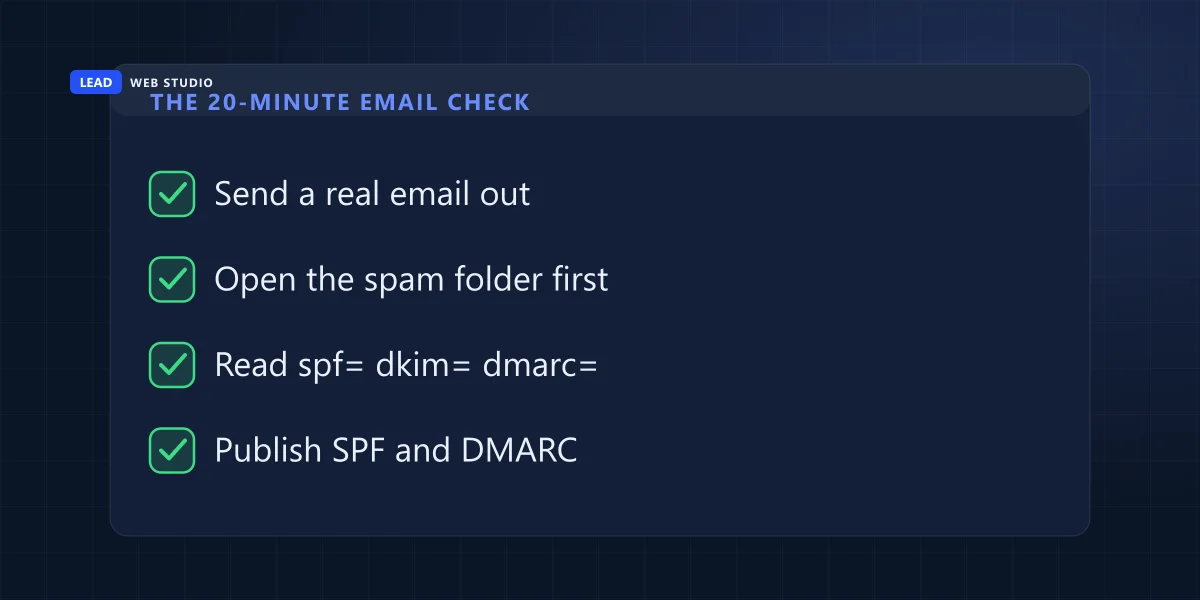
- Send one real-looking email from your business address to an outside mailbox you own. Not a one-word test — write it the way you write a quote, with a subject line, a signature and an attachment if you normally send one. A bare "test" message behaves differently to a real one and will lie to you about the result.
- Open the spam folder first, and search by your domain name rather than by the subject. Filters move things and thread things, but the sender never changes. If it is sitting in spam, congratulations — delivery works, and you now know the problem is authentication or reputation rather than routing, which is a much cheaper problem.
- Read the headers. In Gmail this is the three-dot menu on the message, then Show original. Outlook calls it View message details or Properties → Internet headers. You are looking for three words near the top:
spf=pass,dkim=pass,dmarc=pass. Anything that saysfail,softfailornoneis your answer, and you have found it in about four minutes without paying anybody. - Check what your domain publishes. Your DNS should have a TXT record beginning
v=spf1and, ideally, one at_dmarc.yourdomain.combeginningv=DMARC1. If SPF is missing entirely, that is the whole diagnosis. If SPF exists but does not list whoever actually sends your mail — a new mailbox provider, a newsletter tool, the website that sends your form notifications — that is the second most common cause I see.
One thing that check will not tell you: whether a mailbox that used to work has quietly stopped authenticating. Passwords get rotated, app passwords get revoked when someone enables two-step verification, and a form that has posted leads to your inbox for two years stops overnight without anyone noticing. On the sites I look after, that is watched rather than assumed — a scheduled probe opens the connection every week, authenticates against the mail server, and hangs up without sending a single message. It proves the credentials still work without generating one extra email in anyone's inbox, and it is part of what ongoing maintenance and support is actually for.
How do I get a warning next time, instead of finding out in March?
Publish a DMARC record with a reporting address. Once rua= is in place, other people's mail servers send you a summary of what they did with messages claiming to come from your domain — including whether those messages passed SPF and DKIM. It is the only free early warning that watches the failures which never bounce.
Under RFC 7489, rua is defined as the "addresses to which aggregate feedback is to be sent," and if you don't publish one, receivers "must not generate aggregate feedback reports" at all — so silence here is a choice you made by omission. The default interval is 86,400 seconds, meaning one report per receiving provider per day. The reports arrive as XML, which is unreadable to a human being and perfectly readable to any of the free DMARC report viewers, so budget one afternoon to set it up and roughly zero minutes a week thereafter.
| Early warning | What it actually tells you | Cost | The honest limit |
|---|---|---|---|
| DMARC aggregate reports | Who is sending as your domain and whether it authenticated | Free | Says nothing about spam folders — only about authentication |
| Google Postmaster Tools | Gmail's own view of your domain's reputation and spam rate | Free | Shows nothing at low volume — see below |
| A scheduled login probe | That your form's mailbox credentials still work today | Minutes to set up | Proves the route, not that anyone read it |
| A reply-by-date habit | That a specific quote reached a specific human | Free | Entirely manual, and only as good as your memory |
That second row deserves the honesty, because plenty of advice tells small businesses to "just check Postmaster Tools" without mentioning that most of them will open an empty dashboard. Google's own documentation says so: "Data might be missing if the total number of messages for a given day is too low. This is to protect users' privacy," and it suggests checking again "when your email sending volume increases enough to populate the dashboards." If you send twenty emails a day, that tool is not for you yet. DMARC reports are, from message one.
And the last row is not a joke. The cheapest deliverability monitor a small business has is a habit: when a quote goes out, write the follow-up date in the same place you write everything else, and phone on that date. Every silent failure I have ever been called in to diagnose was found by a human being who noticed a silence, not by software.
What do I do when a customer says they never got my email?
Ask them to search their spam folder for your domain name, not for the subject line. If it is there, delivery works and authentication is your problem. If it is genuinely absent, resend from a completely different address, phone them, and then go and fix the domain before the next quote leaves — because the same fault is silently applying to everyone else.
In that order, and specifically not the other order. The instinct is to fix the technology first and get back to the customer once you understand what went wrong. That is backwards: the customer is time-sensitive and the DNS record is not. Send the quote from a Gmail address in the next ten minutes if you have to. It looks slightly less professional than your own domain and it is enormously more professional than a week of silence.
Once the immediate job is safe, be a little suspicious about scope. One bounced address is an address. Two customers in a month saying they never received anything is a pattern, and by the time two people bother to tell you, a larger number have simply moved on without mentioning it. That is the real cost of this and it never appears on any invoice.
If it turns out your mail and your website are sharing one cheap hosting box, that is worth untangling on its own merits — the reasoning, and what a proper mailbox costs in Canada, is set out in business email on your own domain. It is one of the few things in this trade where the correct answer is genuinely cheap.
Do this one thing today, even if you read nothing else: send a normal-looking email from your business address to a Gmail or Outlook account you control, then open Show original and look for spf=pass and dkim=pass. Two minutes, no cost, and it answers the question you have been guessing at. If the headers mean nothing to you, send me what you see and I'll tell you plainly whether your domain is authenticated or not.
Frequently asked questions
How do I know if my email was actually delivered?+
You don't, unless you go and look. Standard email carries no delivery receipt. Your server hands the message over, gets a short acknowledgement, and stops caring. Everything after that — inbox, spam folder, quietly deleted by a filter — happens on someone else's machine where you have no visibility at all.
What does error 550 5.1.1 mean?+
That address does not exist. RFC 3463 defines X.1.1 as a mailbox that does not exist, meaning the part to the left of the @ sign is wrong. Gmail's own wording is that the account you tried to reach does not exist and to check for typos or extra spaces. Nine times out of ten it's a misread handwritten address or a person who has left the company.
Why do some emails fail with no bounce message at all?+
Because the receiving server accepted the message before deciding what to do with it. Once it has said yes, the transaction is finished and there is nothing left to bounce. Filing the message in a spam folder, or dropping it under a filtering rule, happens after acceptance — so from your side it looks exactly like a successful delivery.
Does a small business really need SPF, DKIM and DMARC?+
You need at least SPF or DKIM regardless of volume. Google's sender guidelines list authentication as a requirement for all senders, not just bulk ones, and state that mail which doesn't meet the requirements might not be delivered as expected or might be marked as spam. DMARC becomes a requirement above 5,000 messages a day, but adding it earlier is what gives you reporting.
How can I get a warning when my emails stop being delivered?+
Add a rua address to your DMARC record. Receiving servers then send you an aggregate report — daily by default under RFC 7489 — describing what happened to mail claiming to come from your domain, including whether it passed SPF and DKIM. It's the only free early warning that watches the failures which never bounce.
A customer says they never received my email. What should I do first?+
Ask them to search their spam or junk folder for your domain name rather than the subject line, because filters rename very little but the sender stays the same. If it's there, the delivery worked and your authentication is the problem. If it's genuinely absent, resend from a different address entirely and phone them — then fix the domain before the next quote goes out.
Not sure whether your email is actually arriving?
Send me your domain and I'll check what it publishes for SPF and DMARC, then tell you plainly whether your mail is authenticated — no charge, nothing to sign. If it needs fixing, form-to-inbox delivery is part of every website I build, ongoing maintenance & support keeps it monitored, and both are priced openly on the pricing page.
Get My Free Quote
10+ years building websites and local SEO for GTA trades, clinics and service businesses — including a lot of time spent working out why a form, a mailbox or a quote quietly stopped arriving. Read my full bio · Get in touch