A client forwarded me an email a few months back: "URGENT — Your SSL Certificate Has Expired, Renew Now for $89.99 to Avoid Website Shutdown." He wanted to know if he should pay it before his site went dark. He was one click away from typing his card number into a page that had nothing to do with his actual hosting account. That email was a scam — a pattern that lands in small business inboxes constantly, dressed up to look official, timed to make you panic before you check anything (I went through how to check any of these in two minutes separately, because the domain and Google-listing versions are just as common). And honestly, that's most of what passes for "website security" advice aimed at small business owners: noise dressed as urgency. The stuff that actually keeps a site from getting hacked is a lot more boring, and it never emails you in all caps.
The short version
- Real website security is six unglamorous habits: HTTPS, software updates, off-site backups, unique passwords with 2FA, spam-filtered forms, and controlled admin access — not a $40/month "security suite."
- 1 in 4 small businesses were hacked or breached in the past year, and "virtually all" of them already had security tools in place before it happened (Proton's SMB Cybersecurity Report, 2026). Having tools isn't the same as using them right.
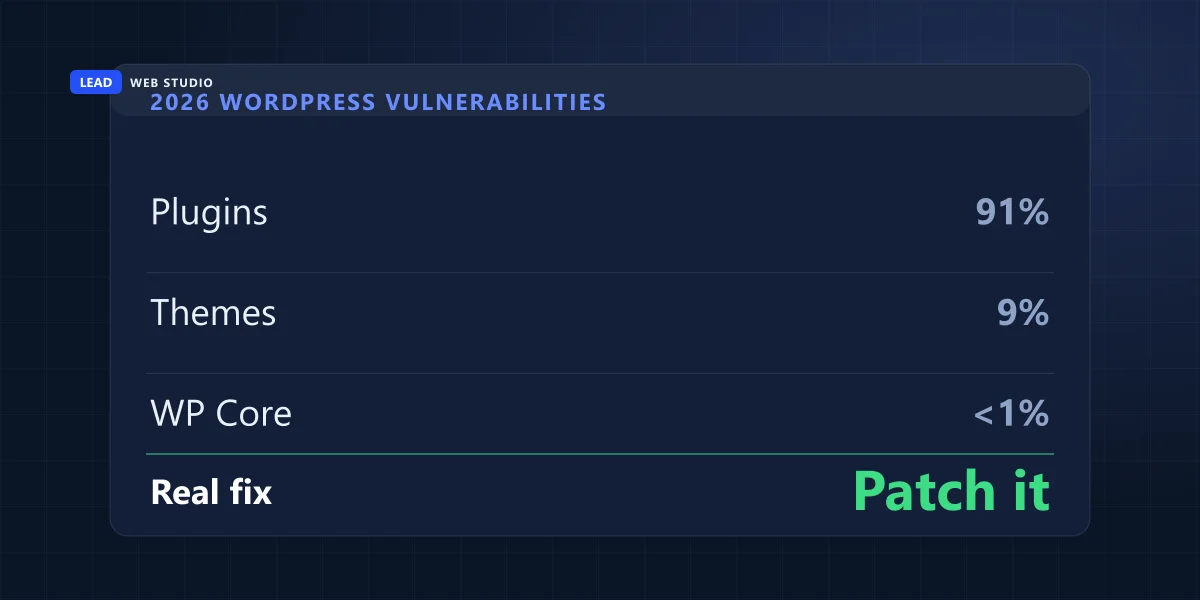
- If your site runs on WordPress: 91% of new vulnerabilities found in 2026 were in plugins, not WordPress core — core had just 6, all low-priority (Patchstack, State of WordPress Security 2026).
- A "Not Secure" browser warning is not a hack — it just means HTTPS isn't turned on. Fixing it costs $0 almost everywhere now.
- Most small business sites aren't targeted by a person. They're scanned by bots checking thousands of sites for the same handful of known weaknesses.
What does "website security" actually mean for a small business?
It means six unglamorous habits done consistently: HTTPS encryption, keeping your software and plugins updated, backing your site up somewhere off the server itself, using strong unique passwords with two-factor authentication, filtering spam and bots on public forms, and knowing exactly who has admin access. None of it requires a dashboard full of red and green lights or a monthly "security report" PDF. Most of it costs nothing but a bit of consistency.
Where it gets marketed to you differently is the point. Hosting companies and plugin vendors have every incentive to make security sound complicated and scary, because "complicated and scary" is what gets you to click "upgrade." The actual list of things that matter is short, and I'd rather hand it to you directly than let you find out about it from an upsell popup.
Are small business websites actually getting hacked, or is this overblown?
It's real. One in four small businesses reported a cyberattack or data breach in the past year, and most of them already had security training, tools, and audits in place before it happened, according to a 2026 survey of 3,000 business and IT leaders across six countries. But almost none of that is a person specifically targeting your business — it's automated scanning, and patching the known holes is what actually stops it.
The tools-didn't-help part is the part worth sitting with. Proton's report found the gap wasn't a lack of spending — it was human error and inconsistent use: tools switched on but not updated, backups scheduled but never tested, 2FA available but not required. Separately, Verizon's 2026 Data Breach Investigations Report noted something that had never happened in its 19-year history: vulnerability exploitation — attackers using a known, unpatched software hole — overtook stolen passwords as the single most common way attackers get in. Translation: the boring habit of actually applying updates matters more this year than it has in nearly two decades of the same report.
Nobody hacks a flower shop's website because they hate flower shops. They hack it because the plugin was three versions out of date and the scanner found it in under a second.
Real risk vs. marketing fear: how to tell them apart
Most of what shows up in your inbox or your hosting dashboard labeled "security" falls into one of two buckets — a real thing worth ten minutes, or noise designed to sell you something. Here's how I sort it for clients:
| What landed in your inbox | What it actually is | What to do |
|---|---|---|
| "Your SSL certificate has expired, renew now" | Almost always a phishing scam | Delete it. Check your own browser's padlock icon directly, never click the email's link. |
| "Website Security Suite — $39.99/mo" hosting upsell | Often just a malware scanner your host may already run for free | Ask exactly what it scans and how often before paying for it twice. |
| "Critical Vulnerability Detected" plugin popup | Sometimes real, sometimes the plugin selling its own paid tier | Check the plugin's own changelog or a public CVE database, don't take the popup's word for it. |
| Site is slow, or strange pop-ups started appearing | A real symptom worth acting on | Worth an actual look — this is one of the honest signs, not marketing. |
| "Not Secure" in the address bar | Missing HTTPS, not malware | Free fix in most hosting panels, see below. |
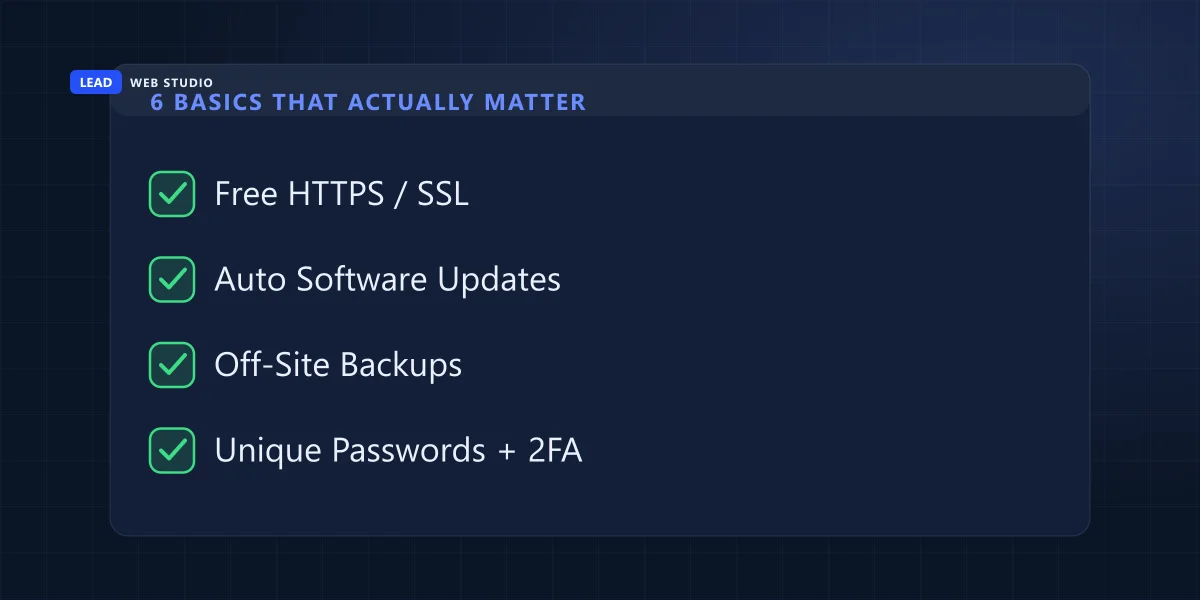
The 6 basics that cover almost everything
This is the actual list. I check every one of these on a site before I'll call it "secure," and it's the same list whether the site is mine, a client's, or one I'm doing a free audit on.
- HTTPS / SSL turned on. Free through Let's Encrypt on nearly every host today. If yours charges extra for it, that's worth questioning.
- Software and plugins kept updated. The single highest-impact habit on this whole list — this is what the DBIR's "vulnerability exploitation" stat is really about.
- Backups stored off the server itself, automatically, on a schedule — and tested by actually restoring one occasionally, not just confirmed by a checkbox that says "backup complete."
- Unique passwords with two-factor authentication on every login that touches the site: hosting panel, CMS/admin, domain registrar, and the email account tied to all of it. That same domain also needs SPF and DKIM published in its DNS — they stop a stranger sending mail that claims to be you, and they decide whether your own mail arrives or vanishes without a bounce. They only cover your exact domain, though, so it is worth knowing which kinds of impersonation DNS cannot touch.
- Spam and bot filtering on every public form. I run Cloudflare Turnstile on every site I build — it's free, invisible to real visitors, and it's the difference between a contact form and an open door for bots.
- A known, short list of who has admin access — and removing it the day someone (an employee, a past freelancer) no longer needs it.
If your site runs on WordPress, here's exactly where the real risk lives
91% of new vulnerabilities discovered across the WordPress ecosystem in 2026 were found in plugins. WordPress core itself had exactly 6 issues all year, and every one was rated low-priority, according to Patchstack's State of WordPress Security report. The platform isn't the danger — a stack of 30–40 plugins nobody's opened since the day they were installed is.
I see this pattern constantly: a site running a plugin that was added for one feature three or four years ago, whose developer stopped maintaining it a year after that, still active and still able to log in and write to the database. Nobody remembers it's there until it's the reason the site got hacked. If you run WordPress, the highest-value ten minutes you can spend this week is opening your plugins list and asking, for each one: do I actually still use this, and when did it last get an update?
| Attack surface | WordPress | Custom-coded |
|---|---|---|
| Plugins to keep patched | Often dozens | None |
| Public admin login page | Yes — /wp-admin/ by default | No, doesn't exist |
| Who issues each security patch | Every individual plugin author | Whoever built the site |
| Can it still get hacked? | Yes, if plugins go unmaintained | Yes, if hosting or credentials are weak |
Neither platform is immune, and this isn't a pitch to abandon WordPress — plenty of well-maintained WordPress sites never have a problem. It's a pitch to know which platform you're on and patch accordingly. I go deeper on the actual decision between the two in custom-coded vs. WordPress, but on security specifically: coded sites remove the plugin risk entirely, WordPress sites need someone actually watching the plugin list.
What's the deal with the padlock, or the "Not Secure" warning?
It just means your site doesn't have an SSL certificate active, so data moving between a visitor's browser and your server isn't encrypted. It's not a hack, not malware, not a sign anything is broken — just a missing setting. Nearly every host issues a free certificate through Let's Encrypt now and renews it automatically; if a host is charging you extra for it, that's a line item worth challenging, in the same spirit as the checkout add-ons I cover in the hosting cart trap.
Is my small business actually a target, or am I too small to matter?
You're not the target — your unpatched software is. Attackers run automated scanners that check millions of sites for a handful of known weaknesses: an outdated plugin version, a default password, an exposed login page. It's closer to someone checking car door handles down an entire street than picking one house to break into. Being small doesn't protect you from that scan; being patched does.
Run this 10-minute check on your own site right now:
- Load your site and look for the padlock in the address bar. "Not Secure" is your first fix.
- Log into your host or CMS and check for a pending update. Apply it.
- Confirm backups are actually running — and stored somewhere other than the same server. Test-restore one if you never have.
- Check who has admin access to your site, host, domain, and the email tied to all of it. Remove anyone who shouldn't still have it.
- Submit your own contact form once. If nothing stops you, it's either already collecting bot spam or open to abuse.
If you'd rather not track this yourself: my website maintenance plan runs $100 a month and covers exactly this list — security updates, daily backups, and uptime monitoring, on sites I built and sites I didn't.
Frequently asked questions
Do I need to pay for a security plugin or service?+
Usually no. HTTPS is free, most hosts already scan for malware, and the biggest real risk on WordPress is unmaintained plugins, which a paid scanner doesn't fix by itself. The basics that stop most attacks cost nothing except consistent effort.
How do I know if my website has already been hacked?+
Watch for unexpected redirects to other sites, a Google search result flagged "This site may be hacked," strange new admin accounts you didn't create, pop-ups that weren't there before, or a sudden crop of spammy pages you never wrote. Any one of those is worth investigating immediately.
Is WordPress inherently less secure than a custom-coded website?+
No. WordPress core had only 6 low-priority vulnerabilities in all of 2026. The risk is the plugin ecosystem on top of it, which accounted for 91% of new vulnerabilities that year. A well-maintained WordPress site with few, current plugins isn't inherently riskier than a coded one.
What's the difference between an SSL certificate and a security suite?+
An SSL certificate only encrypts the connection between a visitor's browser and your server — that's what removes the "Not Secure" warning. A security suite is a broader bundle that might add malware scanning, a firewall, or backups. They solve different problems, and the certificate itself is free almost everywhere now.
How often should I update my website software?+
As soon as a patch is available, ideally through auto-updates for anything that supports them. For plugins or platforms without auto-updates, check weekly at minimum — attackers routinely start exploiting a disclosed vulnerability within hours of the patch notes going public.

10+ years building and maintaining websites for GTA businesses, including the security and backup routine behind every one of them. Read my full bio · Get in touch