When Google Ads shows 0 conversions, one of two things happened. Either the ads brought nobody who called or wrote, or people did call and write and Google never counted them. Those need opposite fixes, and you can tell which one you have in about ten minutes, with your inbox, your phone log and one screen in your Ads account.
I build websites for service businesses around Toronto, and I put the conversion tags on most of them. So when an owner tells me "the ads don't work", my first question is boring on purpose: how many people actually got in touch last month? This year one owner's honest answer was "plenty", and Google had counted none of the forms.
What does the conversion status in Google Ads mean?
Each conversion action in Google Ads has a status in Goals, then Conversions, then Summary. Active means it records. Awaiting conversions means nothing came in for 7 days, often normal. Misconfigured means it stopped recording because of a setup error or a broken tag. Google renamed these in July 2026, so older guides use different words.
Google says it is working as intended.
Nothing, unless the number is far below what you really got. Then do the ledger check below.
Nothing recorded in the last 7 days.
Check whether a campaign was running and whether anyone got in touch from the ads that week. A new action sits here until the first real one.
Still recording, but Google has listed something to fix.
Open the action and read the note. It is usually one setting.
Conversions stopped recording entirely, from a setup error or a broken tag.
This one costs money every day. Go to the label check further down.
Someone deleted or archived the action.
Ask who did it before you add it back. It may have been replaced by a new one.
The rename caught some accounts halfway, so you may still see Inactive in one place and Misconfigured in another. Both mean the same thing for you: Google is not getting the signal. The one I'd never shrug at is a red or dark status on the action that your campaign is told to chase. Smart bidding steers by that number. Feed it zero and it will happily spend your budget looking for more zero.
How do I check that Google Ads counts my leads?
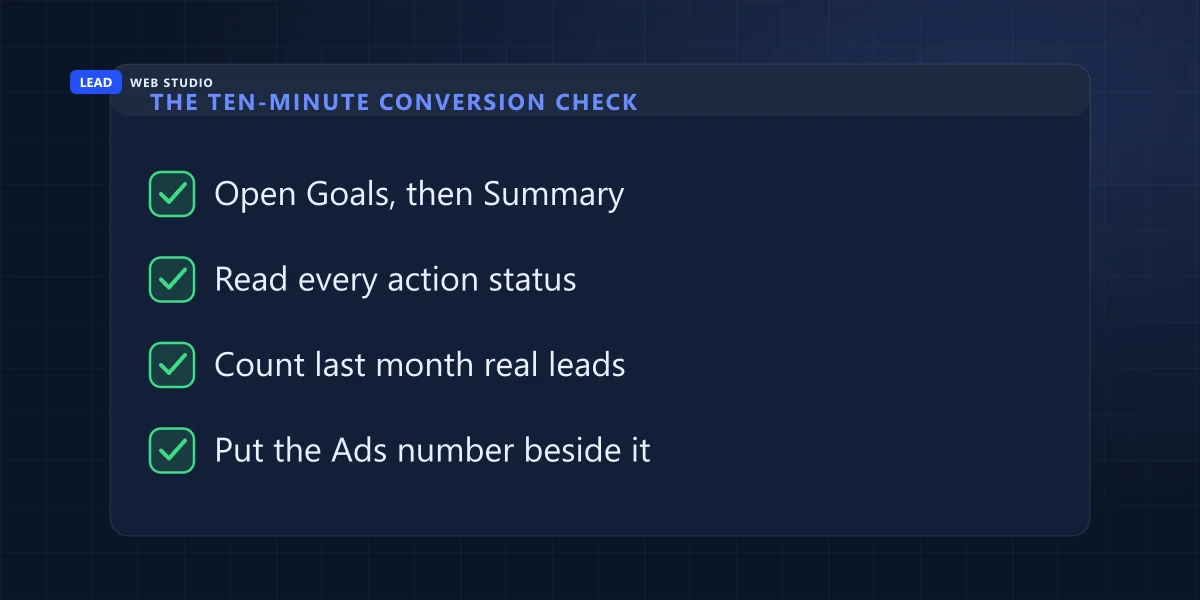
Write down every real enquiry from last month that came from the ads: forms, calls and texts, with dates. Then set the date range in Google Ads to the same month and read the Conversions column per action. The two lists should be close. A large gap in one direction tells you which side is broken.
What really came in
- Form emails in your inbox, and in its spam folder
- Calls in your phone's log from numbers you don't know
- Customers who said "I saw your ad on Google"
- Only the ones that arrived in the date range you picked
What Google Ads counted
- The Conversions column, split by conversion action
- The Phone calls column, if your ads show a number
- The same dates, and every campaign, not one
- Conversions can land a day or two after the click
Then read the result. If both lists are close to zero, the tracking is probably fine and the problem is the ads or the page they land on; that is a different conversation, and I wrote about it in whether to start with SEO or Google Ads. If your list says 14 and Ads says 0, the counting is broken and nothing about the ads can be judged until it's fixed. If Ads says far more than you got, something counts the wrong thing, usually a tag that fires on every page view instead of on the thank-you page.
Don't skip the spam folder. A form whose emails land there looks exactly like a form nobody uses, and that's a website problem, not an ads problem. I covered the website side of forms in how to capture leads on your website.
What a wrong conversion label looks like
This is the case I think about whenever someone says "the ads stopped working". A cleaning company in the GTA ran Google Ads all summer. When I rebuilt their site, I put the form conversion on the new thank-you page. The site sent the conversion on every form. Google Analytics saw every one of them. Google Ads counted zero, from the day the action was created in July until October, and the status was red the whole time.
The code was fine. The label inside it was not. I had copied it from the old Tag Manager container the previous developer had left behind, and that container already had it wrong. Two characters in it were look-alikes of the real ones:
The real label had a capital letter O. The copy had a zero.
The real label had a c. The copy had an e.
Nothing on the site breaks when the label is wrong. No error, no email. Ads simply doesn't count it, and the only sign is the colour of that status. The fix took one minute: copy the label from the Ads account itself, in the conversion action's tag setup, never from an old container, an email or a screenshot. Then send a test form and wait a day. The status turned and the next real enquiry showed up in the column.
The lesson I took from it is unglamorous. A month where Analytics shows leads and Ads shows none is not a bad month for the ads. It is a label check. Your developer can open Google's free Tag Assistant, send a test form, and read the conversion ID and label the page actually sent. If one character differs from the account, there's your answer.
Why does Google Ads show clicks on my phone number but no calls?
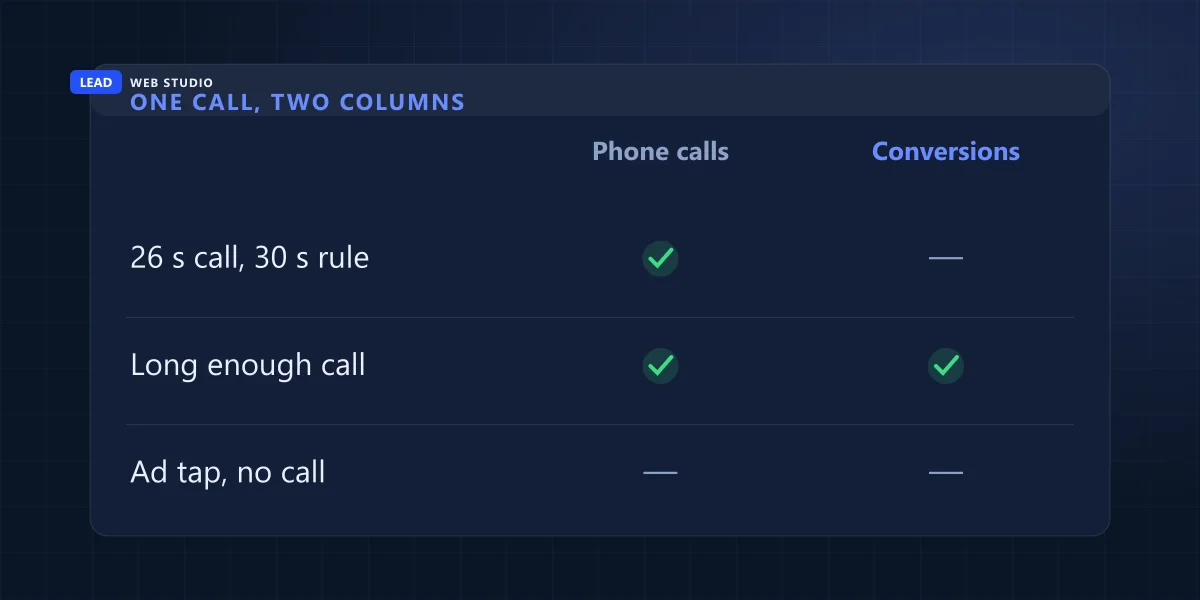
Because the Clicks number in a call asset row counts clicks on the ad while your number was showing, not phone calls. Calls are in the Phone calls column, counted when someone rings the Google forwarding number. A call only becomes a conversion if it lasts as long as the minimum you set for that conversion action.
| Column | What it counts | What trips owners up |
|---|---|---|
| Clicks | Clicks on the ad while it showed your number | Someone can click and never call |
| Phone calls | Calls received on the Google forwarding number, from the call button or dialled by hand | Dialled-by-hand calls show for campaigns and ad groups, not per ad or keyword |
| Conversions (a call action) | Calls at least as long as the minimum you set | A short call is a call, not a conversion |
Google's own example is the clearest one I know: set call conversions to 30 seconds, take a call that lasts 26, and Ads reports 1 phone call and 0 phone call conversions. I'll admit I nearly flagged this as a fault myself. A client's report showed 18 clicks on the call row in a week and zero calls in the conversion column, and I had the message half written before I opened the right column. The Phone calls column had none that week and 4 over 30 days, and the call conversion was counting them. The tracking worked. My reading of it didn't.
So before anyone tells you the phone tracking is broken, look at Phone calls first, then the minimum call length on the conversion action. If your real calls are short ("Do you do Saturdays?" "Yes." "Great, booking online"), a high minimum will hide them from the conversion column for good.
When should I check the tracking again?
After every change that touches the page where the conversion fires: a new site, a new form, a new thank-you page, a plugin update, a new person in the Ads account. Check the same day with a test, again 24 to 48 hours later in the status column, and once a month with the ledger.
- Same day
Send one test form and make one test call from a phone that isn't yours. Note the time.
- 24 to 48 hours later
Open Goals, Conversions, Summary. Every action your campaigns use should read Active.
- After 7 days
Awaiting conversions on a running campaign with real enquiries that week means it isn't counting.
- Every month
Put your own list of enquiries beside the Ads number. Close is fine. Zero against fourteen is not.
A website relaunch is the classic moment this breaks, because the thank-you page moves and nobody tells the ads. When I move a site, the tags go on the list with the redirects, which is part of how I handle website migration. And if the ads send people to your homepage instead of a page made for the ad, a proper landing page usually does more for the numbers than any setting.
Questions owners ask me about Google Ads conversions
How long does Google Ads take to show a conversion?+
A test conversion usually shows within a few hours, but give it a full day before you decide anything. The status of a brand new conversion action needs real activity on the site before it changes, so judge it 24 to 48 hours after the first real form or call.
Is "Awaiting conversions" a problem?+
Not by itself. Google uses it when nothing was recorded in the last 7 days, which is normal for a new action, a paused campaign or a quiet week. It becomes a problem when your inbox or phone log shows real enquiries from the ads in those same 7 days.
Why does Google Analytics show my leads but Google Ads does not?+
They are two separate tags. Analytics can record every form while the Google Ads tag on the same page sends the wrong conversion label, or never fires. Compare the conversion ID and label in the tag with the ones in your Ads account, character by character.
Do phone calls from my ad count as conversions automatically?+
Only calls you set up as a conversion action, and only calls that last at least the length you chose. Every call to the Google forwarding number still appears in the Phone calls column, so a short call shows up as a call without a conversion.
Should I delete old conversion actions I no longer use?+
Yes, once you are sure nothing on the site still sends them. Old actions keep showing warning colours and make the real problem harder to see. Removing one does not delete the conversions it already counted.
Sources, read on 15 October 2026: Google Ads Help, troubleshooting conversion tracking status for Active, Needs attention, Misconfigured, Awaiting conversions and Removed; Search Engine Roundtable, 13 July 2026 for the rename; Google Ads Help, call reporting data for the Phone calls column and the 30 and 26 second example. The two cases are from sites I built or look after, July to October 2026.
Ads say zero, your phone says otherwise?
Send me the page your ads point to and what the status column says. I'll tell you whether the site is sending the conversion and what it sends. The details of each service are on the web design page and the pricing page.
Get My Free Quote
Web designer in Toronto. I build websites for GTA service businesses and wire up the forms, calls and tags that tell them where customers came from. Read my full bio · Get in touch