Every contract I send has a start date on it. Every start date is a little bit of a lie — not because I'm slow, but because a website project doesn't actually start the day you sign. It starts the day your content and photos land in my inbox, and that part is entirely up to you. I've had builds sit untouched for three weeks waiting on one paragraph about "who we are," while the client assumed the clock was running the whole time. So before you sign with anyone — me included — here's exactly what to gather, in what format, so your project starts on day one instead of week three.
The short version
- What a designer actually needs: services with real descriptions, pricing or an honest range, an About Us story, contact details, and real photos — not stock.
- Photos matter more than people think. Google's own Business Profile photo guidelines want 720×720px, in focus, well lit, no heavy filters — the same bar a good website should hit.
- Stock photos don't just look generic — anyone who's ever browsed a stock library recognizes them instantly, and it quietly signals "this isn't really us."
- No professional photos yet? A phone, near a window, in daylight, beats a $0 stock photo almost every time.
- Send content as an editable doc, never a PDF or a screenshot of text — your designer has to retype it otherwise, and that's where typos creep in.
What does my web designer actually need from me?
Realistically: your services with a real description of each (not just a title), pricing or an honest range, your logo, an About Us story, contact details and hours, a few testimonials if you have them, and photos of your actual work — not stock. Bring that on day one and a normal build starts immediately instead of stalling for weeks.
It sounds like a lot written out, but almost every item on that list already exists somewhere — in your head, in old Facebook posts, in your camera roll, in a Word doc from three years ago. The job isn't creating it from nothing, it's gathering it into one place before your designer needs it. And the timing matters more than people expect: content prep isn't something that happens "in parallel" with the build, it's the thing the build is waiting on. I go into why in how long a website actually takes to build — the short version is that a lack of prepared content, not design or code, is the single most common reason a project stalls.
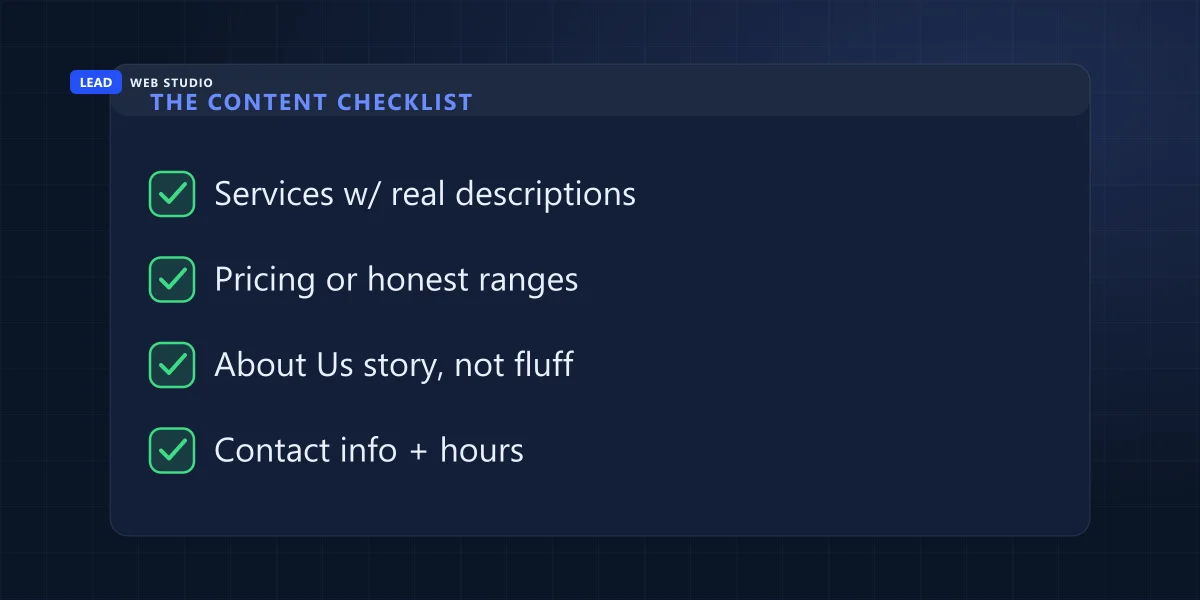
The content checklist
This is the list I hand every new client. Ten items, none of them exotic, all of them things you already know about your own business:
- Business name, tagline, and a one-line description of what you actually do.
- Full services list — each one with two to four real sentences, not just a bullet with a title.
- Pricing — exact numbers if you can share them, or an honest range if you can't. See what a website itself costs for how I handle this on my own site.
- Service area — the cities or neighbourhoods you actually serve, not "everywhere."
- About Us story — how you started and why, in your own words, not a mission statement generator's words.
- Team bios and photos, if customers meet your team by name before they meet you.
- Testimonials or reviews you're allowed to quote by name — see the note on this below if you don't have any yet.
- FAQs — the five questions you actually answer on the phone every single week.
- Contact details and hours — phone, email, address, and how fast you typically respond.
- Logo files (a vector .ai or .svg if you have one) and your brand colors, if you know them.
Nobody hands this to me finished. The businesses that start fast are the ones who treat it like a homework list, not an essay — a bit each evening beats staring at a blank page trying to write the whole thing at once.
The photo checklist — and why stock photos work against you
Real photos of your actual work, team, and space beat professional-looking stock every time, because the goal isn't "looks nice" — it's "looks like you." A visitor can't tell your work is good from a stock photo of someone else's, and on some level they know that.
What actually matters: photos of real jobs or products, a founder or team headshot, your storefront or workspace if you have a physical location, and before/after shots if you're in a trade where that's the whole pitch. Google's own Business Profile photo guidelines are a good bar to aim for even on your website: JPG or PNG, 720×720px recommended (250×250px minimum), between 10KB and 5MB, in focus, well lit, and without heavy filters or edits. If a photo clears that bar for your Google listing, it'll hold up on your homepage too.
And I'll say the quiet part out loud: everyone who's ever shopped for stock photos recognizes stock photos on sight. The guy in the headset smiling at a laptop that clearly has nothing open on it. The diverse "team" that's never once actually worked together. It doesn't read as professional — it reads as a placeholder nobody got around to replacing.
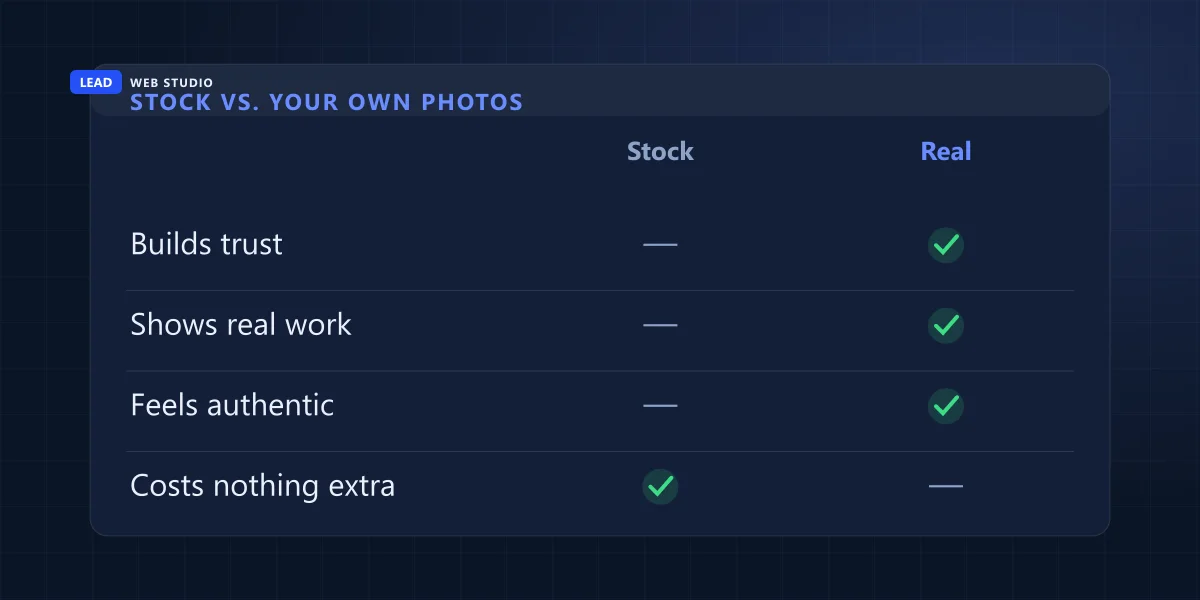
| What matters | Stock photo | Your own photo |
|---|---|---|
| Builds trust with a stranger | No | Yes |
| Shows your real work | No | Yes |
| Feels authentic on sight | No | Yes |
| Costs nothing extra to use | Yes | Usually free — your time |
| Photo spec | Recommended | Minimum |
|---|---|---|
| Resolution | 720 × 720px | 250 × 250px |
| Format | JPG or PNG | JPG or PNG |
| File size | Under 5MB | Over 10KB |
| Look | In focus, well lit, unedited | — |
What if I don't have decent photos yet?
Start with your phone before you spend a dollar. Shoot near a window or outdoors rather than under overhead lights, get physically closer to your subject than feels natural, skip the flash, and take five times more photos than you think you need — you'll only keep the best few. Shoot both horizontal and vertical versions of anything important, since a designer may need either depending on where it lands on the page.
A professional local photographer is worth booking once the business can afford it — it's a real upgrade over even a good phone shot, especially for headshots and storefront photos. It's not a prerequisite to launching, though; plenty of sites I've built started with phone photos and swapped in professional ones later once there was traffic to justify the spend.
On AI-generated images: they're fine for abstract decoration — a background texture, an icon-style graphic — and a bad idea for anything claiming to show your team or your work. The moment a visitor notices one weird hand or a too-symmetrical smile, every other claim on the page gets a little less believable. Save it for backgrounds, not people.
File formats that don't slow your build down
For text: a shared Google Doc or Word file your designer can copy straight from, not a PDF and not a screenshot of text. Text locked in a PDF has to be retyped by hand on the other end, which is slower and exactly where typos sneak in.
For photos: send the original files, not a HEIC screenshot forwarded through three group chats, not a compressed WhatsApp re-send of a re-send. If you're not sure a file is the original, it probably isn't — check the file size; a heavily compressed photo is usually a fraction of the size of the original. And don't dump 200 unsorted photos on your designer and say "pick whatever" — go through them yourself first and hand over your best 15 to 20. You know which ones are good; a stranger doesn't.
How long should this actually take you?
A focused weekend, if you already know your business inside out — most of this is just writing down what you already say out loud to customers every day. In practice it usually takes longer, and that's fine, but it's worth knowing why: content, not design or code, is consistently the number one reason website projects stall. I cover the real build-timeline breakdown, including that exact bottleneck, in how long does it take to build a website.
If you're genuinely not ready with everything, say so up front rather than letting silence eat the schedule. A good designer would rather start the structure and layout with placeholder content than sit idle waiting for a finished essay — the page gets built either way, and the real copy drops in when it's ready.
Fastest way to start: open a blank doc right now and answer just three of the ten items above — your services, your pricing range, and your About Us story. That's usually enough to get a build moving while you finish the rest.
Frequently asked questions
What's the very first thing I should send my web designer?+
Your services with a real description of each, pricing or an honest range, your logo, an About Us story, and contact details and hours. That's enough for a designer to start the structure while you gather photos and testimonials.
Do I really need professional photos, or will my phone do?+
A phone photo of your real work in good light beats a paid stock photo every time. Shoot near a window or outdoors, get close to the subject, and take more than you think you need. A professional shoot is worth it once the business can afford it, not before.
What if I don't have any testimonials yet?+
Ship the site without a testimonials section rather than inventing one, and start asking your next few customers directly. A short, real quote with a first name beats three generic ones with no name at all — see how to get more Google reviews for the actual ask system.
Can I just send everything as a PDF?+
Avoid it if you can. Text locked inside a PDF has to be retyped by hand, which is slower and where typos creep in. A shared Google Doc or Word file your designer can copy straight from moves faster and stays accurate.
How long should gathering my content and photos actually take?+
A focused weekend if you already know your business. In practice it usually takes longer, because content is the single most common reason website projects stall — not the design or the build.
Ready to start, content or not?
Send me what you've got. I'll tell you exactly what's still missing, and we can start the structure while you finish gathering the rest.
Get My Free Quote
10+ years building websites for GTA businesses, and just as many years waiting on content to build them with. Read my full bio · Get in touch