The text comes in at 8:40 in the morning, from a customer who wanted to book you: a screenshot of a full red page with a warning sign, the words "Dangerous site", and your web address underneath. A Dangerous site warning on your website is Google's Safe Browsing list talking, and while it's up, almost nobody gets past it. Two things before anything else. Don't click "Details" and "Visit this unsafe site" to prove it's fine, and don't email every customer that it's a glitch. Find out which warning it is and what Google thinks is on the site. I look after a few dozen small business websites, and this morning I ran Google's public check on 23 of them to see what an owner actually gets back.
Is the warning about your site, or about their computer?
It's about your site if a second device on a different network shows the same red page, or if Google's Security issues report in Search Console lists a problem. A warning on one office computer only can come from that computer's own security software. Check in this order:
- Open the site on your phone with Wi-Fi turned off, so you're on mobile data and outside the office network. Google's own advice is to look at flagged pages from a computer that isn't inside the network that serves your site, because a clever hacker can switch the attack off for the owner.
- Type your address into Google's Safe Browsing site status page in its Transparency Report. It's public and takes ten seconds. Read the next section before you trust a clean answer from it.
- Open the Security issues report in Search Console. A green tick there means Google has no security issue on file for your site. A count at the top means it has, with sample addresses under each issue.
If the phone on mobile data is fine, the report has a green tick and only one person sees the warning, ask what security program runs on their computer. That's their problem to sort out, not yours.
What Google's public status check told me about 23 of my sites
The public status page can say a site is unsafe, but it can't clear you. On my own sites it answered "no available data" for three live business sites, the same answer it gives for an address I made up, and some clean verdicts carried dates more than a year old.
I asked the status check about 24 sites I build or look after, slowly, one at a time. Google's rate limit refused one twice, so 23 answered. To make sure I was reading the answers right, I also asked about Google's own phishing test page, which came back unsafe, and about a domain that doesn't exist, which came back with no data.
sites: "no unsafe content found". The answer you hope for.
live sites: no data at all, the same answer as a domain that doesn't exist.
the date next to the oldest clean verdict. Only 8 of the 20 were dated within the last month.
Read on 24 November 2026 from Google's Transparency Report, one request per site. I don't name the sites; none of them is flagged.
So a green answer from that page can be months old, and a blank one says nothing either way. Google's help page for the report is blunt about which record counts: it tells owners to "rely on the Security Issues report as the source of truth". If you don't have Search Console for your site yet, that's step zero. You verify that you own the domain, and only then can you see the report or press the button that ends all this.
Which red screen did your customer see?
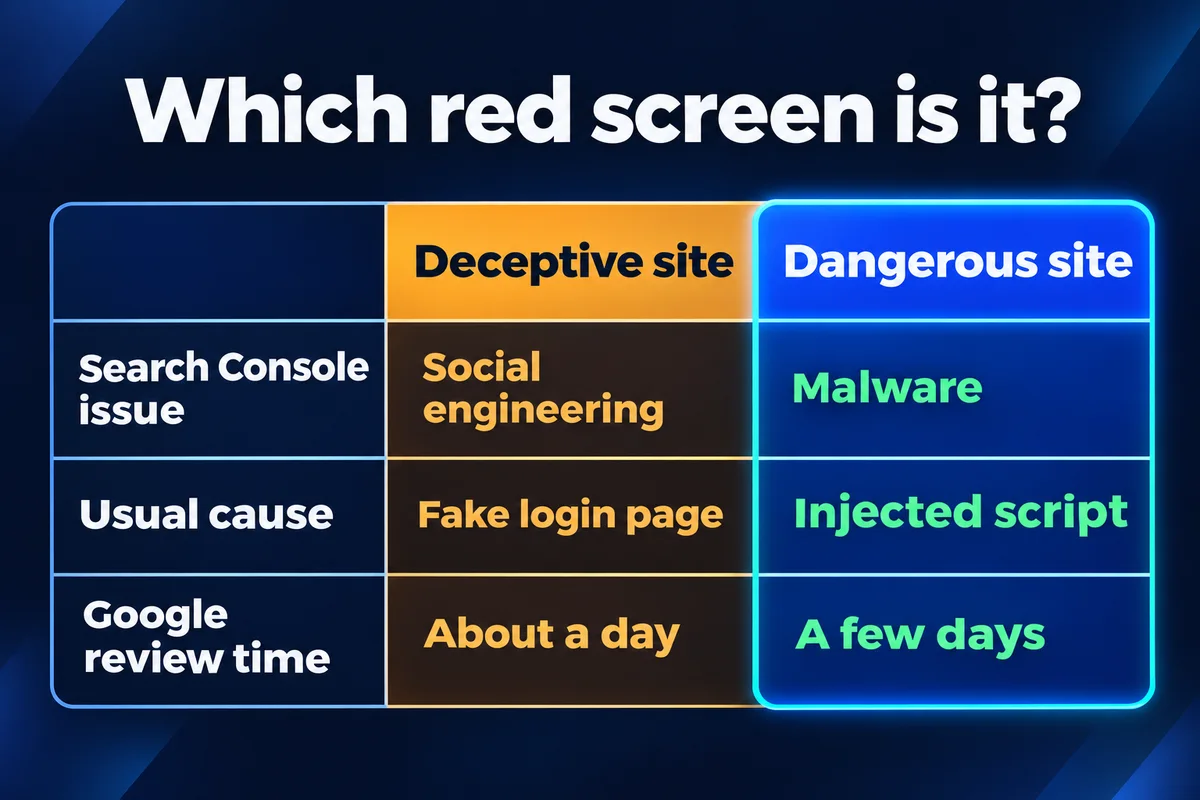
Ask for the exact words at the top of the red page. They tell you which issue Google recorded in Search Console, what usually sits behind it and how long Google says its review takes. The fix is always the same in outline (clean, then request a review), but the waiting time is not.
| Words on the red page | Issue in Search Console | What I usually find behind it | Google's review time |
|---|---|---|---|
| Deceptive site ahead | Social engineering | A fake bank or email login page added in a folder you never made, or an ad that pretends to be a browser update | About a day |
| Dangerous site | Hacked: malware, or malware and unwanted software | A script injected into the pages or a theme file that sends visitors somewhere else | A few days |
| A warning label in search results, often no red page | Hacked content | Hundreds of spam pages, often casino or pharmacy, added to the site | Up to several weeks |
| Did you mean, Is this the right site, Fake site ahead | A lookalike address warning | Chrome thinks your address is close to a better known one | Through the same review route |
The spam pages in the third row are a long job of their own, and I wrote the whole cleanup out in casino spam pages in Google after a hack. Also, don't mix any of this up with the grey "Not secure" text in the address bar. That one is about the certificate, not about Google's list, and my guide on what each Not secure warning means covers it.
Clean first, then find the way in
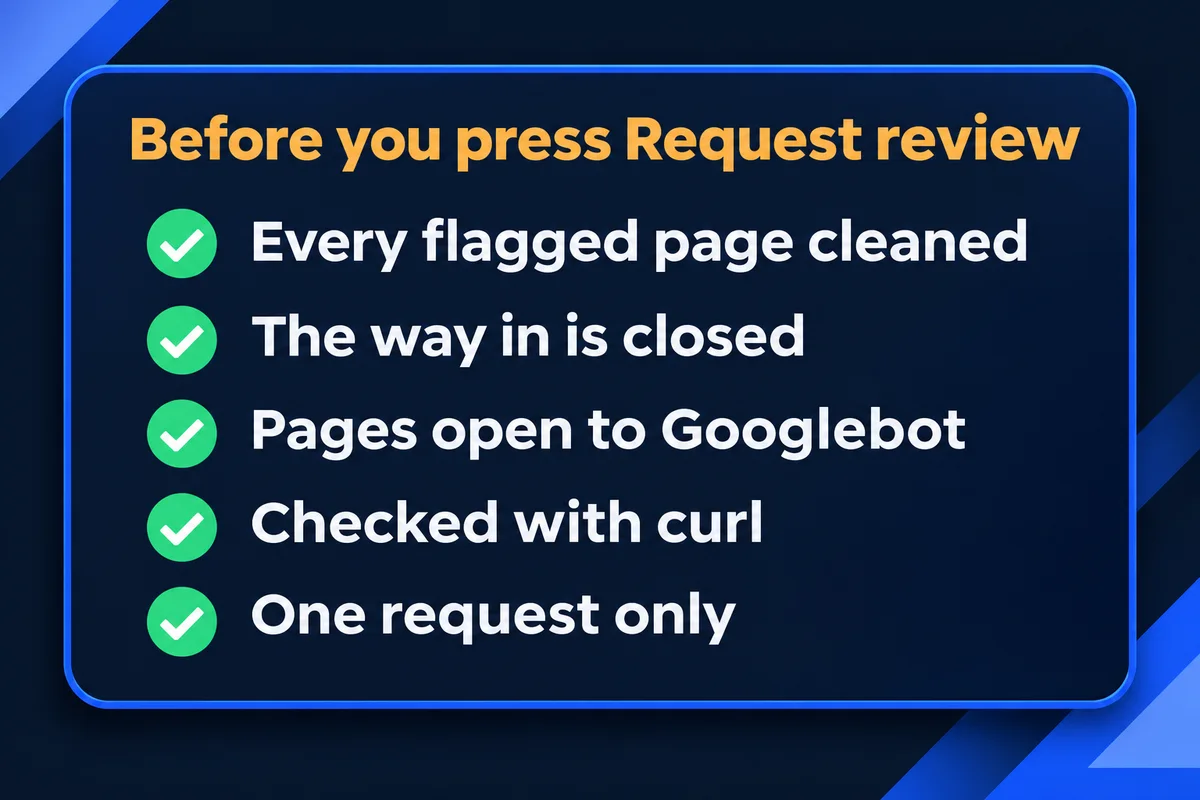
Take a full copy of the infected site before you change anything, clean every page Google lists and every page like it, then close the hole the attacker used. If you clean the pages and leave the hole, the same pages come back within days and Google sees a site that flips between clean and dirty.
- Download a full copy of the files and the database as they are now, infected. It's evidence of what changed and when, and it's your fallback if the cleanup breaks something. If your host keeps daily backups, write down the date of the last one from before the problem started. My guide to testing a website backup shows what a usable copy has to contain.
- In Search Console, open Settings, then Users and permissions, and look for owners or users you don't know. Google lists this check first on its own page about deceptive sites. A stranger listed as owner means the attacker had more than one way in.
- Look at the sample addresses in the report without opening them in your everyday browser. Google suggests the URL Inspection tool, or a command-line request that pretends to arrive from a Google search, because some hacks only show themselves to visitors who come from Google. Whoever runs your site can run this, with your address in place of the example:
curl -v --referer "https://www.google.com" --user-agent "Mozilla/5.0" https://www.example.com/page.html- Remove what was added and replace what was changed: rogue pages, scripts in the theme, strange admin users, files in the uploads folder that end in .php. If the bad content came through an ad network or another embedded service, remove that service. Google counts a deceptive ad on your page as your page's violation.
- Close the way in. Usually that means updating the plugin or theme that had the hole and changing every password that touches the site: hosting, FTP, database and the website admin. My checklist for telling a real attack from background noise helps you read the login logs.
- Make sure Googlebot can see the cleaned pages. Google's review page says the pages must be open to its crawler, with no noindex tag and no robots.txt block, or the review can't confirm they're clean.
What to write in the review request
One short note that names the issue, says what you removed and what you changed so it can't happen again. Google's help page asks a good request to do three things, so I answer exactly those three, in plain sentences, with dates. Here is the shape, for a made-up bakery:
- Explain the exact issue on your site
- Name the issue the way the report names it, and the pages it listed.
Social engineering: a fake email login page at /wp-content/uploads/2026/11/mail/ and 6 similar pages in that folder.
- Describe the steps you took to fix it
- What you deleted and what you closed, so the reviewer knows the hole is gone too.
Deleted the folder and its 7 pages on 24 November. Updated the gallery plugin that let the files in. Changed the hosting, FTP and admin passwords and removed an admin user nobody here created.
- Document the outcome
- How you checked, so they can repeat it.
All 7 addresses now return 404. Every page of the site loads clean with a Google referrer. Search Console lists only me as owner.
Press Request review once. You get an email that the review is in progress, and another when it's done. Google asks owners not to send a second request before the first gets an answer.
How long the red screen stays after you ask
Google publishes the times on its own review page: about a day for a phishing review, a few days for malware, up to several weeks for spam left by a hack. Once Google finds the site clean, it says the warnings in browsers and in search results come off within 72 hours.
Bar lengths are rough, scaled to the words Google uses. Google's Security issues help page puts the general range at a few days to a few weeks.
Meanwhile, tell the people who call. "Our website is flagged and we're fixing it, here's the phone number" beats a customer typing their card number into a page you didn't write.
Ask once: the 30-day lockout
Sending a review request before the site is really clean slows the next review and can get you marked a repeat offender. Google's Safe Browsing policy says a site that keeps switching between clean and flagged gets that status, the owner can't request reviews in Search Console for 30 days, and the warning stays the whole time.
What usually puts a small business there, in my experience:
- cleaning the pages Google listed and leaving the plugin that let them in, so they're back in a week;
- pressing Request review the same evening "to see what happens";
- restoring a backup that already held the hacker's files, then asking again.
A month with a red screen in front of your home page is a very expensive way to learn patience. Ask once, with the work done.
When Google got it wrong
It happens, mostly with phishing flags. If the report shows no sample addresses and you're sure nothing deceptive is on the site, Google says to request a review in the Security issues report anyway. For a phishing flag you can also use Google's Safe Browsing report error form, which works for owners who think a page was flagged by mistake.
One false alarm I'd check first: a page that collects money or logins for you but runs on someone else's service, such as a donation or booking page on another company's address. Google's rules say that page has to show clearly who runs it and on whose behalf, or it can look like phishing. A line like "This booking page is run by [service] for [your business]" on every page of it fixes that.
Make sure the next notice reaches a person
When Google flags a site, it emails the owners in Search Console. If the only owner is a former web designer, or an inbox nobody opens, the first person to tell you is a customer with a screenshot. Add yourself as an owner, keep the alert email pointed at an inbox you read, and keep a daily backup from before the trouble.
That's the part I do for the sites on my website maintenance and support package: updates, daily backups, security monitoring and malware protection, and emergency recovery from a backup, for $100 a month.
Questions about the red warning on your website
Will turning off Safe Browsing in my own Chrome fix the warning?+
No. It only hides the warning on your computer, and Google advises against it. Every customer still sees the red screen until Google reviews your site and lifts the flag.
Does the red warning hurt my place in Google search?+
Flagged pages can carry a warning label in the results, and people who click land on the red screen, so you lose those visits while it lasts. Google says that fixing only some pages earns no partial return; every flagged page has to be clean.
Can I request a review without Search Console?+
For malware and hacked content, no: the Request review button lives in the Security issues report, so you first verify that you own the site. For a phishing flag, Google also accepts a review through its Safe Browsing report error form.
Why do I not see the warning when I open my own site?+
Google says Safe Browsing warns based on the browsing context, so you may not reproduce it. Hackers can also hide their pages from the owner's computer. Trust the Security issues report in Search Console, not your own screen.
How long after Google approves the review does the screen go away?+
Google's own page says that once it finds the site clean, the warnings in browsers and in search results are removed within 72 hours.
Sources, read on 24 November 2026: Security issues report (Search Console Help); Request a review (web.dev); Social engineering (phishing and deceptive sites) and Safe Browsing repeat offenders policy (Google Search Central); Manage warnings about unsafe sites (Chrome Help). The status check counts come from Google's Transparency Report, read the same day. The bakery in the review example is made up.
A customer sent you a red screenshot?
Send me your address and the words on the red page. I'll tell you which issue it is and what has to be cleaned before you ask Google for a review.
Get My Free Quote
I build and look after websites for small businesses around the GTA, and I read the Search Console alerts for the sites I maintain. Read my full bio · Get in touch