A few times a year an owner calls me with the same sentence: "My website says Not secure, did we get hacked?" Almost never. The browser is complaining about something specific, and the exact words it uses tell you which thing. This morning I opened 14 deliberately broken test pages in Chromium 149, wrote down what the browser did with each one, and then checked the 24 live sites I look after for the two mistakes that cause most of these calls.
Why does my website say "Not secure"?
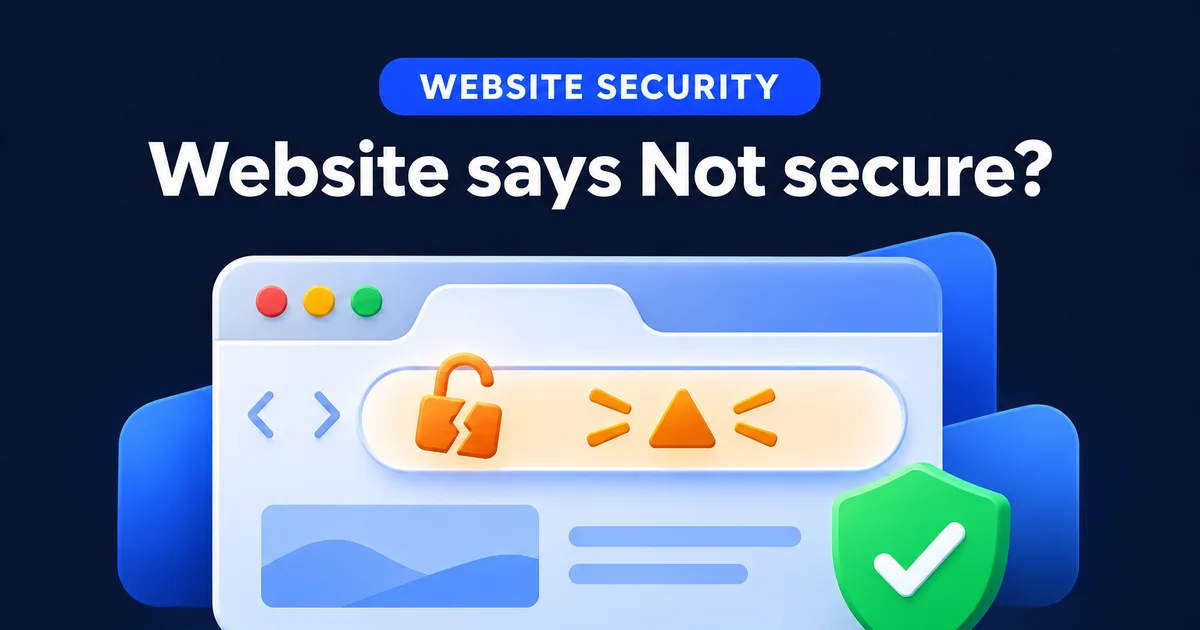
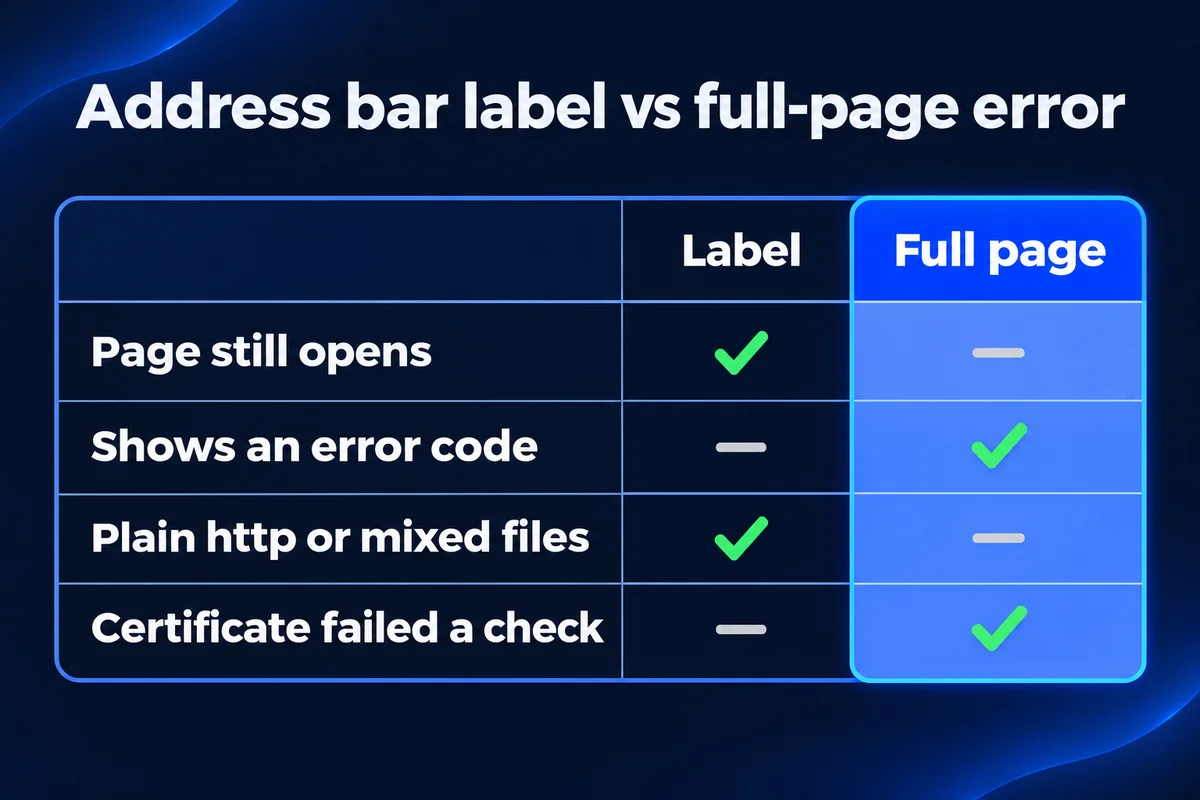
Either the page loaded over plain http, or it loaded over https and the browser didn't like what it found. Grey "Not secure" next to the address means plain http or a page that isn't fully secure. A full-page "Your connection is not private" means the certificate itself failed a check, and the code under it names the check.
So the first thing to do is look at where the warning sits. These two look like the same problem to a customer, and they have nothing in common on the server:
A label in the address bar
The page opened. Someone can still read your site, but the browser says the connection isn't private. Usual causes: no https at all, the http address doesn't forward to https, or a secure page pulls in something over http.
A full page instead of your site
The page never opened. The browser stopped at the certificate and shows a code. A visitor has to click Advanced and choose to go on, and most people won't. Read the code: it says what failed.
What 14 broken test pages showed me
badssl.com is a public site of test pages, each one broken on purpose in one way. I opened 14 of them in headless Chromium 149 (the engine inside Chrome) with ad and analytics tags blocked, and logged the error code, the console messages and every file the page tried to load. Three of the test pages reset or timed out on the test site's side, twice in a row, so they aren't in the table.
| Test page broken this way | What Chromium 149 did | What it means on your site |
|---|---|---|
| Certificate expired | NET::ERR_CERT_DATE_INVALID, page blocked | Renewal stopped. Also shows when the visitor's own computer clock is wrong. |
| Certificate made out to another name | NET::ERR_CERT_COMMON_NAME_INVALID, page blocked | The certificate covers yourbusiness.ca but someone opened www.yourbusiness.ca, or the other way round. |
| Certificate from an issuer browsers don't trust | NET::ERR_CERT_AUTHORITY_INVALID, page blocked | A self-made or test certificate was installed, often a server's default one after a move. |
| Secure page loading a script over http | Page opened, script blocked, warning in the console | A button, menu or form that works on your laptop at home and silently doesn't for visitors. |
| Secure page loading an image over http | Image fetched over https instead, no visible problem | Modern Chrome quietly fixes this one for plain images, as long as the image exists at the https address. |
| Plain http page with a password field | Page opened, no error code | The warning is in the address bar only. Chrome 154 and later also asks before a first visit, more on that below. |
| Certificate chain missing a middle certificate | Page opened with no error | Chrome got past it on its own. Don't take a clean result in your own Chrome as proof the setup is complete. |
| Certificate revoked by its issuer | Page opened with no error | Chromium didn't stop it. A revoked certificate is rare on a small business site; replacing it is your host's job. |
The last two rows are the ones that surprised people when I showed them the table. "It works in my Chrome" isn't the same as "it's set up right". Chrome opened the page with a missing middle certificate anyway, and you can't count on every app and older device doing the same. When a host installs a certificate by hand, ask them to confirm they installed the full chain, not just your certificate.
The padlock problem: a secure page pulling in something insecure
This is the case where the certificate is fine and the warning still shows. The page itself came over https, and something on it, a script, a font, a form, an embedded map, points at an http address. Mozilla's reference for web developers splits these files into two groups, and the split decides whether you see a warning or a broken page:
Fetched over https instead
Plain images set with src, background images in CSS, audio and video. The browser tries the same address with https. If the file exists there, nobody notices. If not, a picture goes missing.
Blocked outright
Scripts, stylesheets, web fonts, embedded frames like a booking or map widget, and images set with srcset. No warning for the visitor, just a page that looks or works wrong.
The blocked group is the dangerous one for a business, because it doesn't look like a security problem. It looks like "the quote form stopped working on Tuesday". The console line Chromium wrote on the test page tells you exactly which file did it:
Mixed Content: The page at 'https://mixed-script.badssl.com/' was loaded over HTTPS, but requested an insecure script 'http://mixed-script.badssl.com/nonsecure.js'. This request has been blocked; the content must be served over HTTPS.
To read the same line on your own site:
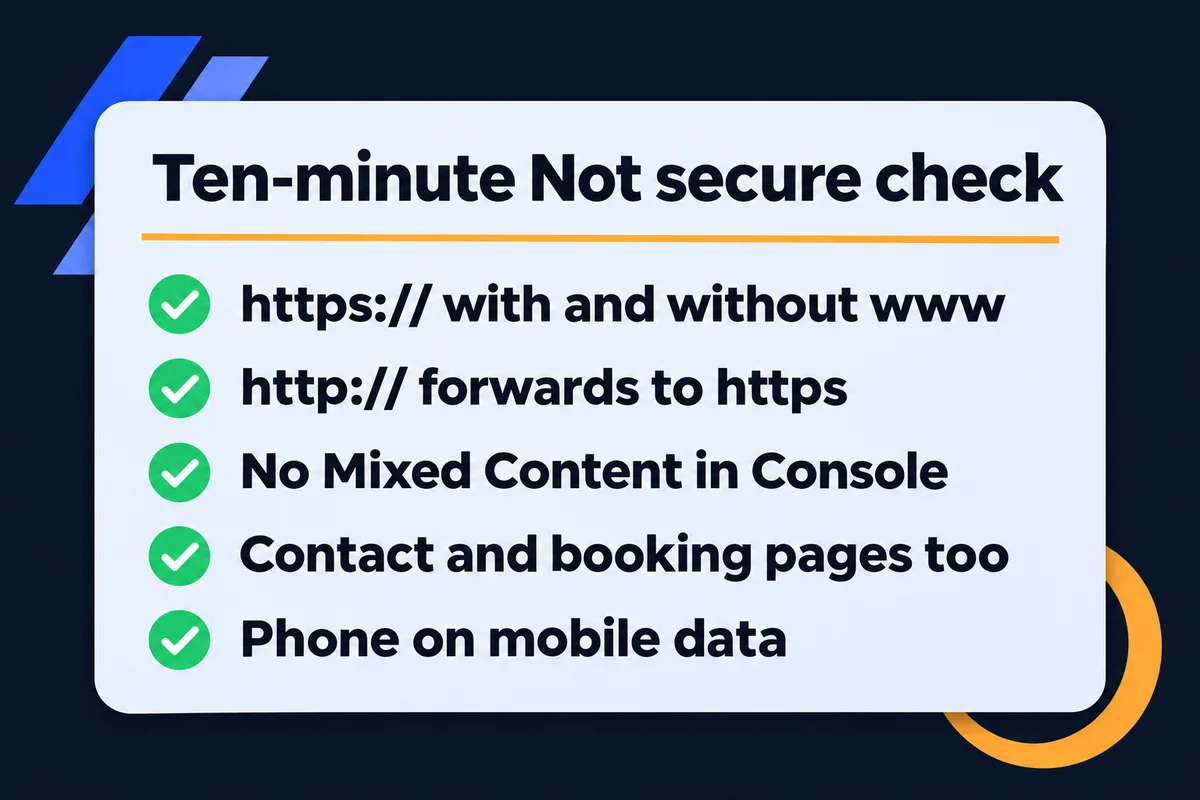
- Open the page with the warning in Chrome on a computer. Check the inner pages too, the contact and booking pages are where old embed codes live.
- Press F12 (or right-click, then Inspect) and open the Console tab.
- Reload the page and look for lines starting with "Mixed Content". Each one names the file and its http address.
- Change that address to https in the page, the theme setting or the widget's embed code. If the file doesn't exist at https, ask the company that provides the widget for its current embed code.
On a site that moved from http to https years ago, the old addresses are usually inside the page content and the theme settings, not in one place. That's the part of a website migration people skip, and it's why I search the whole site for "http://" before I call a move finished.
The www trap, and what I found on 24 live sites
A certificate lists the exact names it covers. If it covers yourbusiness.ca and not www.yourbusiness.ca, anyone who reaches the www address over https gets the full-page name error from the table above, while you, typing the short name, never see it.
So I checked the 24 live sites I look after for the two basics: does the http address forward to https, and does the certificate cover the www name as well as the short one.
answer the plain http address with a permanent redirect (301) to https
do the same for http://www.
serve a certificate that covers the www name
has a certificate for the short name only
That one site forwards http://www to the short address correctly, so most visitors never notice. But an old link, a business card or a directory listing that says https://www sends people straight to the error page, because the browser checks the certificate before it ever sees the redirect. Adding the www name to the certificate fixes it; redirecting doesn't. It's exactly the kind of thing nobody reports, because the customer just goes back to Google and picks someone else.
You can check yours in a minute: type https://www. and your domain into a fresh private window, then the same without www. Both should open the site with no warning. Then try http:// with and without www, and watch the address change to https.
How long until a new SSL certificate works?
Once your domain points at the server, a free certificate from Let's Encrypt is issued as soon as their check of your domain passes, and the site can use it right away. The waiting people describe is nearly always the domain not pointing there yet, or the http address not forwarding.
Let's Encrypt's documentation explains the check most hosts use: their servers fetch a small file from your domain over plain http on port 80. If the domain still points at your old host, the check reaches the old server and fails. That's why a certificate request made the same hour you changed your DNS can fail and then work later, with nothing else changed. The order that works:
- Point the domainDNS records for the short name and www both lead to the new server.
- Request the certificateFor both names, from the hosting panel. Port 80 has to answer.
- Turn on the redirectEvery http address forwards to its https twin with a 301.
- Fix old addressesSearch the site for "http://" in content, theme and embeds.
- Check from outsidePrivate window, both names, a phone on mobile data.
If you still see the old error after that, close the browser fully or use a private window before deciding anything is wrong. Browsers remember a page for a while, and the error you're looking at may be from an hour ago.
Chrome 154 made plain http louder this fall
Until recently a site with no https at all just showed the grey label. Google announced a year ago that this would change with Chrome 154, released in October 2026:
"we will change the default settings of Chrome to enable 'Always Use Secure Connections'. This means Chrome will ask for the user's permission before the first access to any public site without HTTPS."
Chrome Security Team, Google Online Security Blog, 28 October 2025
For a site that never got a certificate, that means a stop screen in front of first-time visitors, which is exactly who a small business is trying to win. Google's post says Chrome won't keep warning someone about a site they visit regularly, so your loyal customers may never see it. The new ones, the ones arriving from Maps or a search, will. If your site is still on plain http, this is the month to fix it, and it's usually an hour of work, not a rebuild.
The same post makes a point I like: a site whose http address only redirects to https still makes one insecure request first. A redirect is still worth having. The browser simply never tries http when every link, listing and business card already says https, so update those too.
What I set up on every site so this call doesn't happen
Every site I build gets a free certificate covering both names, an http to https redirect for both, and a search for leftover http addresses before launch. SSL and basic security setup is a line on every package on my pricing page. After launch, renewals run on their own, and I explain why that matters more every year in my piece on shrinking SSL certificate lifetimes.
If someone has emailed you about an "expired SSL" you should pay to renew, read website security basics first, because a lot of those emails are scams. And if you'd rather somebody else watched the certificate, the redirects and the updates every month, that's what website maintenance and support covers.
Short answers about the Not secure warning
Does "Not secure" mean my website was hacked?+
Almost never. It means the page loaded over plain http, or a secure page pulled in a file over http, or the certificate failed a check. A hacked site shows other signs, like pages you didn't write or a red full-page "Dangerous site" warning from Google Safe Browsing.
Why does my site show Not secure on my phone but not my laptop?+
Usually the two are opening different addresses: one has www and one doesn't, or one is an old bookmark with http. Type the exact address shown on the phone into the laptop. A wrong date on the phone can also cause a certificate date error.
How long does an SSL certificate take to start working?+
A free Let's Encrypt certificate is issued once their check of your domain passes, and it works as soon as it's installed. The check fails while the domain still points at an old server, so most delays are DNS, not the certificate. Request it after the domain points at the new host.
Do I need to buy a paid SSL certificate to remove the warning?+
No. Browsers treat a free Let's Encrypt certificate the same as a paid one for the padlock. Most hosting panels issue and renew it for you. A paid certificate makes sense for some company setups, not to fix a Not secure label.
Does Not secure hurt my Google rankings?+
I'd worry far more about the people it turns away. Since Chrome 154, a site with no https shows first-time visitors a warning before the page opens, and those are exactly the visitors who found you in search or on Maps.
Sources, read on 12 November 2026: Google Online Security Blog, HTTPS by default; Google Chrome Help, Check if a site's connection is secure; MDN Web Docs, Mixed content; Let's Encrypt, Challenge types; test pages at badssl.com.
Seeing a warning on your own site?
Send me the address and a screenshot of the exact message. I'll tell you which of these it is and what it takes to fix.
Get My Free Quote
I build hand-coded websites for small businesses around the GTA and check both the www and the short address of every one before it goes live. Read my full bio · Get in touch