You fixed your holiday hours on Monday. On Wednesday a customer drives over, finds the door locked, and shows you Google Maps on their phone with the old hours. Your Google Business Profile edits are not showing, and the dashboard looks perfectly calm about it. Before you press Save a fifth time or start a new profile "to clear it", stop. An edit that doesn't show is in one of three states, Google names each of them, and each one has its own fix. This morning I read the edit state of all 37 business profiles I manage through Google's own API, so the numbers below are real, not a guru's feeling.
Which of three things happened to your edit?
Open your profile in Google Search, choose Edit profile, and look at the field you changed. Google's help page lists three statuses for an owner's edit: Accepted, Not approved and Pending. There is also a fourth look you can get: your field in blue text, which means Google put in its own version. Find yours below.
- What you see
- Your new text next to a pending note, the old text still on Maps.
- What it means
- Google is still checking it.
- Google's time
- Usually about 10 minutes, sometimes up to 30 days.
- What I do
- Leave the field alone and make the website say the same thing.
- What you see
- A Not approved note, and the old value back in the field.
- What it means
- Google couldn't confirm your edit is accurate.
- Google's time
- An appeal decision takes up to 5 business days.
- What I do
- Fix the proof first, then appeal once. Steps further down.
- What you see
- A notice at the top of the editor and a field in blue.
- What it means
- Google changed that field, from a public suggestion or what it read about you.
- Google's time
- 4 days for you to accept or reject.
- What I do
- Reject or correct it the same day.
If the field says Accepted and customers still see the old value, your edit is fine and something else is going on. That case has its own section below, and it is more common than people think.
What 37 real profiles showed this morning
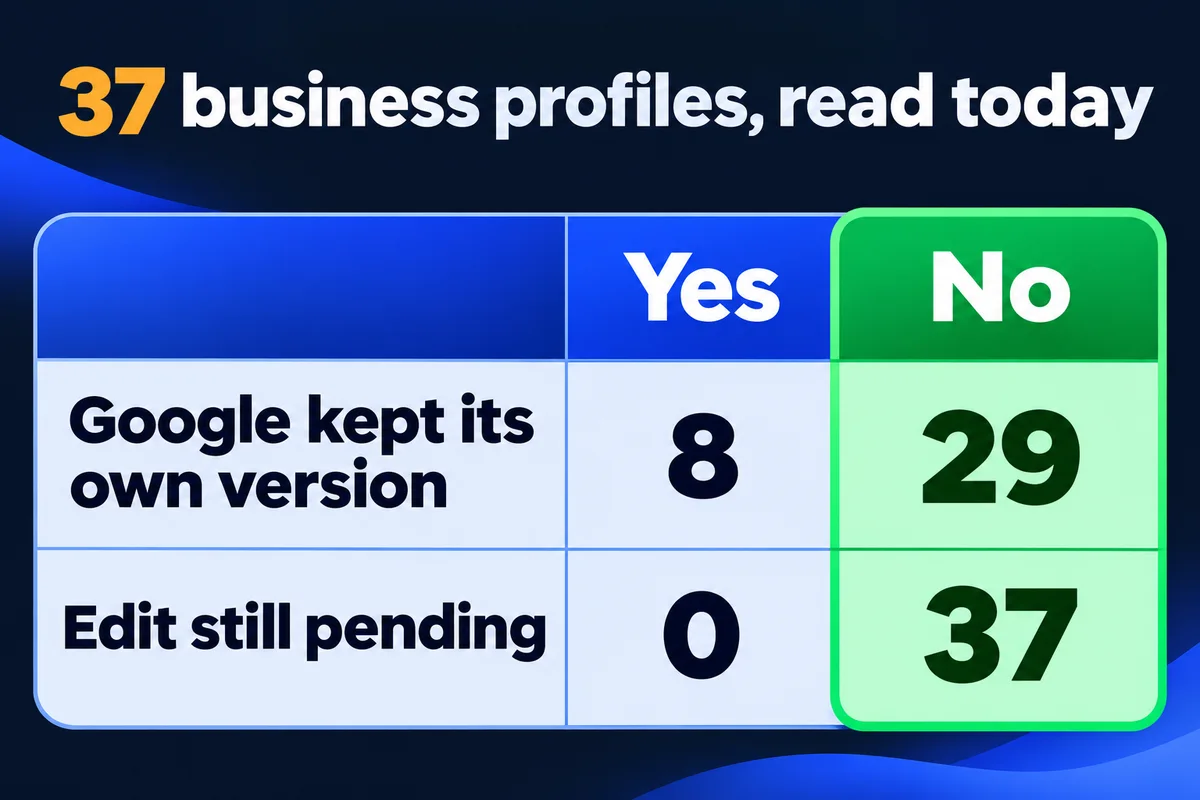
Pending edits were rare: none of the 37 profiles I manage had one waiting. Google's own versions were not rare. In 8 of the 37 profiles Google held a version of at least one field that differs from what the owner saved, and the description and the service area came up most.
The profiles belong to small businesses around Ontario: trades, clinics, a notary, a few shops. Google's Business Profile API has a call that returns the fields where Google's version and the owner's version differ, and another flag for edits still waiting. I ran both on every profile, read only, and counted fields. I don't name anyone.
Read on 26 November 2026 from Google's Business Profile API for every profile my account manages: 37 profiles, 0 read errors. Six of the 8 profiles had one field different, one had two, one had three. Bar length is the share of the 8 profiles.
The lesson for an owner: if an edit "didn't take", don't assume Google ignored you. Often Google heard you, then heard someone else louder. A description rewritten by Google or a service area trimmed to a few towns is easy to miss, because nobody checks their own profile like a customer does.
The four-day window most owners miss
When Google puts its own version in a field, it tells you with a notice at the top of the profile editor and shows the field in blue. Google's help page gives you 4 days to accept or reject. After that Google may publish its version by itself if your website or other public information supports it.
- On Monday a notice appears, and your hours show in blue with Google's version.
- On Tuesday you can still reject it in about a minute.
- By Wednesday, check that your website's hours say the same as your profile.
- Thursday is the last full day to answer.
- From Friday Google may publish its version if your public info backs it up.
Read the last line again: "if your public info backs it up". That's why I say fix the website first. If your contact page still lists summer hours from 2023, Google has a witness, and the witness is you. You can reject the same blue change every week; as long as your own footer argues for it, you're arguing with yourself, and Google is the judge who reads footers.
The notice goes to owners and managers by email too, so make sure the email on your profile is one somebody reads. A Gmail made by a nephew in 2017 does not count. If the blue edit looks like a stranger's work, my guide on finding who changed your Google listing shows how to trace a public suggestion.
Which fields stick, and which fight back
Hours, phone and the description are routine edits. A new business name, category or address changes who you are on Google, so those get checked harder and are the ones I expect to sit in review. The table puts each field next to what Google lets you appeal and what I check first.
| Field | Appeal if Not approved? | Google's version, in my 37 | What I check first |
|---|---|---|---|
| Hours | Not on Google's appeal list | 1 | The hours on your website, Facebook page and any booking tool |
| Description | Not on the list | 2 | Prices, links or a list of keywords in your text |
| Phone | Yes | 0 | The phone in your website header and footer |
| Website | Yes | 0 | That the address opens without a redirect to another domain |
| Category | Yes | 0 | That the primary category names what you actually do |
| Business name | Yes | 1 | The name on your sign, your invoices and your website title |
| Address | Yes | 1 | That the old address is gone from the site and directories |
| Service area | Not on the list | 2 | That every town you add is one your website talks about |
The appeal column comes from Google's appeals page, which lists rejected business information edits for name, category, address, phone and website. If your category edit keeps bouncing, the problem is often the category itself; my page on picking the right Google Business Profile category has the exact names for 23 trades.
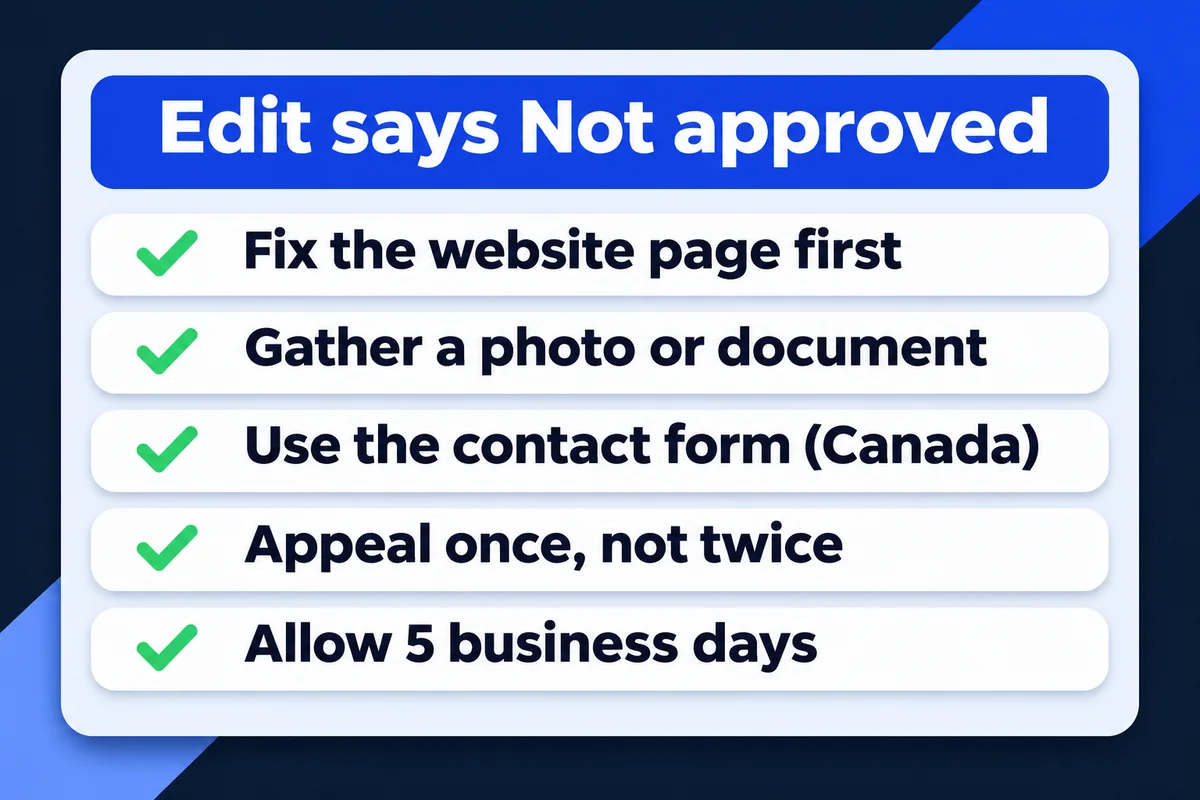
Your edit says Not approved: how to appeal from Canada
Google gives two routes. Businesses in the UK and the European Economic Area use the appeals tool. Everyone else, which includes every business in Ontario, uses the Business Profile contact form. A decision takes up to 5 business days, and Google says each issue can be appealed once, so don't send a weak appeal first and a good one later.
- Fix whatever Google would compare your edit with. Change the website, the sign photo, the directory listings. An appeal that says "trust me" against a website that disagrees is a coin you already lost.
- Gather proof that shows the new value: a photo of the sign with the new name, a utility bill or lease page for the new address, a screenshot of your website with the new phone. Cover anything private you don't need to show.
- Open Google's Business Profile contact form while signed in to the account that owns the profile, choose the issue closest to a rejected edit, and describe the one field, the old value and the new one, in plain words.
- Attach the proof and send it once. Then leave the field alone until you get an answer. Editing it again in the middle creates a new edit and muddies the story.
One more trap: an unverified profile. Google's help page says an unverified profile can edit only some info, such as name, category, address, hours, phone and website, and that you need to verify to edit everything. If your profile never finished verification, do that first. The appeal can wait a day; it can't win without it.
The edit is live, but you still see the old info
Your field says Accepted and the customer still sees last year's phone. Before you blame Google, check that you and the customer are looking at the same thing. These four look exactly like "Google won't update" and aren't.
- There are two profiles. An old one from a previous address or a past owner still ranks, and you've been editing the other. Search your name in a private window on your phone. If two cards show up, my guide on merging a duplicate Google Business listing walks through the Maps route.
- You're signed in to a different Google account from the one that manages the profile. A manager or a former staff member's account may see a view of the profile that customers don't.
- The customer's phone shows an old Maps screen. Pull down to refresh or reopen the app, then look again.
- The old value lives somewhere else: Apple Maps, Yelp or an old directory listing, which the customer read and called "Google". Different company, different fix.
Habits that make edits stick the first time
Change the website first, then Google. When your site, your profile and your sign agree, there's nothing for Google to doubt. I make one change at a time on a profile and wait for it to show as Accepted before the next, so if something gets refused I know which one.
Moving is the big one. A new address changes the name, the pin and sometimes the category in Google's eyes, all at once. If that's your situation, follow the order in my guide to moving your business without losing your Google listing instead of editing everything in one afternoon.
And look at your own profile once a month like a customer would: signed out, on a phone, on Maps. It takes two minutes and catches the blue text while you still have days to answer. If you'd rather have someone else watch it, my Google Maps management service checks each profile every 5 minutes and keeps the hours, holiday hours and services current.
Questions about edits that won't show
How long does Google take to publish a Business Profile edit?+
Google's help page says a review usually takes about 10 minutes and sometimes up to 30 days. Hours and the description usually go through fast. A new name, category or address is the kind of edit that sits longer.
Does saving the same edit again speed it up?+
Google's help pages don't say it does. Save once, check the status next to the field, and change what Google can compare your edit with, usually your website, instead of pressing Save again.
Can I appeal a Not approved edit from Canada?+
Yes, for the name, category, address, phone and website. The appeals tool is for businesses in the UK and the EEA; everywhere else Google asks you to use its Business Profile contact form. Google says a decision takes up to 5 business days and an issue can be appealed once.
What does blue text in my Business Profile mean?+
Google changed that field, usually from a public suggestion or from what it read on your website. You have 4 days to accept or reject it. After that Google may publish its version on its own if your website or other public info backs it up.
Can I edit my profile before it is verified?+
Partly. Google lets an unverified profile edit some info, such as the name, category, address, hours, phone and website, but you need to verify to edit everything. Verify first if your change keeps refusing to show.
Sources, read on 26 November 2026: Understand what happens to your Business Profile edits, Understand Google updates on your Business Profile and Appeal Business Profile content and profile restrictions (Google Business Profile Help). The profile counts come from Google's Business Profile API, read the same day for the 37 profiles I manage. The Monday to Friday example is made up.
Stuck on an edit Google won't publish?
Send me the field, the value you want and a screenshot of the status. I'll tell you which of the three states it is in and what to fix first.
Get My Free Quote
I build websites for small businesses around the GTA and look after their Google Business Profiles, including the edits Google would rather not publish. Read my full bio · Get in touch