A client called me last month furious that his plumbing business "still doesn't show up for near me searches" — even though he'd spent an entire Saturday stuffing the phrase into his business name, his page titles, and every alt tag he could find. I had to break it to him gently: almost nobody types "near me" anymore, and even when they did, Google was never reading it off his website. It reads it off the phone in the searcher's hand. He'd spent a whole weekend optimizing for a signal Google stopped needing years ago. Let's fix the thing that's actually broken.
The short version
- Google detects a searcher's location automatically from their device — you don't need the literal words "near me" anywhere on your site.
- What actually decides a "near me" result: relevance, distance, and prominence — the same three factors behind every local ranking, confirmed in Google's own Business Profile documentation.
- Stuffing "near me" into your Business Profile name can get the listing suspended — Google's naming guidelines ban it outright.
- The real levers: the right primary category, an honestly-set service area, consistent citations, and a steady flow of reviews. See the full ranking playbook in how to rank in Google's 3-pack.
Do I need to put "near me" in my content to rank for it?
No. Google detects your location from your phone's GPS, your browser, or your IP address automatically — its own documentation says plainly that when a searcher doesn't share where they are, Google uses what it already knows about their location. The literal words "near me" in your title tag, your headings, or your alt text do essentially nothing for local ranking.
This wasn't always true. Ten years ago "near me" was a real keyword you'd bid on and write for, because search engines genuinely needed the searcher to type it. That's not how it works anymore. Google now treats "plumber" and "plumber near me" as the same query whenever it has a location signal to work with — which, on a phone, is almost always. The phrase became a habit of speech long after it stopped being a technical requirement, the same way people still say "dial" a phone number.
Google isn't reading your website for the words "near me" — it's reading the GPS chip in the searcher's phone. Optimize for that signal, not the phrase.
The myth: stuffing "near me" into your business name or title tag
I still see this constantly, and it's the SEO advice that refuses to die: businesses naming themselves "ABC Plumbing Near Me Toronto" on Google Maps, or writing page titles like "Best Plumber Near Me | Near Me Plumbing Services." Neither one helps, and the business-name version can actively hurt you. Google's Business Profile guidelines are direct about it: "including unnecessary information in your business name isn't permitted, and could result in the suspension of your Business Profile." Your listed name has to match what's actually on your storefront, invoices, and stationery — not a keyword-stuffed version of it.
I get why people try it — it feels like doing something, and "just add the keyword" is advice that's survived from an era when it genuinely worked on other platforms. But on a Business Profile it's a real risk for zero return, and on a webpage it just makes your title tag read like it was written by a fax machine.
| The old-school move | Why it feels right | What it actually does |
|---|---|---|
| Stuff "near me" into your business name | Feels like free keyword targeting | Violates naming guidelines — suspension risk |
| Stuff "near me" into every title tag | Feels like matching the search | No ranking benefit — Google already knows you're local |
| Add "near me" to every image's alt text | Feels thorough | Wastes accessibility text, zero SEO effect |
| List a fake or borrowed storefront address | Feels like it moves distance closer | Guideline violation — profile can be removed |
| Set the correct primary category instead | Feels less exciting | Directly feeds the "relevance" ranking factor |
How Google actually decides who's "near"
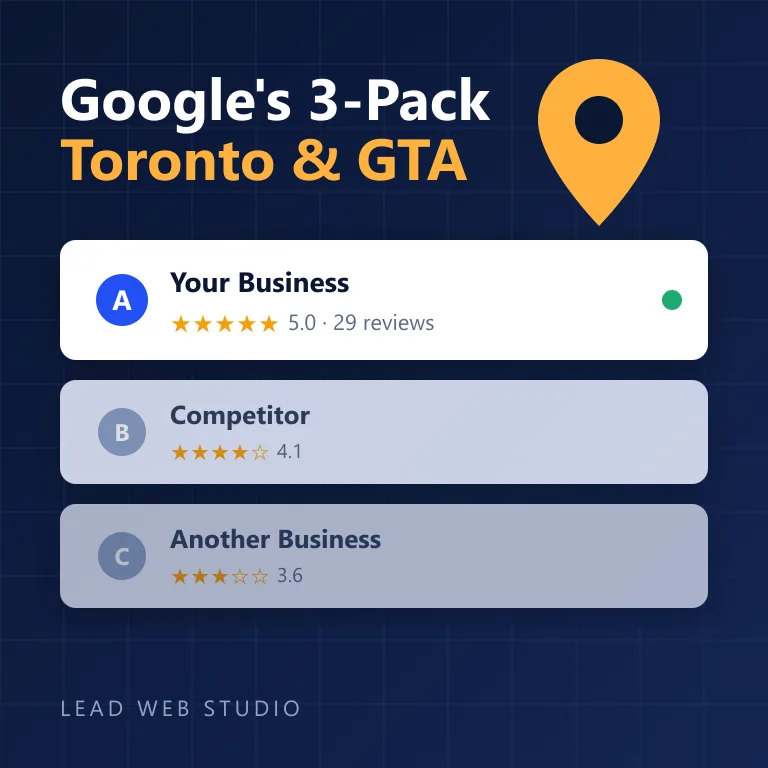
Google publishes exactly three factors it uses to rank local results — relevance, distance, and prominence — in its own Business Profile documentation. None of the three involve the words on your page. I've written the full step-by-step playbook for winning the map pack on these three factors in how to rank in Google's 3-pack — this post is specifically about the "near me" query itself and the settings that control it.
| Factor | What it actually means | What moves it |
|---|---|---|
| Relevance | How well your profile matches what's being searched | Correct primary & secondary categories, a complete profile |
| Distance | How far you are from the person searching | Your address or service-area radius setting (below) |
| Prominence | How well-known your business is | Review count & score, consistent citations, a real website |
Storefront vs service-area: the setting that actually changes "distance"
If you're a plumber, electrician, cleaner, or anyone who drives to the customer rather than the other way around, this single Google Business Profile setting matters more than any keyword you'll ever write. You get to declare your business as a storefront (a public address customers visit) or a service-area business (you go to them, and you set a delivery radius instead of showing an exact pin). Pick the wrong one and you're either broadcasting a home address you didn't mean to, or asking Google to calculate distance from a location you never actually serve from.
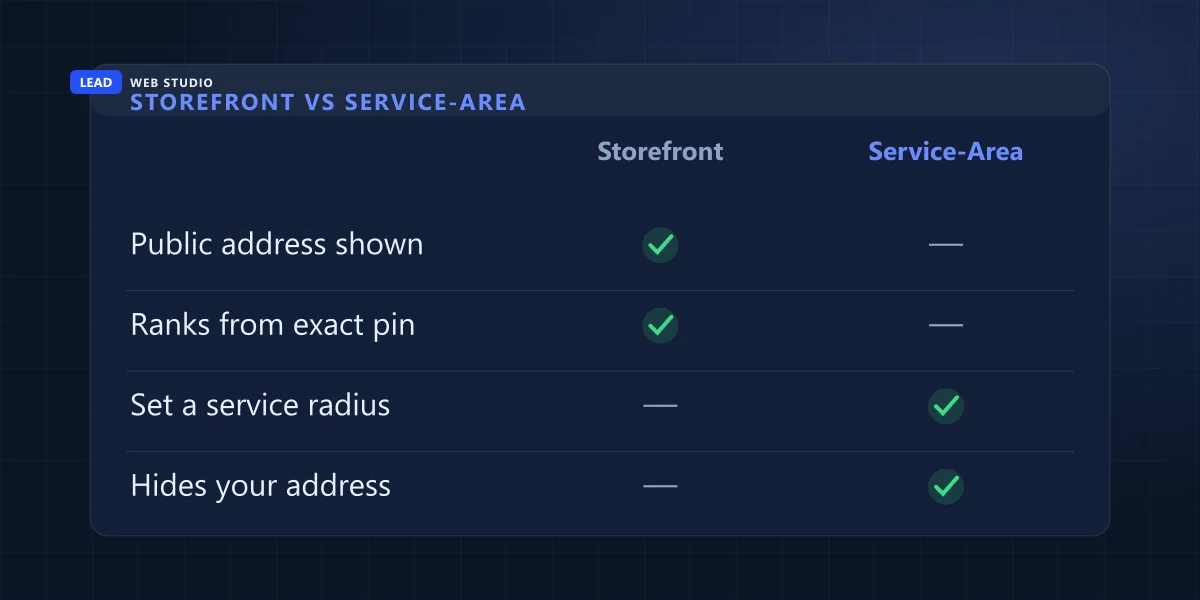
Most mobile trades should be running as a service-area business with an honest radius — not padded to cover three cities you rarely reach, because Google checks that against where your reviews and jobs actually cluster. Set it wrong in either direction and "near me" results either miss you or, worse, send leads from a postal code you can't realistically service same-day.
Run your own near-me self-test in five minutes
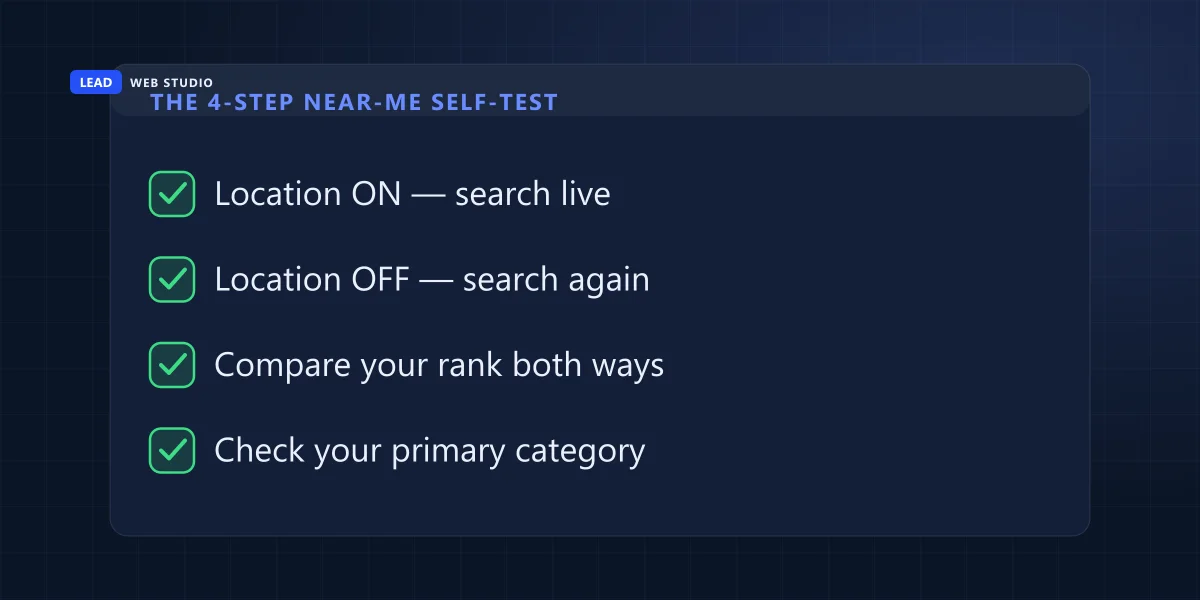
Before you touch anything, see what's actually happening right now. This takes five minutes and no tools beyond your own phone:
- Open a private/incognito window on your phone with location services on, and search your core service (e.g. "plumber").
- Turn location services off, close the app fully, and search the exact same term again.
- Compare your position in the map pack between the two — a big gap tells you distance is doing a lot of the work, which is normal.
- Repeat the same search on a desktop browser and note whether the three map-pack businesses change — desktop location is usually far less precise (more on that below).
- While you're in your profile, check your primary category actually matches the exact service you want to rank for, not something adjacent.
The real levers that move "near me" rankings
Once you drop the keyword-stuffing habit, here's where the actual effort should go:
- Get the primary category exactly right. "General Contractor" when you're really a "Roofing Contractor" quietly hides you from roofing-specific searches, near or not.
- Set an honest service area. Padding the radius to look bigger dilutes relevance for the searches you actually want.
- Keep your name, address and phone (NAP) identical everywhere — your website, your profile, directories, invoices. Inconsistency quietly erodes the prominence signal.
- Build a steady review habit. I cover the exact ask-and-reply system in how to get more Google reviews — prominence rewards a steady flow, not one burst.
- Back it with a real, fast website. A slow or thin site is itself a weak prominence and relevance signal — see what that looks like for a trade business or the general case for SEO-ready web design.
Why phone and desktop results genuinely differ
Phones share a precise GPS location by default, so Google can calculate distance down to the block. Desktops usually only get an IP-based location, which can be off by whole neighborhoods — sometimes whole cities on a VPN or a business network. If your map pack looks different by device, that's not a bug in your setup; it's Google working with a less precise signal on desktop. Don't chase parity between the two — chase accuracy on mobile, since that's where the overwhelming majority of local searches happen anyway.
If you only fix one thing this week: open your Business Profile and confirm two settings — your primary category matches the exact service you want found for, and your service-area radius reflects where you'd genuinely drive today. Both take five minutes and both outrank any amount of "near me" copywriting.
Frequently asked questions
Do I need to put the words "near me" on my website to rank for it?+
No. Google detects location from the searcher's device automatically and matches it against your Business Profile. The literal phrase on your site has no measurable ranking effect.
Can adding "near me" to my Business Profile name get it suspended?+
Yes. Google's naming guidelines say unnecessary information in a business name isn't permitted and can lead to suspension. Your name has to match your real-world signage.
Should a mobile business show its address or hide it?+
If you drive to customers, set your profile as a service-area business with a defined radius instead of a public storefront address — it hides your base location while keeping distance accurate.
Why do I rank differently for "near me" on phone versus desktop?+
Phones share precise GPS by default; desktops usually rely on a rougher IP-based location. That precision gap is normal and not something to chase parity on.
What actually determines who shows up first for a near me search?+
Google names three factors: relevance, distance, and prominence. See the full breakdown in how to rank in Google's 3-pack.
Want your Business Profile actually set up right?
I check the category, service area, citations and reviews strategy — the settings that move "near me" results — not just the keywords. Free review to start.
Get My Free Quote
10+ years getting GTA businesses found on Google — websites, SEO and local search. Read my full bio · Get in touch