
I picked this subject out of my own data, and the reason is slightly humiliating. Over the last 90 days, fifty different searches asking some version of how do I find my website competitors put my site in front of somebody, 666 times in total. I checked which of my pages Google was showing them rather than guessing: all of it went to one URL, my website comparison tool, at a weighted average position of 65. The biggest single query in that group — "how to find competitors of a website", 83 impressions — averaged position 95. Total clicks across the lot: one.
So the question gets asked, my answer to it sits on page seven, and the tool alone was never the answer anyway: you cannot compare yourself against a competitor until you know which competitor to type in. This is the part that comes first. It costs nothing, it takes about half an hour, and the only tool you need is one you already own.
The short version
- You do not have one competitor list. You have one per search. The businesses above you for web design mississauga are not the same set as for mississauga web designer.
- The raw material is already in Search Console, free, and it is measured rather than estimated — it is a record of searches you actually appeared for.
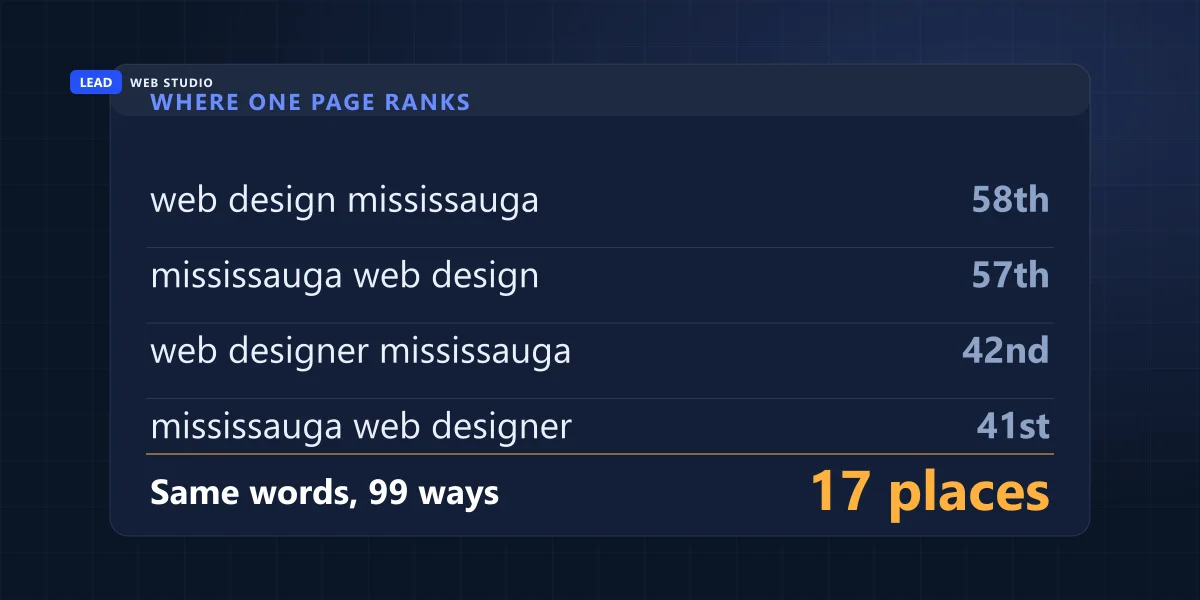
- Measured on my own site, 3 June to 31 August 2026: one city was typed 99 different ways in 5,804 impressions, and four phrasings that mean exactly the same thing put the same page at positions 58th, 44th, 42nd and 41st.
- Throw most of the list away. 561 of my 1,314 queries earned two impressions or fewer. Chasing those is a hobby.
- Search the way your customer searches. Google: "Your location helps to show you nearby results, even if you didn't include a location in your search."
- The map pack is a second, separate competition — ranked on relevance, distance and prominence, and "There's no way to request or pay for a better local ranking on Google."
- You cannot find out a competitor's real traffic. You can buy an estimate. Ahrefs' own help page: "Ahrefs only estimate organic and paid traffic."
How do I find my real website competitors?
Take the list of searches your site already appears for out of Search Console, keep the ones that could realistically bring you work, then run each of those searches yourself from where your customers are. Write down who comes back. That is your competitor list — one list per search, not one list per business.
Notice what that method does not start with: the names you already have in your head. Most owners can reel off three or four rivals without thinking — the ones they meet on jobs, the ones whose vehicles they see. Some of those names show up in the search results as well. Some do not, and there is nothing mysterious about why: a company only appears on a search page if somebody has done the work of putting it there, and that work is separate from being good at the job.
Why "who is my competitor" is the wrong question
Because Google does not run one competition for your industry. It runs a separate one for every phrase somebody types, and the results are different for each. Two phrases that mean the same thing to a human are two different searches with two different sets of winners.
Here is what that looks like in real numbers rather than in theory. Mississauga is the busiest city in my own search data, and over those 90 days people typed it 99 different ways — 5,804 impressions across 99 distinct phrasings. Four of them, all asking for exactly the same thing:
| What somebody typed | Times I was shown | My average position |
|---|---|---|
| web design mississauga | 628 | 58.0 |
| website design mississauga | 575 | 44.4 |
| web designer mississauga | 136 | 42.3 |
| mississauga web designer | 46 | 40.6 |
I checked which URL Google served for each of those four, because "the same page" is the sort of thing that is easy to assume and easy to get wrong. It was the same page all four times: my Mississauga web design page, and nothing else. One page, one city, one service, four ways of asking — and seventeen places between the best result and the worst. Down at that depth it only moves me between page five and page six, but the mechanism is the point: the phrasing changed and nothing else did. Whoever sits above me on the first phrase is not necessarily the company sitting above me on the fourth.
That is why "who is my competitor" has no single answer, and why a report that hands you five competitor domains for your whole business is answering an easier question than the one you asked. The useful version is narrower: who is beating me on this one search, the one I actually want.
Step 1: take the list you already own
Search Console is free, it belongs to you, and it reports the searches your site was genuinely shown for. That last part matters more than it sounds. Everything else on the market is modelled from samples; this is a record. If your site is not verified there yet, do that first — of all the free things a business owner can set up in an afternoon, this is the one I would pick, and I have written the plain-English guide to reading Search Console for exactly this reason.
- Open Performance → Search results and set the date range to the last three months. A shorter window gives you noise.
- Click the Queries tab under the chart. This is the list. Turn on the Average position and Impressions checkboxes above the graph so both columns appear.
- Sort by impressions, not by clicks. On a site that is not ranking yet, clicks are almost all zero and tell you nothing. Impressions tell you what Google already thinks you are about.
- Export it (the button top right) so you can sort it in a spreadsheet without fighting the interface.
One caveat worth knowing before you go hunting for your own name in the results: Google states plainly that "Even if a query appears in your list, you might not see your site in results if you run the same query in Google Search." The position column is an average across days, devices and locations — not a promise about what is on your screen right now.
Step 2: throw most of the list away
A three-month export looks impressive and is mostly noise. Mine came back with 1,314 distinct queries and 20,338 impressions. Of those queries, 561 — nearly 43% — earned two impressions or fewer. They are real searches that a real person typed once, and there is no page you could write that would turn two impressions into work.
The concentration is what you should be looking at. Here is how the demand stacks up on my own site:
| Slice of the query list | Share of all impressions | What to do with it |
|---|---|---|
| Top 10 queries | 16.6% | Check every one of these by hand. This is your real market. |
| Top 50 queries | 41.7% | Skim for anything with clear buying intent you had not noticed. |
| Top 200 queries | 73.2% | Everything that matters is inside here. |
| The remaining 1,114 | 26.8% | Read once for ideas, then leave alone. |
Now filter what is left by intent, not by volume. A query is worth checking if somebody typing it could plausibly hand you money this month. "Web design mississauga" qualifies. "How to make a comparison website" — a real query in my list — does not, because that person wants to build one, not hire one. Ten to fifteen queries is a workable shortlist. If you end up with forty, you have not finished cutting.
While you are in there, look at where the impressions actually sit. On my site, 10,619 impressions came from queries averaging between position 20 and 50 — visible to Google, invisible to humans. That band is where the useful work is, because those are searches you are already relevant for and simply not winning. If that describes your site too, the diagnosis in why your website is getting no traffic is the companion piece to this one.
Step 3: run the search the way your customer runs it
Now open a browser and search your shortlist, one query at a time, writing down the first ten results for each. The trap here is that you are not a neutral observer of your own market, and the biggest reason is location.
Google's help page is blunt about it: "Your location helps to show you nearby results, even if you didn't include a location in your search." It also lists where that location comes from — device GPS, your saved home and work addresses, previous activity, and your IP address, which is "roughly based on geography." So four separate signals are quietly editing your results before you read a single one.
What that means in practice:
- Use a private window, and sign out of your Google account. That takes your account history out of the equation. It does not make you anonymous to Google's location estimate — your IP address is still there, and Google lists it as one of the four sources it uses.
- Check from where your customers are, not where your desk is. If you serve a city you do not live in, your desk results are not the results your customers get. Being physically in that area, even once, is worth more than any browser trick.
- Do not chase a perfect simulation. You cannot fully reproduce a stranger's result page and you do not need to. You are collecting names, not measuring a rank to one decimal place.
- Search on your phone too. The layout is not the same one you get on a desktop: the map block takes far more of the screen, and the first ordinary result can sit below the fold entirely.
Write the names down in a plain table: one row per query, the domains that appeared, in order. After ten queries you will start seeing the same two or three names repeatedly. Those are your actual competitors online. Any name that appears on one query and nowhere else is a competitor for that one search, which is useful to know and quite different from being a rival to your business.
Step 4: the map pack is a separate competition
On any local search there are two competitions on one screen, and they have different winners. The block of three businesses with a map is the local pack, and it is ranked by different rules than the blue links underneath it. If you write both into one column you end up with a list you cannot act on, because the fix for one has almost nothing in common with the fix for the other.
Google names the three factors: relevance ("how well a Business Profile matches what someone is searching for"), distance ("how far each business is from the customer who's searching") and prominence ("how well-known a business is"). And, in case anyone tries to sell you otherwise, the same page says: "There's no way to request or pay for a better local ranking on Google."
So keep a second column in your table for the three businesses in the map block. Distance is doing real work there, which is why a competitor two streets from your customer can outrank a better-known company across town — and why that column changes as you move. If the map pack is where your customers are looking, that is a different job from ranking a web page, and it is the one covered in the guide to the Google 3-pack and handled as ongoing work in Google Maps management.
How do I find a website's competitors from its URL?
Read the site's sitemap and page titles to learn which searches it is built to win, then run those searches in the area it serves. The domains that keep turning up are its competitors. It takes about fifteen minutes, needs no login, and works on a brand-new site or on one that is not yours.
This is the route for when Step 1 is not available: the site launched last month and Search Console has nothing in it yet, or the address belongs to somebody else — a rival, a business you are thinking of buying, a site a client just forwarded you. You cannot see anyone else's Search Console. You do not need to, because a website publishes its own target list, and reading it is free.
- Open the sitemap. Add
/sitemap.xmlto the domain. On WordPress it is usually/wp-sitemap.xml, or/sitemap_index.xmlif an SEO plugin is installed. If neither loads, open/robots.txtand look for a line starting withSitemap:. - Group the addresses by pattern. Pages are usually named after what they are meant to rank for. On a local business, service-plus-city addresses are the giveaway.
- Read the titles of the pages that repeat. Open three or four. The title is the text in the browser tab, and it is the page stating which search it wants.
- Turn the pattern into searches and run them exactly as in Step 3, from the area the site serves. Write down every domain in the top ten.
- Keep the domains that turn up on three or more of those searches. That is my cut-off. A name that appears once is a coincidence of wording.
Here it is on the one site I can take apart without asking anybody's permission: mine. The sitemap at leadlls.com/sitemap.xml listed 374 addresses on 21 September 2026. Grouped by pattern:
| What the addresses look like | How many | What it tells a competitor |
|---|---|---|
| /mississauga-web-design/ and the like | 21 | The cities I want web design work in |
| /mississauga-seo/ and the like | 21 | The same 21 cities, for SEO work |
| /web-design-for-… a trade | 135 | Which kinds of business I am after |
| Everything else: guides, tools, legal pages | 197 | Topics, not the market |
Five minutes with that file tells anyone that I compete for web design and SEO in 21 GTA cities, and the title on the Mississauga page — "Mississauga Web Design Company | Websites from $899" — confirms the search I am after and the price I lead with. That is 42 searches. You do not have to run all of them: take the five cities that overlap with your own area and you will have your list before the coffee is cold.
One honest limit: a sitemap is a list the owner chose to publish, so it can be out of date or incomplete — it tells you what a site is aiming at, not what it actually ranks for.
The paid tools do a version of this for you: Ahrefs has an Organic competitors report and Semrush a Competitors report, both ranking domains by how many keywords they share with the one you typed. That overlap comes out of each tool's own keyword database, so it carries the estimate problem described further down. Fine for a first shortlist of names; no substitute for running the searches yourself.
How do I compare my website to competitors?
Put your page and theirs side by side for the same search and compare four things: whether the page Google chose actually answers that search, the title it shows in the results, the reviews and photos on the map listing, and how each site behaves on a phone. Design and traffic estimates can wait.
You now have a short list of real competitors per search. The temptation is to open their site and admire the photography for twenty minutes. Compare these four things instead, in this order, because each one is something you can act on this week.
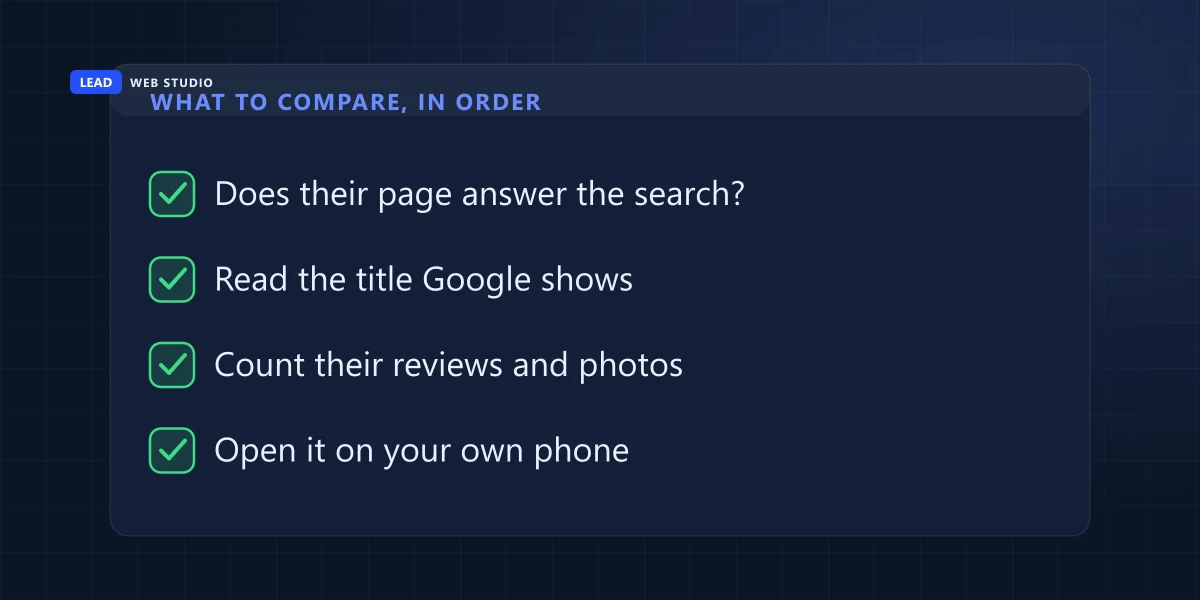
- Does their page answer the search? Click the result and read the page that Google actually chose. If somebody searched for a service in a city and landed on a dedicated page about that service in that city, while your equivalent is one line on a homepage, you have found your answer in ninety seconds.
- Read the title Google shows. Not their logo — the blue line in the results. It tells you what that page is claiming to be about. Compare it with yours on the same search and see which one reads like it was written for the person typing.
- Count their reviews and photos. On the map results, the review count and the date of the newest photos are visible without clicking anything. Of everything on this list it is the cheapest gap to close — asking customers for reviews costs nothing but nerve — and it takes months rather than days to show up.
- Open it on your own phone. Time how long it takes to become readable, then try to find the phone number. A site that is beautiful on a desktop and hostile on a phone is beatable, and you will know within ten seconds.
For the mechanical half of that — speed, mobile handling, page titles, whether basics are missing — you can put both addresses into my free website comparison tool and have it checked side by side rather than doing it by eye. It will not tell you who your competitors are. That was this whole article. It will tell you where you stand against the ones you found.
| Worth comparing | Not worth your time |
|---|---|
| Which page they rank with, and what it covers | Their logo, their colour scheme, their stock photos |
| The title and description Google displays | Their "About us" page word count |
| Review count, rating and photo recency | Their follower counts on social media |
| How the site behaves on a phone | Any third-party "authority score" out of 100 |
| How many pages they have on this one topic | Estimated monthly traffic figures |
What you cannot find out about a competitor, at any price
You cannot see another company's traffic, their conversion rate, their ad spend or their revenue. What you can buy is a model of the first one, built from sampled data and a click-through-rate curve. The tools themselves say so in their documentation, which is worth reading before you quote one of their numbers at a meeting.
Ahrefs, one of the better tools in this market, says it on its own help page: "Ahrefs only estimate organic and paid traffic," and the numbers are "not collected directly, and some discrepancy is normal." It goes further — "There's no such thing as 'accurate' search volume or traffic." I quote that not as a criticism; it is a straight answer from a company that could easily have avoided giving one. It means the number is good for comparing two sites against each other and poor as a figure to plan a budget against, because a plan built on an estimate inherits its error bars.
The same caution applies to the scored audit report that lands in your inbox after somebody scans your site. A number out of 100 compresses dozens of unrelated checks into one figure, so it tells you almost nothing about which one to fix. If you want to know whether the money you are spending is working, the checks are in is my SEO working, and every one of them reads your own data rather than a guess about somebody else's.
Do this before you buy any tool: export your last three months of queries, keep the ten with real buying intent, and search those ten yourself from the area you serve. If the same two names keep appearing above you, you have learned more in half an hour than a subscription would have told you in a month — and you now know which two pages to actually beat.
What to do with the list on Monday morning
Do one thing with the table this week, then put it away. Pick one query — the one where the money is closest and you are not hopelessly far behind, usually something already sitting in that position 20-to-50 band — and give it one page that is unambiguously about that search. Not a mention on a homepage. A page whose title, first paragraph and content all say the same thing the searcher typed.
Then leave it alone for a couple of months and re-run the same search. Positions move slowly and there is no version of this where you check daily and learn anything. When you repeat the exercise, keep the old table: the interesting signal is not where you sit today, it is which names have disappeared and which new ones arrived. That is how you find out whether the market is getting harder or whether somebody just published something better than you.
And if the honest answer after all this is that your page cannot win because the site around it is slow, thin or ten years old, then no amount of competitor research fixes that. Rebuilding the thing is a different conversation, and one I am happy to have — see what local SEO actually involves first, because it is usually cheaper than a rebuild.
Want me to run this on your site?
Send me your domain and the two or three searches you would like to win. I will pull the query list, tell you who is genuinely ahead of you on each one and what they are doing differently — including "you are already fine here, spend the money elsewhere" if that is the truth. Free, no pitch. If the site itself is the problem, a fast website and steady SEO work is what I do, and the rates are on the pricing page before you speak to me.
Get My Free QuoteFrequently asked questions
How do I find my real website competitors?+
Take the list of searches your site already appears for out of Search Console, keep the ones that could realistically bring you work, then run each of those searches yourself from where your customers are. Write down who comes back. That is your competitor list, and it is one list per search rather than one list per business.
How do I find the competitors of a website from its URL?+
Open the site's sitemap by adding /sitemap.xml to the domain, group the addresses by pattern, and read the titles of the pages that repeat. That tells you which searches the site is built to win. Run those searches in the area it serves and keep the domains that turn up on three or more of them.
How do I compare my website to a competitor's?+
Compare them on the same search, not in general. Check whether the page Google chose actually answers that search, the title it shows in the results, the review count and photo dates on the map listing, and how each site reads on a phone. My free comparison tool checks the technical half side by side.
Is there a free way to find competitor websites?+
Yes, and it is the most accurate one available to you. Search Console is free and it reports the actual searches your site was shown for, not an estimate of them. Running those searches yourself is also free. The paid tools speed up the counting; they do not see anything Google is hiding from you.
Why do I rank differently for two phrases that mean the same thing?+
Because Google treats them as two different searches with two different result pages. On my own site, "web design mississauga" averaged position 58 while "mississauga web designer" averaged 41 over the same 90 days, and I checked the URLs: it was the same single page ranking for both. Different result page, different set of sites above me.
Can I see how much traffic a competitor's website gets?+
No. You can buy an estimate of it. Ahrefs says so on its own help page: "Ahrefs only estimate organic and paid traffic," and it is "not collected directly, and some discrepancy is normal." Useful for comparing two sites, useless as a fact to plan against.
Does it matter where I am when I check my rankings?+
Enormously, on any search a local business cares about. Google's own help page says your location helps to show you nearby results even if you did not include a location in your search, and that it estimates that location from your device, your saved addresses, past activity and your IP address.
Why does my site not appear when I search a query Search Console says I rank for?+
That is normal and Google documents it. The performance report help page states that "Even if a query appears in your list, you might not see your site in results if you run the same query in Google Search." The report is an average over days, devices and locations, not a live snapshot of your screen.
Sources, all read in full on 3 September 2026: Google — Location and Google Search results · Google — Improve your local ranking on Google · Google Search Console — Performance report · Ahrefs — checking organic traffic of sites you do not own. Search figures are from my own Search Console property for leadlls.com, 3 June to 31 August 2026. The URL method and the sitemap counts were added on 21 September 2026, counted from leadlls.com/sitemap.xml that day.

10+ years building websites for GTA trades, clinics and service businesses — and reading the search data behind them afterwards, which is how I know what people typed before they landed on a page. Read my full bio · Get in touch