Website maintenance cost quotes for the same small site can differ by ten times, and every seller explains why with the word "peace" somewhere nearby. I wanted a number instead of a mood. So I went to the public WordPress repositories and counted a full year of updates for WordPress and 12 plugins with millions of installs each, month by month.
The count changed how I'd explain a quote to you. The updates are real but smaller than the sales pages suggest. Most of the price difference sits in other lines, and you can ask about those lines before you sign anything.
How much does website maintenance cost per month?
A small business site usually pays between US$50 and US$500 a month, according to GoDaddy's 2026 guide. My own plan is a flat $100 CAD a month. The gap comes from response times, included edit hours and contract terms, since the update work itself is a small part of the bill.
Part of the confusion is that "keeping the site going" is really four bills, and quotes bundle them in different ways. Here's a year for a small company with two mailboxes, using the prices from my guides on what hosting should really cost and email on your own domain.
One year of keeping a small site running, in CAD
- Domain and solid hosting$100 to $200
- Two mailboxes from Google or Microsoft$220 to $228
- Maintenance, on my $100 a month plan$1,200
- Total for the year$1,520 to $1,628
Add any paid plugin or theme licences your site uses, since those differ from one site to the next. Then ask yourself whether the $400 hosting bill in your drawer is hosting at all. Usually it's a checkout that ticked boxes on your behalf.
How many updates does a WordPress site really get in a year?
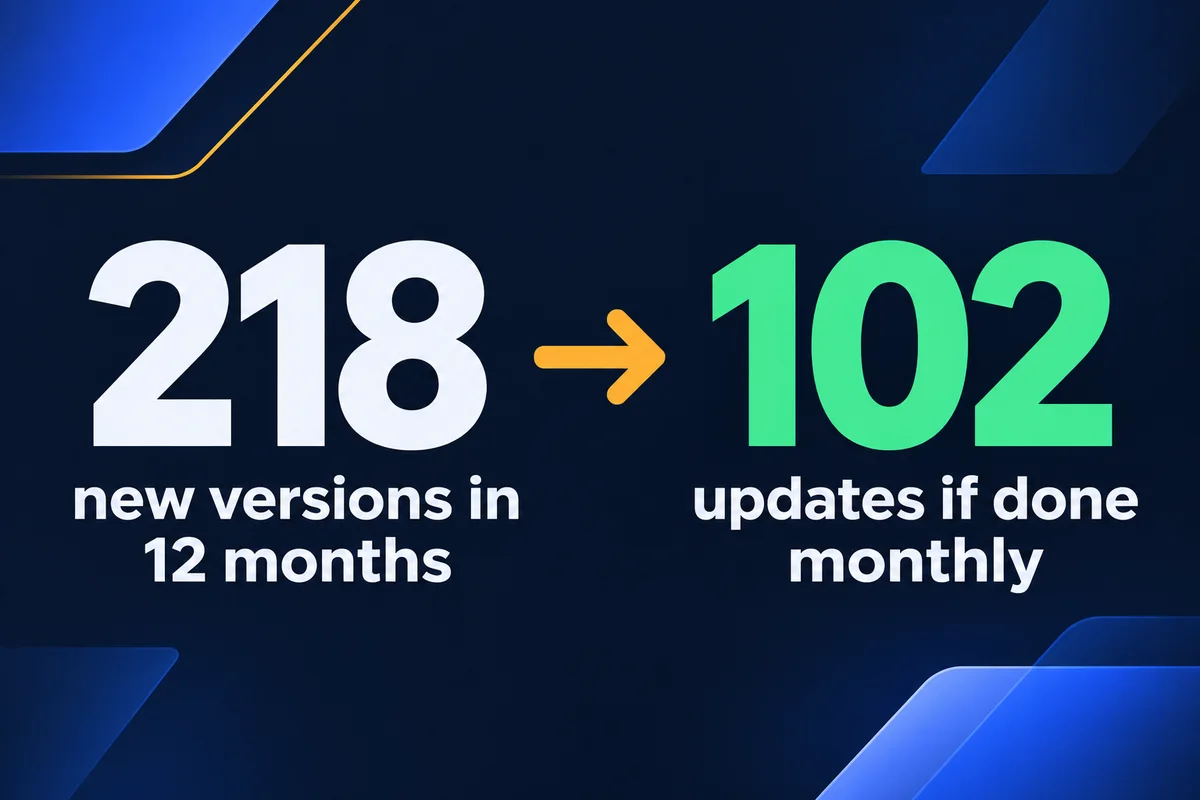
A site running WordPress and the 12 popular plugins I checked saw at least 218 new versions in 12 months, on 141 separate days. Updated once a month, that becomes 102 updates, about 8 or 9 a round. The quietest month needed 4 and the busiest needed 12.
Each cell below is the number of new versions released that month. The bottom row is what actually lands on your desk if you update once a month: every item with anything new counts once, however many versions it skipped.
| Software | N | D | J | F | M | A | M | J | J | A | S | O | All |
|---|---|---|---|---|---|---|---|---|---|---|---|---|---|
| Elementor | 3 | 5 | 4 | 6 | 5 | 5 | 6 | 3 | 3 | 3 | 4 | 2 | 49 |
| WooCommerce | 1 | 5 | 0 | 3 | 4 | 1 | 2 | 2 | 3 | 2 | 3 | 2 | 28 |
| Yoast SEO | 2 | 2 | 2 | 2 | 4 | 2 | 2 | 2 | 2 | 2 | 3 | 2 | 27 |
| WPForms | 1 | 1 | 1 | 1 | 3 | 2 | 2 | 3 | 2 | 3 | 3 | 3 | 25 |
| WordPress itself | 0 | 1 | 0 | 1 | 3 | 0 | 1 | 0 | 2 | 3 | 2 | 2 | 15 |
| Advanced Custom Fields | 0 | 1 | 0 | 0 | 2 | 1 | 2 | 3 | 1 | 3 | 1 | 0 | 14 |
| UpdraftPlus | 1 | 0 | 1 | 0 | 1 | 1 | 1 | 1 | 0 | 2 | 1 | 4 | 13 |
| Contact Form 7 | 1 | 0 | 0 | 1 | 0 | 0 | 1 | 0 | 0 | 1 | 0 | 6 | 10 |
| Wordfence | 2 | 2 | 0 | 0 | 0 | 1 | 2 | 0 | 0 | 1 | 2 | 0 | 10 |
| WP Mail SMTP | 2 | 0 | 0 | 0 | 0 | 1 | 0 | 1 | 0 | 0 | 1 | 3 | 8 |
| Really Simple Security | 0 | 0 | 0 | 0 | 1 | 0 | 0 | 0 | 1 | 2 | 3 | 1 | 8 |
| LiteSpeed Cache | 0 | 1 | 0 | 0 | 2 | 1 | 0 | 0 | 0 | 1 | 1 | 1 | 7 |
| Akismet | 1 | 0 | 0 | 0 | 0 | 1 | 0 | 0 | 0 | 2 | 0 | 0 | 4 |
| Updates in a monthly round | 9 | 8 | 4 | 6 | 9 | 10 | 9 | 7 | 7 | 12 | 11 | 10 | 102 |
November 2025 to October 2026. Letters are months. Darker means more versions in that month.
Elementor shipped 49 versions, nearly one a week, which makes it the coworker who replies-all. Akismet shipped 4 and said nothing else all year. The longest stretch with no release from any of the 13 was 16 days, over last Christmas, so even software takes a holiday, though not a long one.
How I counted, so you can check me. I read the dated release folders in the public WordPress plugin repository, kept stable versions only and dropped betas and release candidates. I also dropped patches to older branches, which took WooCommerce from about 100 folders down to 28. Then I tested the method against published changelogs. Wordfence's changelog lists the same 10 versions. UpdraftPlus's changelog lists six versions in October where the folders gave me four, so read 218 as a floor. Your own site's mix will differ, and a theme adds its own row.
How long does a monthly update round take?
Under an hour in a normal month, on my assumptions below, for a site like the one I counted. The clicks take minutes. Taking a backup first and checking the pages afterward take longer. A round only becomes expensive when an update breaks something, and that's the part you can't schedule.
This sum is an estimate, and I've kept it simple so you can swap in your own numbers:
- 10 minTake a fresh backup and confirm it finished. Testing that a backup restores is a separate job, and a less cheerful one to skip.
- 17 minRead what changed and run the updates, at two minutes each for the average of 8.5.
- 15 minOpen the home page, a service page and the checkout if you have one, then send a test through the contact form.
- 42 minYour month, when nothing goes wrong. Times 12, about eight and a half hours a year.
Some guides quote 10 to 15 hours a month for do-it-yourself upkeep. I couldn't find a measurement behind figures like that, and they count daily chores a plugin or a monitoring service handles for you. If you can spare an hour a month and you know what a broken page looks like, the website maintenance checklist is honestly enough to get you started.
What you're paying for when you hire it out
Since updates fill less than an hour, the fee has to buy something else. On my plan it buys the jobs that run whether or not anyone remembers them, plus a person to call when something looks wrong.
Running every day
A backup, uptime monitoring, and security monitoring with malware protection. Nobody can do these by hand and stay sane.
Running every week
Your contact form gets tested end to end. A form can fail in silence for weeks, and the first sign is a slow phone.
Done every month
Updates, broken link and error fixes, performance checks, and a health review sent to you.
Done when you ask
Small text and image changes, usually the same business day, and emergency recovery from a backup.
Five questions that explain most of the price gap
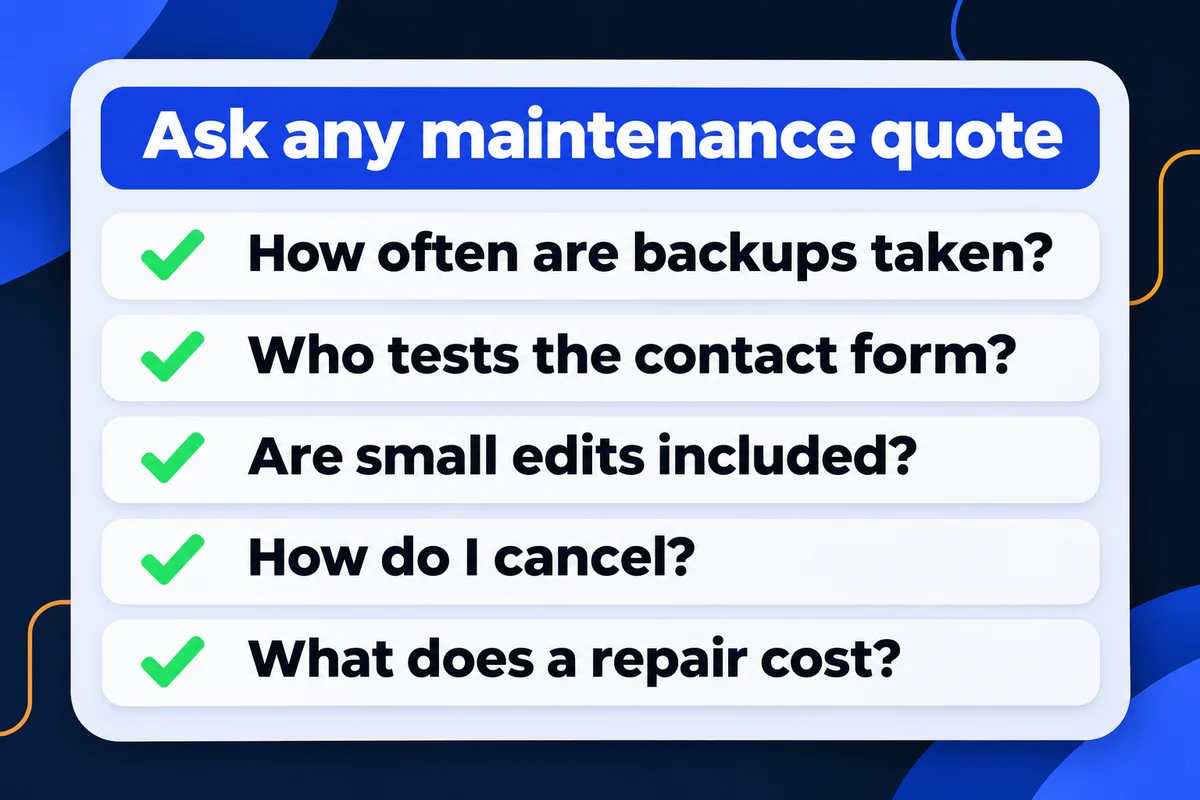
Two plans can both say "updates, backups, security" and be very different products. These are the questions I'd put to any seller, me included. A clear answer in writing tells you more than the name of the tier.
| Ask | Why it moves the price | My answer |
|---|---|---|
| How often are backups taken? | A weekly backup can lose six days of orders and enquiries. | Every day |
| Who tests the contact form? | Enquiries can go missing without an error, and someone has to send the test. | Tested end to end every week |
| Are small edits included? | Hourly edits are how a cheap plan stops being cheap. | Small text and image changes included, usually the same business day |
| How do I cancel? | A long notice period turns a monthly price into a yearly commitment. | Month to month, cancel anytime, and the site keeps working |
| What does a repair cost? | The bill you can't plan for is the one that follows a bad night. | Emergency recovery from a backup is part of the plan |
Hosting is one line to read closely too. Mine is billed on its own and I can manage it for you, so design, hosting and support sit in one place. All of it is listed on my pricing page, in Canadian dollars. If someone else built your site, I start with a free website audit before quoting anything.
Does a hand-coded website still need maintenance?
Yes, but far less of it. A hand-coded site has no plugin rows at all, so the grid above mostly disappears. Backups, uptime checks, form tests and small edits stay, because servers still fail and phone numbers still change. My plan has one price either way, with no tiers.
That's also why I ask "will you edit it yourself?" before recommending WordPress. Every plugin you add is another row in that grid, for as long as the site lives.
Short answers on website maintenance fees
Is website maintenance worth paying for on a small site?+
It depends on what a quiet failure costs you. If the site brings in calls and form enquiries, one week of a dead form usually matters more than a year of fees. If it's a business card nobody visits, a person with an hour a month can do the rounds.
Can I just turn on automatic updates in WordPress?+
You can, and WordPress lets you do it per plugin. It saves the clicking and leaves the checking. An update that breaks the contact form at 3 a.m. breaks it just as fast when nobody pressed the button, so a backup and a form test still have to happen.
Does website maintenance include hosting?+
Read each quote, because sellers split it differently. Hosting is its own line on my plan, and I can manage it for you so design, hosting and support sit in one place. A domain and solid hosting for a small business should run about $100 to $200 CAD a year.
How often should a website be updated?+
A monthly round suits most small business sites, with security and uptime watched every day in between. In the 12 months I counted, a monthly round on WordPress and 12 plugins came to between 4 and 12 updates, which is a job you can schedule.
What does $100 a month cover on your plan?+
Daily backups, uptime and security monitoring, monthly CMS, theme and plugin updates, broken link and error fixes, a weekly end-to-end test of your contact form, a monthly health review, and small text and image changes. It runs month to month in Canadian dollars.
Sources, read on 4 November 2026: release folders at plugins.svn.wordpress.org and core.svn.wordpress.org for the 12 months from 1 November 2025, stable versions only, counted by me; changelogs linked above; GoDaddy, How much does it cost to maintain a website in 2026? (13 April 2026, US dollars); php.net supported versions. The 42 minutes is my own estimate, written out so you can change it.
Got a maintenance quote you can't make sense of?
Send it to me with your website address. I'll tell you which lines are real work and what I'd ask them. If you'd rather hand the whole thing over, that's my website maintenance and support plan.
Get My Free Quote
I hand-code websites for service businesses around the GTA and look after sites I built and sites I didn't. I'd rather show you the count than ask you to trust a tier name. Read my full bio · Get in touch