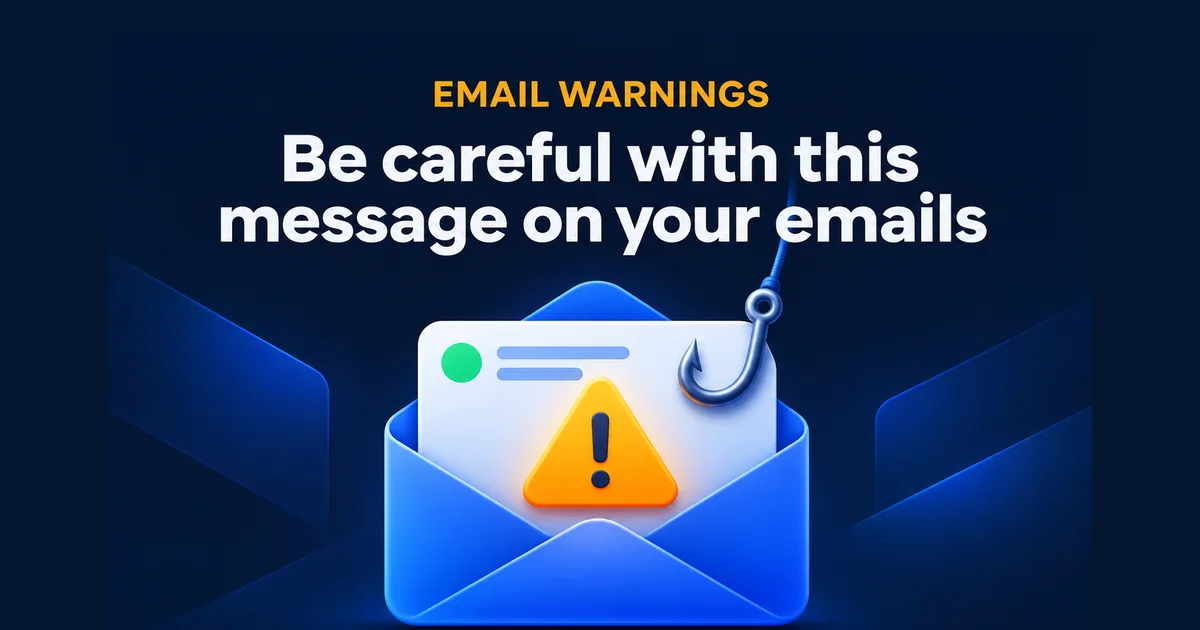
A customer forwards your quote back with a question: "Is this really from you?" On top of your own email sits a yellow bar that says "Be careful with this message". That bar means Gmail couldn't confirm that your domain really sent the email. It's a paperwork problem in your domain's settings, not a virus and not a ban. Before you do anything else, don't tell people to ignore it, and don't change your email password in a panic. Find out which of your sending tools gets the bar, read the exact words on it, and fix the one record behind them. I read the public mail records of 36 Ontario businesses this morning to see how common the gap is. It's very common.
Is the bar on every email you send, or only some?
Usually only some. Your mailbox, your website form, your invoicing app and your newsletter tool each send mail in your name from their own servers, and each one needs its own permission in your domain's records. The bar shows up on mail from whichever tool you never authorised. Ask the customer which email had it.
Most small businesses I look at have three to five tools sending as them, and nobody wrote the list down. Here is the usual set, and what each one needs before Gmail and Outlook will trust it:
| Email that got the bar | Who actually sends it | What your domain needs for it |
|---|---|---|
| Normal email from your mailbox | Your mail provider: Google Workspace, Microsoft 365 or your host's mail | The provider's line in your SPF record and its DKIM signing switched on |
| Contact form on your website | Your web host's server, unless the form logs in to a real mailbox to send | Best fix: make the form send through your mailbox's login, so it inherits the mailbox's records |
| Invoices and receipts | The invoicing or accounting app, with your address in the From line | The app's domain settings, which give you records to add; or let it send from its own address |
| Newsletters | The newsletter tool's servers | The tool's domain authentication page, usually a DKIM record or two |
| Booking confirmations and reminders | The booking or CRM software | Same as invoices: its own domain settings, or its own From address |
The website form is the one I see break most often, because it was set up once by whoever built the site and nobody has looked at it since. I wrote about that path separately in why contact form emails land in spam, since the same missing permission sends form mail to junk.
What the words on the warning mean
Each wording points at a different failed check. Gmail and Outlook word them differently, and one Outlook note isn't a fault at all. Match what your customer saw to the boxes below, then go to the fix it names.
The mail carried no proof from your domain: SPF didn't cover the server that sent it, and there was no DKIM signature for your domain either.
Fix: add that tool to SPF, or switch on DKIM in it.
Google's help page says this appears when the domain the mail was sent from doesn't match the domain in your From address. The tool signed it with its own name, not yours.
Fix: set up DKIM for your domain inside that tool.
Your From address and your Reply-To address are on different domains. Some tools do this on purpose to track replies.
Fix: put a reply address on your own domain, or switch off reply tracking.
Microsoft adds it when the mail fails SPF or DKIM and also fails DMARC or its own combined check. Same root cause as Gmail's yellow bar.
Fix: SPF and DKIM first, Microsoft says those matter most here.
The From domain is different from the domain in the DKIM signature or the hidden return address. The tool sends as itself, wearing your name.
Fix: DKIM with your own domain in that tool.
Microsoft calls this the first contact safety tip. It shows when someone gets mail from you for the first time, or rarely.
Fix: none needed. Your records can be perfect and it still shows.
If the customer only says "there was a warning", ask for a screenshot. Four of the six boxes come down to SPF and DKIM, but the reply-address one and the Outlook first-contact one need different handling or none, and I've watched people spend a week on DNS for a note that was never about them.
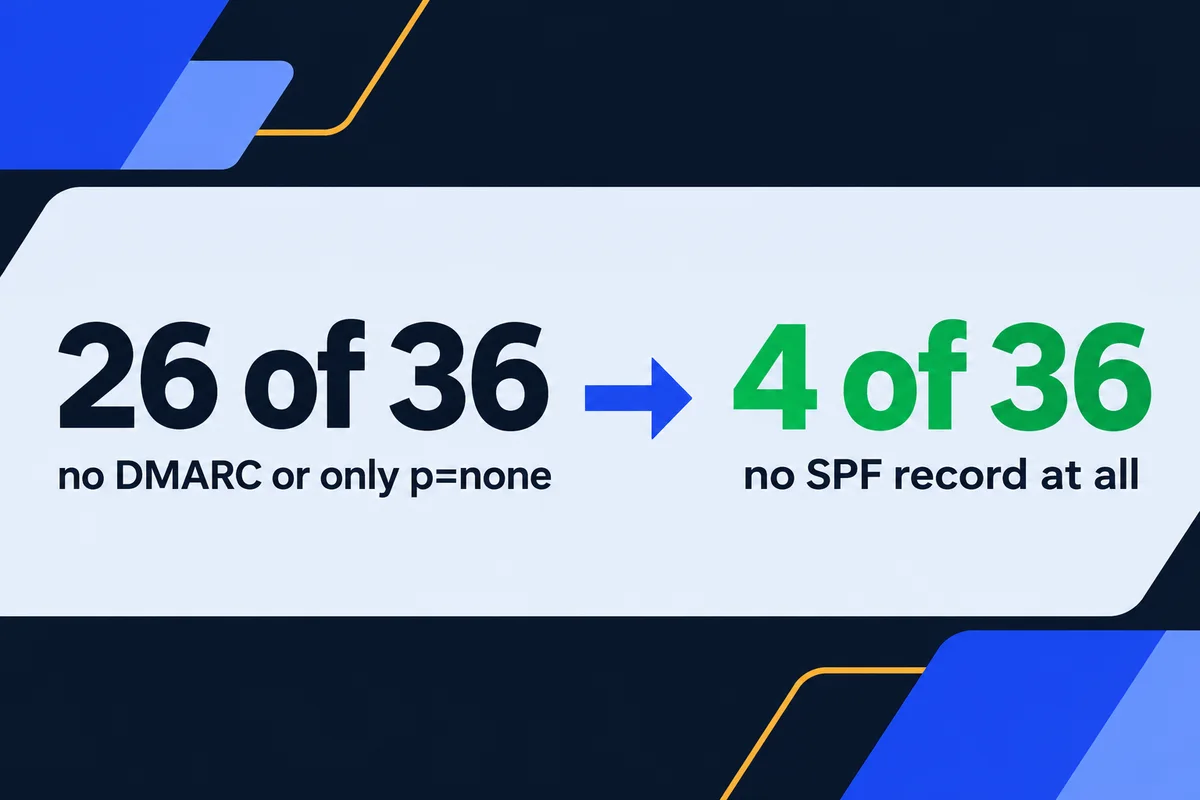
How 36 local business domains looked this morning
Most had the basics half done. Of 36 Ontario business domains that receive mail, 4 had no SPF record at all, 12 had no DMARC record, and another 14 had DMARC set to watch only. Just 7 had SPF, a DKIM key I could find, and DMARC actually telling inboxes to treat fakes as junk.
The sample is 38 roofing, physiotherapy and wellness websites in Ontario that I first gathered for an earlier test, none of them my clients. I read their public DNS records: the records any mail server reads before it decides whether to trust a message. Two domains don't receive mail at all, so the counts below are out of 36.
DMARC record (36 domains)
- no record
- p=none, watch only
- quarantine
- reject
End of the SPF record (36 domains)
- no SPF record
- ~all or ?all, soft
- -all, strict
Read on 25 November 2026 through public DNS. DKIM keys can sit under any name, so I tried 12 common ones: I found a key for 23 of the 36, which means at least 23 sign their mail. None of the domains had two SPF records. I don't name the businesses.
What this tells you: a missing record isn't rare and isn't a sign that you did something stupid. Your web designer set up the site, your accountant set up the invoicing app, a nephew set up the newsletter, and nobody owned the domain's mail settings. The four with no SPF at all are the ones whose customers are most likely to see the bar, because their mail has no proof unless each tool signs it.
Fix it in this order
List every tool that sends as you, put all of them into one SPF record, switch on DKIM in each tool that offers it, then add a DMARC record that only watches at first. Change one thing, test, then the next, so you know which change worked.
- Write the list. Go through the table above and add anything else that emails customers in your name: a review request service, a quoting tool, an online store. If you're not sure, the DMARC reports in step 4 will tell you within a week.
- Keep one SPF record. It's a single TXT line at the root of your domain, and every sending tool goes into that same line. Two SPF records on one domain is an error under the SPF standard, and the check fails for both. The standard also caps the record at 10 lookups, so a line with a dozen includes breaks too.
- Switch on DKIM everywhere you can. Google Workspace and Microsoft 365 both have it in their admin settings, and most invoicing and newsletter tools have a domain page that gives you one or two records to paste. DKIM is the one that survives when your mail gets forwarded, so it's worth more than SPF.
- Add DMARC with p=none and a report address. That tells inboxes to send you daily reports on who sends as your domain, without blocking anything yet. My guide to reading a DMARC report without paying for a tool shows which six fields matter. Once every tool you use passes, move the policy to quarantine.
For a made-up Toronto business that uses Google Workspace and nothing else, the two records look like this. Your provider's help page gives the real values for your setup:
TXT  example.ca          v=spf1 include:_spf.google.com ~all
TXT  _dmarc.example.ca   v=DMARC1; p=none; rua=mailto:dmarc@example.ca
A new tool means a new piece in the SPF line, not a second line. That's the mistake I clean up most: someone signs up for a newsletter tool, it says "add this SPF record", and they add it next to the old one instead of merging the two.
How to check the fix yourself in two minutes
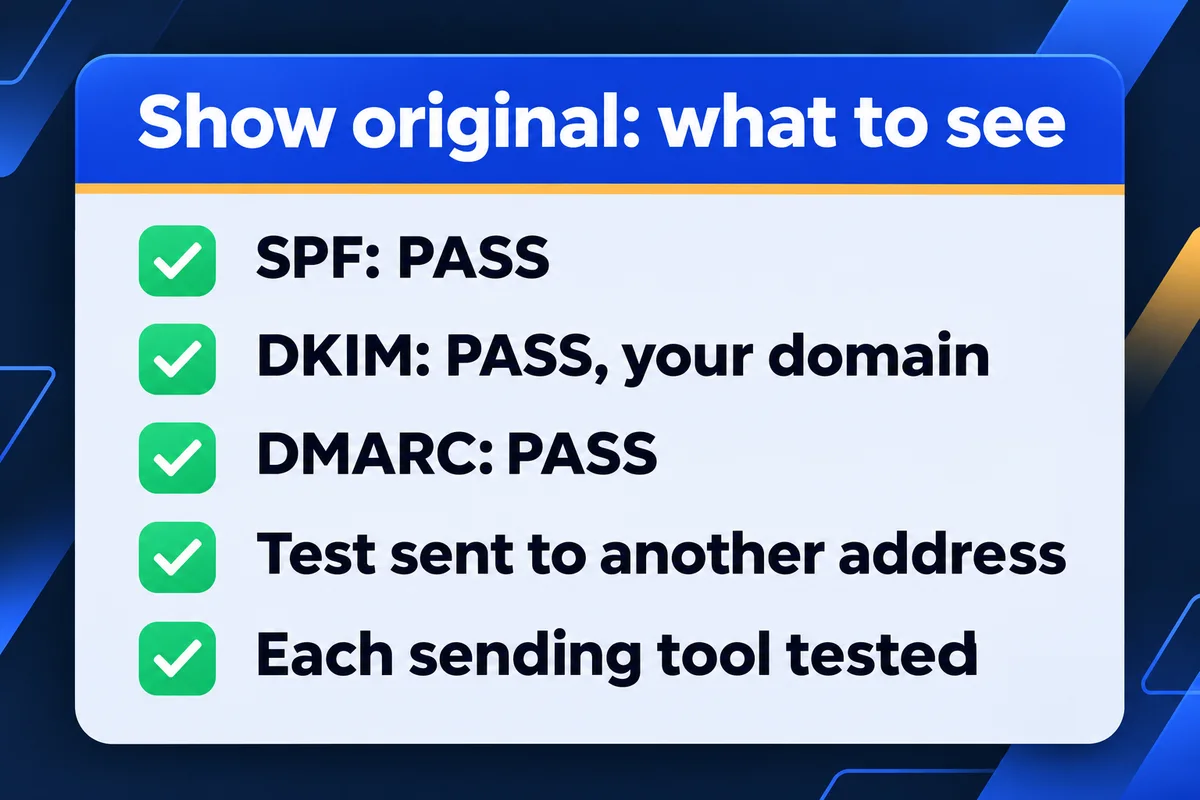
Send a test from the tool that had the problem to a personal Gmail address that isn't on your domain. Open it, click the three dots, choose Show original, and read the three lines at the top. All three should say PASS, and the DKIM line should name your domain.
- SPF: PASS with IP 203.0.113.25
- The server that sent it is on your list. FAIL or SOFTFAIL here means that tool is missing from your SPF line.
- DKIM: 'PASS' with domain example.ca
- Signed with your domain. If it names the tool's domain instead, DKIM for your domain isn't on in that tool yet, and that's where "via" comes from.
- DMARC: 'PASS'
- At least one of the two above passed for the same domain as your From address. This is the line that makes the bar go away.
Test each tool separately: one email from your mailbox, one through your website form, one invoice to yourself, one newsletter to a test address. If the form passes and the invoice fails, you know exactly which settings page to open next.
Three false alarms that need no DNS work
Sometimes the bar shows up and your records are fine. Before you call anyone, check these three:
- You sent the test to your own address. A newsletter tool's help page explains that Gmail warns when the From and To addresses share a domain and the Reply-To is different, which is exactly what a tool with reply tracking does to your own test. Send tests to an outside Gmail address instead.
- The customer forwards your mail automatically from another account, say from a work address into a personal Gmail. Google's help page lists automatic forwarding as one of the cases where it can't verify the sender, and DKIM is the record that holds up best through it.
- The note says "You don't often get email from", which is Outlook's first contact tip and not a fault.
Why "just add me to your contacts" doesn't fix it
It fixes it for one person. Google's own page tells recipients they can create a filter for a trusted sender with "Never send it to Spam" to remove the warning, but that lives in their inbox only. Your next new customer gets the bar again, on the quote that was supposed to win the job. The record fix works for everyone, including people who will never tell you they saw a warning and simply didn't reply.
It's also worth more than the bar. Google's sender rules have required SPF or DKIM from everyone who sends to Gmail since February 2024, and mail without either can be marked as spam or refused. The bar is the polite stage. If you also think someone may be sending fake mail as your business, my page on what to do when someone sends email as your business covers how to tell that apart.
Who should own this in your business
Whoever controls your domain's DNS, and that should be an account in your name. If the records sit with a web designer who stopped replying, get the domain login back first; my guide on who owns your website lists which accounts have to be yours. If you're still on a free Gmail address and thinking of moving to a mailbox on your own domain, my page on business email on your own domain covers what it should cost, and setting these records up on day one saves you this whole article.
For sites on my website maintenance and support package, a screenshot of a warning like this is exactly what the priority email support in it is for.
Questions about the warning on your emails
Are my emails still delivered when Gmail shows the warning?+
Usually yes, the message arrives with the bar on top. But the same missing records also push mail into spam, and since February 2024 Google can reject mail from senders with neither SPF nor DKIM. Treat the bar as the early warning.
Can I turn the warning off for my customers?+
Not from your side. Each recipient can add a Gmail filter for your address with Never send it to Spam, and Google says that removes the warning for that sender, but only in that one inbox. Fixing your records fixes it for everyone.
I added SPF yesterday. Why do I still see the bar?+
Check three things: that the tool which sent that email is in the record, that there is only one SPF record on the domain, and that the message was sent after the change. Then open Show original on a new test email and read the SPF line.
Do I need DMARC if SPF and DKIM pass?+
Google requires DMARC only from senders of 5,000 or more messages a day, and accepts p=none. I still add it for every small business, because its reports show which tools send as your domain, including the ones you forgot.
Is the Outlook note You don't often get email from a problem?+
No. Microsoft calls it the first contact safety tip. It appears when someone gets mail from you for the first time or rarely, and it has nothing to do with your records. It goes away as they keep getting mail from you.
Sources, read on 25 November 2026: This message may not have been sent by and Extra info next to sender's name (Gmail Help); Email sender guidelines (Google Workspace Admin Help); Anti-phishing policies (Microsoft Learn); RFC 7208, the SPF standard; ActiveCampaign Help on the reply-to case. The record counts come from public DNS, read the same day. The business in the record example is made up, and 203.0.113.25 is an address reserved for examples.
A customer sent you a screenshot of the warning?
Send me the screenshot and your domain. I'll read your mail records and tell you which tool is missing and which record to change.
Get My Free Quote
I build and look after websites for small businesses around the GTA, including the contact forms and the domain settings that decide whether their mail gets trusted. Read my full bio · Get in touch