Whenever I'm brought in to look after a client's Google Business Profile, I ask one question before anything else: who is the Owner? Most of the time the answer is a pause. Sometimes it's a name nobody has spoken to in three years. Two-factor authentication gets sold as the thing that keeps criminals out of your accounts, and it does — but the same mechanism is what keeps you out when the phone in the drawer is dead and the recovery number belongs to somebody who left. I don't write this as a security expert. I write it as the person who gets the message that starts "I can't get into…".
The short version
- The password is not the risk. The recovery contact is. Whoever receives the reset code effectively owns the account.
- Backup codes are the whole game. Google hands out ten of them and almost nobody saves them.
- Check who the Owner of your Google profile is today. A manager cannot add or remove users, and cannot delete the profile — an owner can do both.
- Getting a profile back takes three days minimum, and Google says outright that the option to claim it "isn't always available".
- Your domain is the last key. Google Workspace's own admin recovery ends with you adding a DNS record — so no domain, no recovery.
- SMS is the weakest second factor that still counts as one. NIST calls telephone-based codes RESTRICTED, and names SIM change and number porting as the reasons.
The other reason to turn this on is the one nobody budgets for: a mailbox somebody else can read is how a customer ends up paying a fake invoice with your name on it, and the sign-in history in that same account is what settles who leaked.
What happens if I lose the phone with my authenticator app on it?
If you saved backup codes when you switched two-factor authentication on, you sign in with one of them and enrol a new phone in about two minutes. If you didn't, you fall back to the recovery email and phone on the account. If those are stale, or belong to a former employee, you're at the mercy of an automated review that takes days and is allowed to say no.
That's the whole article in one paragraph, and it's worth reading twice, because the failure is completely silent until the day it isn't. Everything works. Every login works. You have no signal at all that the account is one dropped phone away from being gone — right up until the phone drops.
Which accounts does your business actually run on?
Fewer than you think, and they're not the ones people worry about. Nobody's business dies because they lost their Instagram password. It dies because the domain registrar login belongs to a designer from 2019, or because the Google Business Profile that brings in half the phone calls is owned by a marketing company that got fired in a bad mood.
Here's the actual inventory. Six accounts, in rough order of how badly it hurts.
| The account | What you lose without it | Who usually holds the recovery |
|---|---|---|
| Domain registrar | The website, the email, everything downstream | Whoever registered it — often a past designer |
| Business email | Every invoice thread, and every other account's reset link | The person whose name is on the subscription |
| Google Business Profile | Your Maps listing, your reviews, your local calls | The "primary owner" — often not you |
| Hosting / site admin | The ability to change a word on your own site | Your current developer |
| Payment processor | Money already in transit | The founder's personal phone |
| Analytics & Search Console | Years of history you can't rebuild | Whoever set it up, usually years ago |
Notice the pattern. In four of the six rows, the honest answer to "who holds the recovery" is somebody other than the owner of the business. That's not negligence, it's just how these accounts get created — in a hurry, by whoever was doing the work that week, using whatever email was open in the browser.
Why is the recovery contact more dangerous than the password?
Because a password only proves you know a secret, while the recovery contact proves who you are as far as the platform is concerned. Anyone who receives the reset code can take the account, and anyone who can't receive it cannot get it back — no matter whose name is on the business licence, and no matter how loudly they explain the situation.
Say it plainly: whoever's phone number and email sit in the recovery fields decides who gets the account back. That was never negotiated and nobody signed anything — somebody typed a number into a box during setup, in a hurry, years ago. Platforms enforce that field. They do not read your incorporation documents.
Anyone who can receive your reset code can take the account. Most owners guard the password carefully and have never once checked whose phone that code is sent to.
The version I run into most often has no villain in it at all. The account was set up by someone who has since left — a bookkeeper, an office manager, a nephew who was good with computers — and their old mobile is still the recovery number. They would help if they could. They changed carriers, the number isn't theirs any more, and now nobody can pass the check, including them. The outcome is identical to the version with a villain in it, which is why "we're on good terms" is not a plan.
Two-step verification is also the fix for exactly one of the four ways a business gets impersonated by email — the one where somebody genuinely is inside the mailbox. It does nothing for the other three, which is worth knowing before you spend an hour on it: how to tell a break-in from a forged From line takes about a minute and decides which emergency you are actually having.
Who is the Owner of your Google Business Profile?
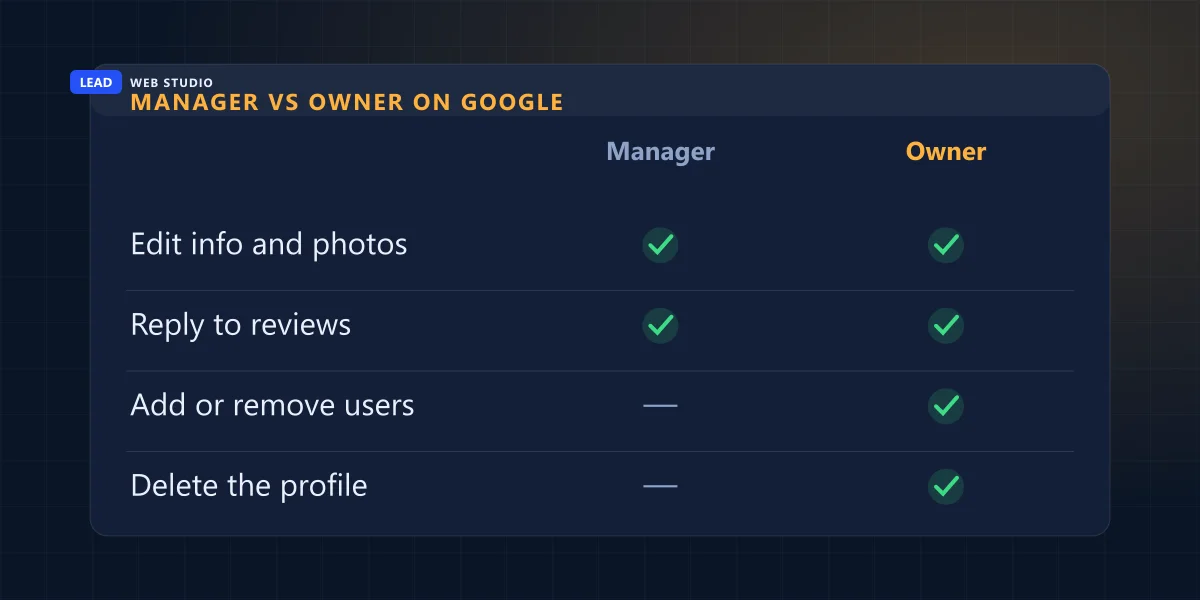
Whoever created or claimed it, unless ownership was formally transferred to you. Google's own documentation states that "A Business Profile can have multiple owners but only one primary owner", and that managers "can't add or remove users or remove the profile". So if you're a manager on your own listing, you can post, reply and edit — and you cannot remove the person who can remove you.
This is the single check with the best ratio of effort to consequence on the whole page. Open your profile, go to Settings → People and access, and read the role beside each name. It takes ninety seconds. Here's what the two roles actually mean, straight from Google's Business Profile roles documentation:
| What it lets you do | Manager | Owner |
|---|---|---|
| Edit business info, hours and photos | Yes | Yes |
| Reply to reviews and post updates | Yes | Yes |
| Add or remove other users | No | Yes |
| Remove the Business Profile entirely | No | Yes |
I'll be straight about my own seat here, because it's the same question pointed at me. When a client hires me to look after their listing, I ask them to add info@leadlls.com as a Manager — not an owner. That's deliberate. A manager can do all the work and cannot lock the client out of their own business, and when we stop working together they remove me in about forty seconds without asking my permission or waiting for a reply. It's the same principle I apply to who buys the business email: I'd rather have less power and a client who can leave.
If the owner on your profile is a company you've parted ways with, the road back is real but slow. Google's request-ownership process emails the current owner and gives them three days: "If you don't get a response after 3 days, you may have the option to claim the profile." Read the next line carefully, because it's the one that decides your week — "The option to claim a profile isn't always available." If the request is denied outright, you're left with an appeal and with suggesting edits, which is a very thin position for something that generates your phone calls. Start that request the day you notice, not the day you need it.
Your domain is the last key
Every recovery chain in your business eventually terminates at the domain, and almost nobody realises it. Lose your email password and the reset goes to a phone. Lose the phone and the reset goes to the recovery email. Lose the recovery email — and the last resort, for a business account, is proving you control the domain itself.
That isn't a theory. It's written into the recovery path for Google Workspace super administrators: when automated recovery fails, the way back in is to "add a CNAME record to your domain's DNS settings" (a TXT record works too). Read that as an owner rather than as an admin and it says something blunt. Whoever controls your DNS can eventually recover your company email. If that's your old web designer, then your old web designer is, functionally, the backup owner of your business correspondence.
Which is why the domain deserves more paranoia than the rest of the list combined. Two things I'd check on yours today, both of which came out of auditing my own seven domains earlier this month — I resell domains, so this is my own dashboard I'm criticising:
- Auto-renew is not always on. Every domain I registered through an API arrived with auto-renew switched off by default. Nothing warns you. You find out on expiry day, which is the one day of the decade when finding out is expensive.
- The expiry date in a billing panel can be wrong. Four of my seven showed a date a full year stale after being transferred in. The registrar's own WHOIS record is the truth; the invoice screen is a convenience. The detail is in the domain guide I published this month, along with what a .com and a .ca actually cost at wholesale.
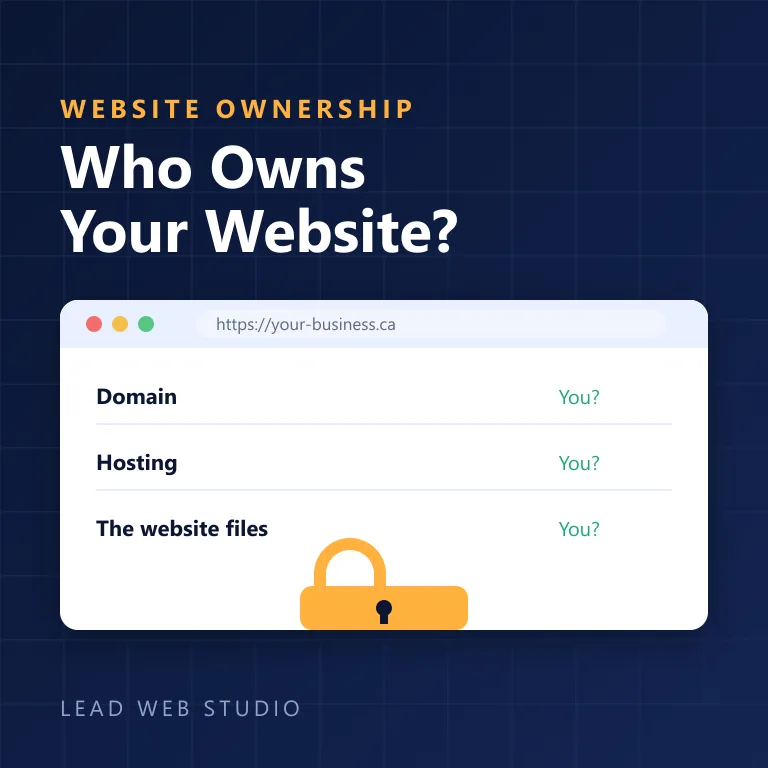
And the ownership question underneath all of it is the one I've written about before at length: if the registrant contact on your domain is not you, none of the above is really yours. That's the who-owns-your-website problem, and it is the reason this article exists at all.
Which second factor should you actually use?
Use an authenticator app or a passkey for anything that matters, and treat text-message codes as the floor rather than the goal. All three beat a password alone by an enormous margin. The differences between them show up in two places: how easily an attacker can intercept the code, and how badly stuck you are when you lose the thing.
On the security half, the reference most worth quoting is the American standards body rather than a vendor blog. NIST Special Publication 800-63B classifies telephone-based one-time codes as RESTRICTED — "Use of the PSTN for out-of-band verification is RESTRICTED" — and tells the services using them to "consider risk indicators such as device swap, SIM change, number porting, or other abnormal behavior". Restricted is not the same as forbidden, and I want to be honest about that: SMS is still vastly better than nothing, and for a lot of small business software it's the only option on offer. Take it when it's all there is. Just don't let it be the only thing standing between you and your Maps listing.
On the Canadian side, the Cyber Centre's guidance on multi-factor authentication goes further and names a preference: "fast identity online (FIDO) based-solutions are strongly recommended to secure online accounts." FIDO is the technology behind passkeys and hardware security keys — the little USB or NFC token, and the fingerprint-or-face prompt your phone now offers instead of a code. That same page also says the thing this whole article is built around: "Your organization needs a clear recovery plan for lost or compromised authentication factors." Not a stronger factor. A recovery plan.
| Second factor | How it fails you | What getting back in takes |
|---|---|---|
| Text message (SMS) | SIM swap, changed carrier, a number you no longer own | Your phone company first, then the platform |
| Authenticator app | Phone lost, wiped, or replaced without exporting | Backup codes — or a slow appeal |
| Passkey / security key | The key is lost and there's only one | A second key, or backup codes |
| Backup codes | Saved in the notes app of the lost phone | Nothing — they are the recovery |
That last row is the one that ruins people. Google's own page on backup codes is clear about what you get: "You can get a new set of 10 backup codes whenever you want", and "After you use a backup code to sign in, that code becomes inactive." Ten single-use keys to your entire business, free, available right now — and the overwhelming majority of business owners I ask have never generated them. Print them. Put them where you keep your incorporation papers. That is genuinely the whole trick.
The thirty-minute lockout drill
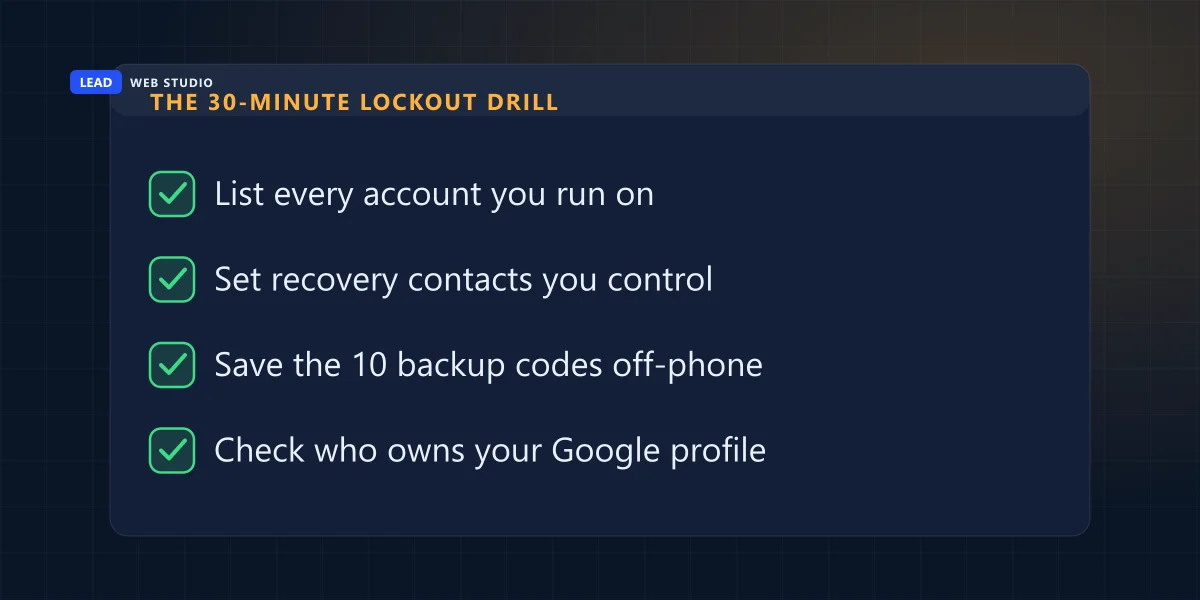
This is the order I work through when I take over a client's accounts, and there's no reason you can't do it yourself tonight. It is boring, it is finite, and it converts a vague background dread into a piece of paper in a drawer.
- List every account the business runs on. Use the six-row table above as your starting point. Write down the login email beside each one — you will already find one or two you don't recognise.
- Set the recovery email and phone to something you control on every account. A business address you own, plus your own mobile. Not the office manager's, and not a designer's.
- Generate the backup codes and store them off the phone. Printed, in the same folder as your business registration. If storing paper makes you twitch, a password manager is fine — as long as its own recovery isn't the same phone.
- Check the Owner on your Google Business Profile under Settings → People and access. If the primary owner isn't you or someone in the business, start the ownership request today, given it takes three days before you even learn where you stand.
- Confirm auto-renew is on for the domain and that the registrant email is one you can read. This is the account with no fallback behind it.
- Add a second person or a second key to your two most important accounts — a second admin on your email, a second security key, a spouse or partner as an additional profile owner. Single points of failure include you.
Half an hour, once. Compare that against the alternative, which is rebuilding a Google Business Profile from zero and watching a listing with years of reviews on it be replaced by a new one with none — while the old one sits there, still ranking, still wrong, still not yours. I've seen owners spend more than thirty minutes just describing that problem to me.
One honest caveat on step six, because I don't want to sell this as free. Adding a second owner or a second admin is also adding a second person who can lock you out. Choose someone whose interests are the same as yours — a co-owner, a spouse, a business partner — rather than whoever happens to be technical. Convenience is not the criterion here.
Do this one thing today: open your Google Business Profile, go to Settings → People and access, and look at who is listed as the owner. If it's a name you'd have to phone awkwardly, that's your weekend project. Send me your business name and I'll tell you what's publicly visible about your listing, free — I do this before every project anyway.
Frequently asked questions
What happens if I lose the phone with my authenticator app on it?+
If you saved backup codes, you sign in with one of them and re-enrol a new phone in about two minutes. If you didn't, you fall back to whatever recovery email or phone number is on the account. If those are also gone or belong to someone else, you're relying on an automated review that can take days and can say no.
Is a text message good enough as a second factor?+
It's far better than nothing and much weaker than the alternatives. NIST classifies out-of-band authentication over the public telephone network as RESTRICTED, and tells verifiers to watch for device swap, SIM change and number porting. Use SMS if it's the only option offered, and move to an authenticator app or a passkey wherever you can.
Who is the owner of my Google Business Profile?+
Whoever created or claimed it, unless ownership was formally transferred. Google allows multiple owners but only one primary owner, and a manager can't add or remove users or delete the profile. Open the profile, go to Settings → People and access, and read the role beside each name. If the primary owner is a former employee or an agency you no longer use, fix that first.
How do I get my Google Business Profile back from an old marketing company?+
Request access through the profile and Google emails the current owner. Google's help page says the owner has three days to respond and that if you don't get a response you may have the option to claim the profile, while also warning that the option to claim a profile isn't always available. Start the request early, because a denial only leaves you the appeal route.
Should my web designer hold the passwords to my accounts?+
They should have their own access, not your password. Add them as a manager or an administrator on an account you own, with a recovery email and phone that belong to you. That way you can remove them in under a minute, and nothing about your domain, email or Google profile depends on their goodwill or their phone.
Want someone to run this audit with you?
I go through the domain, email, hosting and Google profile on every project before I touch a single page — it's part of how I build a website and part of ongoing support after launch. If your listing is the account that worries you, Maps management starts at $149 a month. Rates are on the pricing page.
Get My Free Quote
10+ years building websites and local SEO for GTA trades, clinics and service businesses — and untangling the account ownership they inherited from whoever came before. Read my full bio · Get in touch