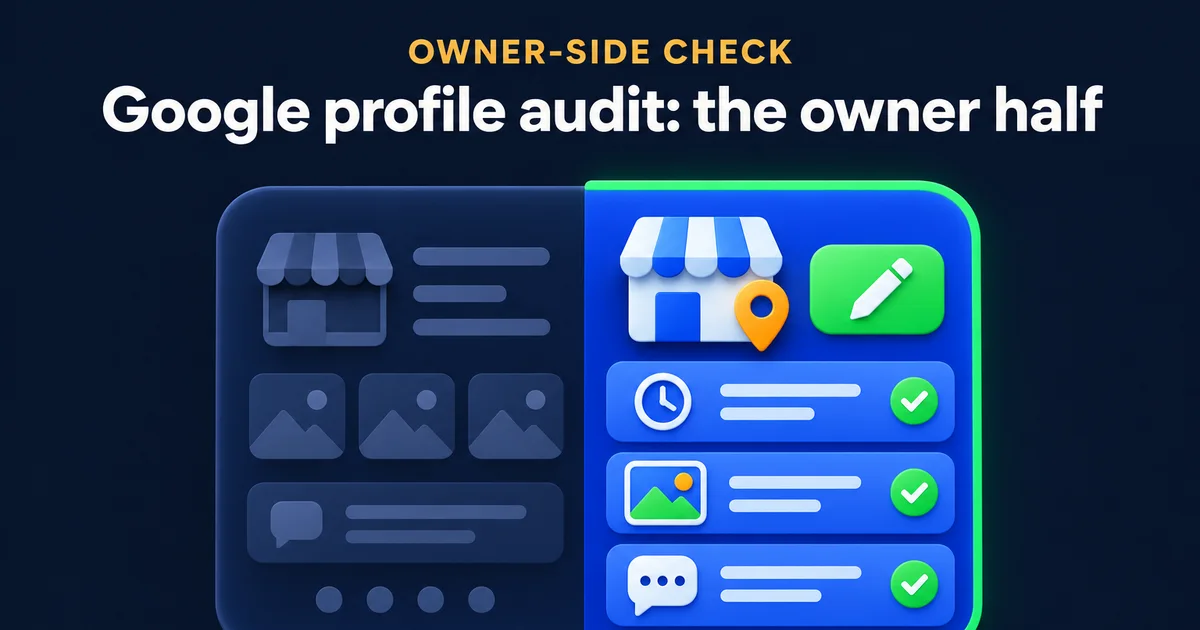
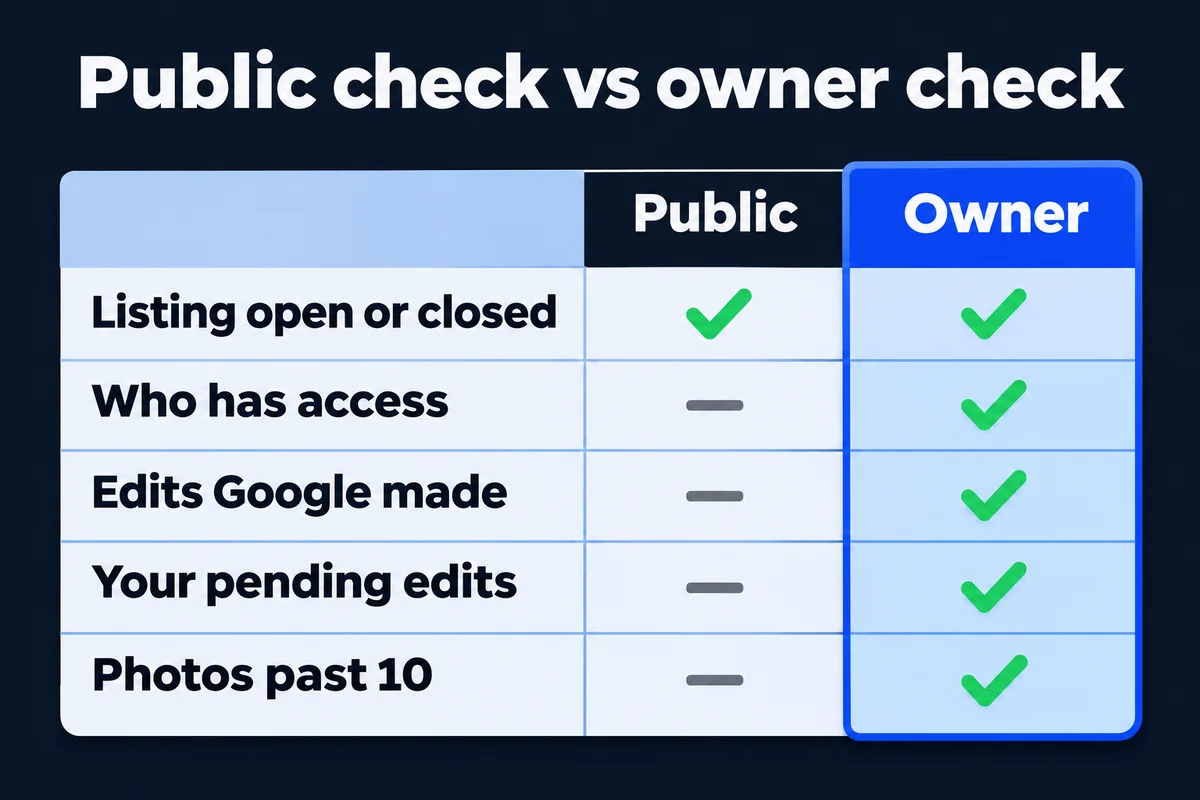
A Google Business Profile audit has two halves, and most checkers only do the easy one. They read your public listing: open or closed, phone, hours, photos, stars. I built one of those myself, the free Google Business Profile audit tool on this site, so I know exactly where it goes blind. This morning I signed in to my own studio's profile and did the other half, the part only an owner can see. Below are the screens to open, in order, with my own numbers as the worked example.
What can a public audit tool see, and what can't it?
A public tool reads the record Google shows everyone: whether you're open, your phone, website, hours, category, photos and reviews. It can't see who has access to your profile, what Google changed on its own, which of your edits are stuck in review, or anything you typed into the editor that Google hasn't published yet.
What anyone can read
- Open, temporarily closed or permanently closed
- Phone, website and regular hours
- The category shown under your name
- Photos, but Google's public data stops counting at 10
- Star rating and number of reviews
What only you can read, signed in
- Every person who can edit, and their role
- Fields Google changed for you, shown in blue
- Suggested edits waiting for your answer
- Your own edits marked Pending or Not approved
- The real photo count, services, prices and special hours
So a perfect score on a public checker means your shop window is tidy. It says nothing about who holds the keys to the shop, which is where the expensive surprises live.
Who has access to your Google Business Profile?
Open your profile, choose More, then Business Profile settings, then People and access. Every name there can edit your listing. If you don't recognise one, or your own Google account isn't an owner, fix that before anything else on this page, because everything else can be undone by whoever holds it.
The clicks, as Google's help page names them:
- Search your business name on Google while signed in to the account that manages it, and your profile opens with its editing buttons.
- Choose More, then Business Profile settings, then People and access.
- Read every name and the word beside it: Primary owner, Owner or Manager.
- Check the Pending section too. An invitation nobody accepted is a door left half open.
On mine the list has exactly one name, and it's me. That's fine for a one-person studio. For a business with a front desk and an outside marketer, the roles matter, and Google draws the line like this:
| On the profile | Owner | Manager |
|---|---|---|
| Edit hours, phone, photos and services | Yes | Yes |
| Reply to reviews and publish posts | Yes | Yes |
| Add or remove people | Yes | No |
| Delete the whole profile | Yes | No |
Give your marketer, and me if you hire me, the Manager role. Keep Owner for people on your payroll. The classic horror story I hear goes like this: the designer who set up the profile stopped answering, their account is the primary owner, and the business can't even remove a stranger from its own listing. If that's you, my guide on what to do when your web designer stops replying covers getting your things back, and who owns your website covers the same problem for the domain.
One detail from Google that catches people mid-handover: a new owner or manager waits 7 days before they can remove other people, delete the profile or take primary ownership. Plan the handover a week before the person leaves, not on their last afternoon.
Has Google changed your profile without asking?
It can, and it says so. Google gathers information from users and licensed sources, and when they disagree with you it may update your profile. In the profile editor, fields Google changed show in blue. Some suggested edits from the public now come with a deadline, too.
"Once notified, you have 4 days to accept or reject the suggestion."
Google Business Profile Help, Manage Google updates
The same page says that if you don't respond, Google may publish the suggestion when other public information supports it, and it names your own website as an example. That cuts both ways. If your site still lists last year's hours, a stranger's wrong suggestion now has a witness. Keep the hours on your site and your profile the same, and the four days stop being scary.
On my profile this morning there was nothing in blue and no suggestion waiting. Your check takes a minute: open Edit profile, look for a notice at the top, then scan the fields for blue text. Accept what's right, put your own value back where it isn't, and check the e-mail address the notices go to. A four-day deadline sent to an inbox nobody reads is just a delete button on a timer.
Are your own edits stuck in review?
Every edit you save on a verified profile is reviewed before it shows. Google says that usually takes up to 10 minutes and sometimes up to 30 days. An edit can end up in one of three states, and only the owner sees which:
- Accepted
- Your new information is on the public listing. Nothing to do.
- Pending
- Still being reviewed. Leave it alone and look again tomorrow before you type anything twice.
- Not approved
- Google couldn't confirm it. Read the field, compare it with your website and your signage, and appeal or correct it.
A real one from my own profile. On 12 October I added 12 services in one go. That evening the public listing still showed the old list, which looks exactly like "my changes didn't save" if you only check from the outside. They had saved; they were under review. Today all 65 services show, 19 of them with a price. If you've ever retyped the same edit five times because nothing seemed to happen, you were checking the wrong side.
Posts go through a similar check. My newest one went up at about 5:30 this morning and sat as processing while I wrote this. If one of yours lands as Not approved instead, why a Google post gets refused walks through the usual causes.
My own profile, field by field
Here's the owner-side read of the LEAD Web Studio profile, done this morning, 6 November 2026. The middle column is what I found; the right one is the limit or the rule I measured it against. Use it as a template for your own sheet of paper.
Read through the owner's access, which only reads and changes nothing. Public figures for the same profile: 5.0 from 52 Google reviews.
Two lines on that card are worth a second look on yours. Special hours first: my two entries are 30 September and 12 October, both behind us, and the card is a reminder to look at December. If you close on 25 December, enter it now, or Google will show your regular hours to someone driving over with a gift card. Then categories: they're the field I'd change most carefully, and my guide to picking Google categories explains how to choose the primary one.
The services line is my own rule more than Google's. If the price on your profile and the price on your website disagree, one of them is wrong, and customers always quote you the lower one.
How often should you audit a Google Business Profile?
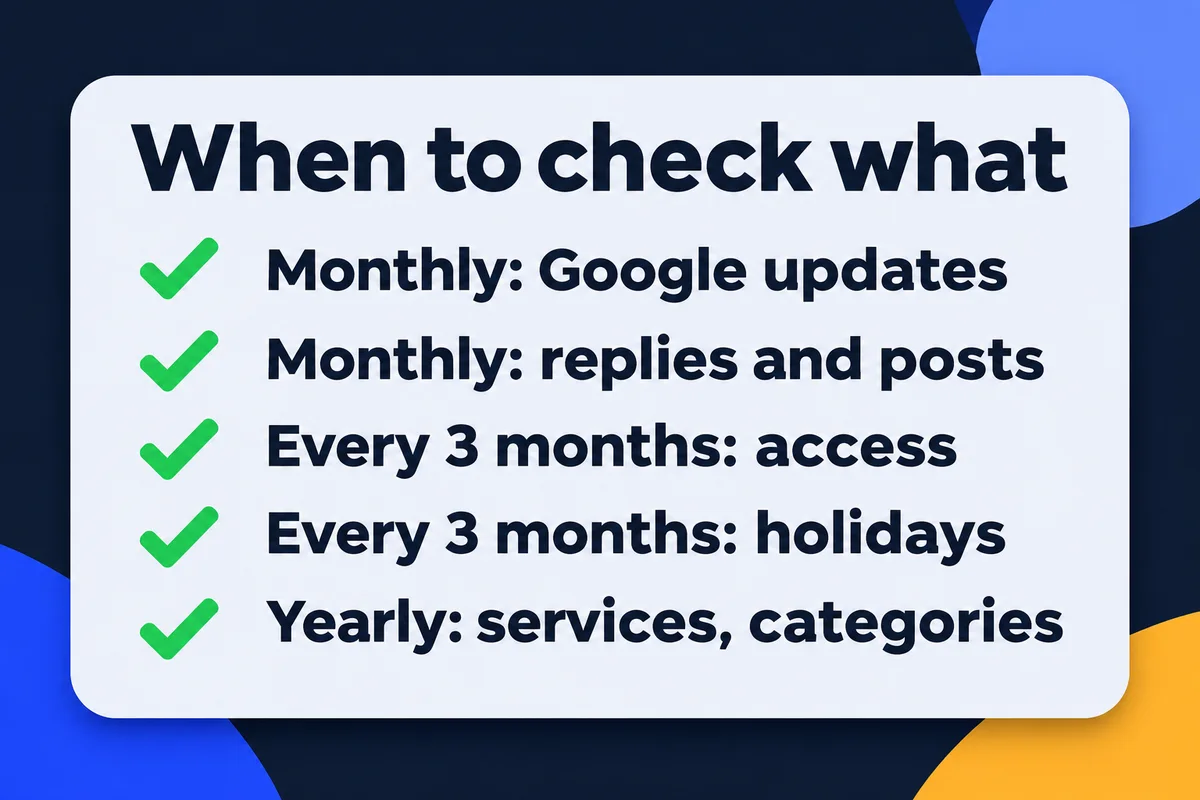
A quick look every month, a longer one every three months, and a full read once a year. The monthly look matters most now, because the four-day window on suggested edits is shorter than most owners' habit of logging in. The rest changes slowly enough for a calendar reminder.
| When | What to open | What you're looking for |
|---|---|---|
| Every month | Edit profile | Blue fields and suggested edits; answer within 4 days of the notice |
| Every month | Reviews and posts | New reviews with no reply, posts marked Not approved |
| Every 3 months | People and access | Former staff, old agencies, pending invitations |
| Every 3 months | Hours | The next holidays entered as special hours |
| Once a year | Categories, services, description | Things you stopped selling, prices that moved, new services |
| Once a year | Google Maps search | A second card with your name on it |
That last row is the one people skip. If a search for your own name shows two cards, the reviews may be split between them, and merging a duplicate Google listing has the steps. While you're there, check that the reviews still have replies; my notes on getting more Google reviews include what I write back.
If you'd rather hand the whole thing over, a one-time profile clean-up is part of my Google Maps setup, and the monthly posts, photos and replies are Google Maps management. I'd ask for the Manager role to do either, never Owner.
Short answers on auditing a Google profile
Is a free Google My Business audit tool enough?+
It covers the public half: whether the listing is open, has a phone, hours, a website, a category, photos and reviews. It can't see who has access, edits Google made for you or edits waiting in review. Those need you signed in as the owner.
How often should I audit my Google Business Profile?+
A short look every month, a longer one every three months and a full read once a year. The monthly look is mostly for Google's own updates and suggested edits, because Google now gives you only 4 days to answer some of them.
What does blue text in the profile editor mean?+
Google's help page says blue text shows information changed by Google. Black or white text means there's no Google update on that field. If you see blue, read the field and decide whether to keep Google's version or put yours back.
My web designer set up my profile. Do I own it?+
Only if your own Google account is listed as an owner under People and access. If the designer's account is the primary owner, ask them to add you as an owner and then transfer primary ownership to you. A new owner waits 7 days before some actions work.
Will an audit move me up on Google Maps?+
Nobody can promise that. Google says local results depend mainly on relevance, distance and prominence, and that you can't pay or ask for a better position. An audit makes sure what Google shows about you is true and that nobody else controls it.
Sources, read on 6 November 2026: Google Business Profile Help, Manage Google updates, Understand what happens to your Business Profile edits, Add or remove Business Profile owners and managers and Manage your service area. The LEAD Web Studio profile was read through its owner access the same morning.
Found a name you don't recognise?
Send me your business name and what you saw under People and access, and I'll tell you the order to fix it in.
Get My Free Quote
I build websites and look after Google profiles for service businesses around the GTA, and I test every check on my own profile before I suggest it to anyone. Read my full bio · Get in touch